PhotoPass+ Review


Disney recently began offering PhotoPass+, which is an enhanced version of the popular PhotoPass photography package available at Walt Disney World and Disneyland. PhotoPass+ includes the standard PhotoCD available for purchase from PhotoPass, with the “plus” parts of PhotoPass+ being on-ride and character dining photos taken at select locations at Walt Disney World and Disneyland.

PhotoPass+ Overview:

PhotoPass+ costs $169.95 at Walt Disney World and $69.95 at Disneyland if pre-ordered, which is about $50 more than just the PhotoCD at Walt Disney World, and the same price as the PhotoCD at Disneyland. Specifically, PhotoPass+ includes a separate gallery CD with over 300 stock photos and a code to order a PhotoCD of your photos. Instead of ordering the PhotoCD, you can download your digital photo files, which is what we did.

On-ride photos included in the new package at Walt Disney World are: Space Mountain, Splash Mountain, Buzz Lightyear’s Space Ranger Spin, The Twilight Zone Tower of Terror, Rock ‘n Roller Coaster, Expedition Everest, and Dinosaur. On-ride photos at Disneyland are: Radiator Springs Racers, California Screamin’, Splash Mountain, Space Mountain, and The Twilight Zone Tower of Terror.

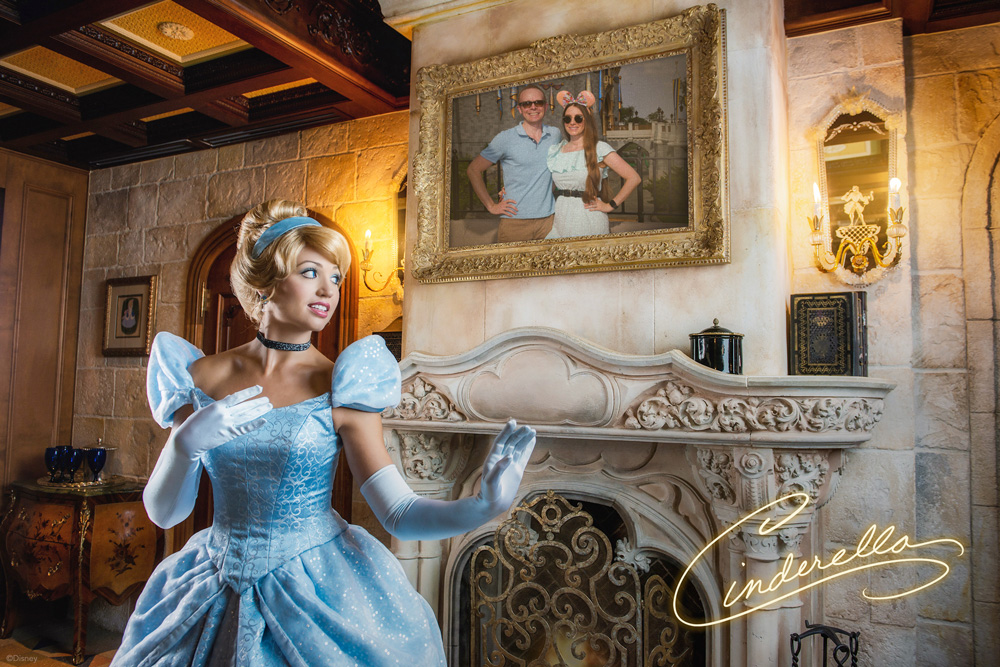
Character dining locations included in PhotoPass+ at Walt Disney World are 1900 Park Fare, Ohana (breakfast), Spirit of Aloha Dinner Show, Chef Mickey’s, Cinderella’s Royal Table, Tusker House Restaurant (breakfast), Hoop Dee Doo Musical Revue, and Princess Storybook Dining at Akershus Royal Banquet Hall. Character dining locations included in PhotoPass+ at Disneyland are: Ariel’s Grotto, Goofy’s Kitchen, Disney’s PCH Grill, and Plaza Inn (breakfast).

Pre-ordered PhotoCD packages online can be upgraded to PhotoPass+ upon arrival at Walt Disney World or Disneyland, but we recommend pre-ordering due to the difficulty we’ve heard some people have encountered in doing this. For attraction and dining photos, guests must have their PhotoPass+ card present for the picture, which means that you can’t share PhotoPass+ with people who are not present in your party.

Whether PhotoPass+ is worth the cost depends on a number of factors, namely, how many photos you’ll take with it and what you think of PhotoPass in the first place. Given that, we’ll start with our review of regular PhotoPass and conclude with a review of PhotoPass+.

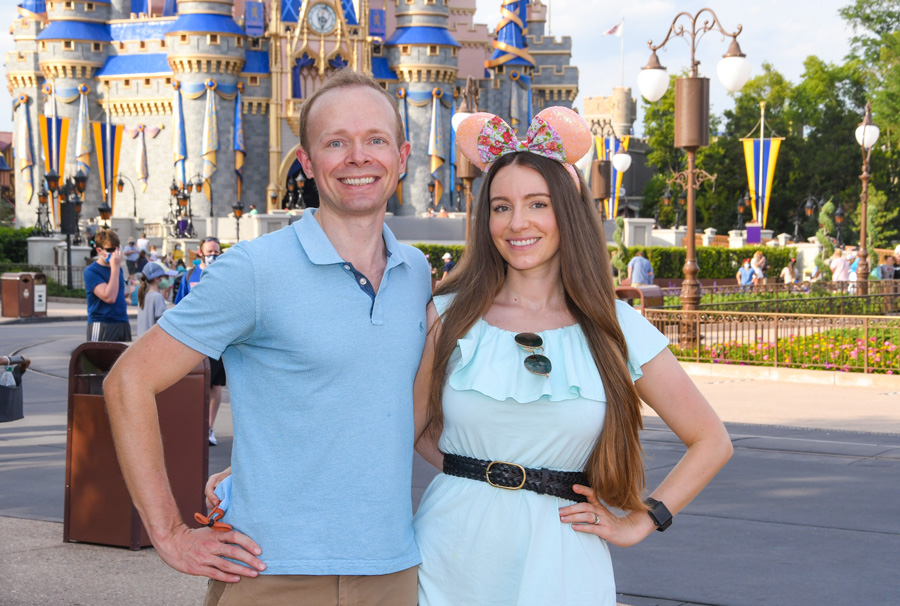
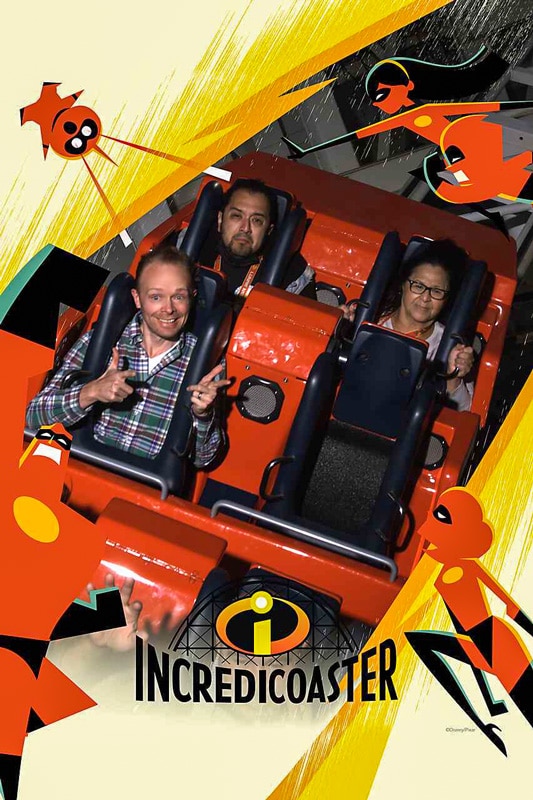
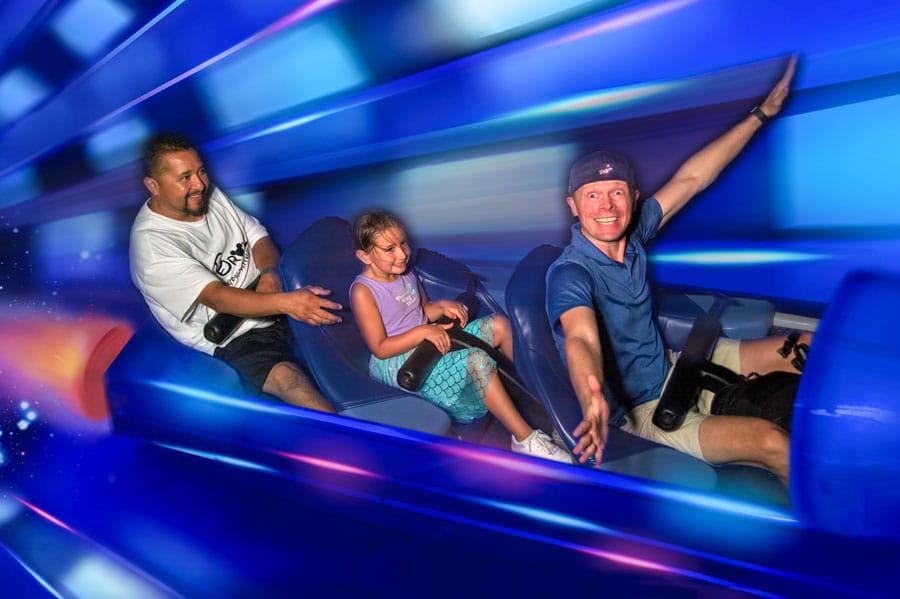
They told me to say “Ka-chow” …this was the unfortunate result.

PhotoPass Review:

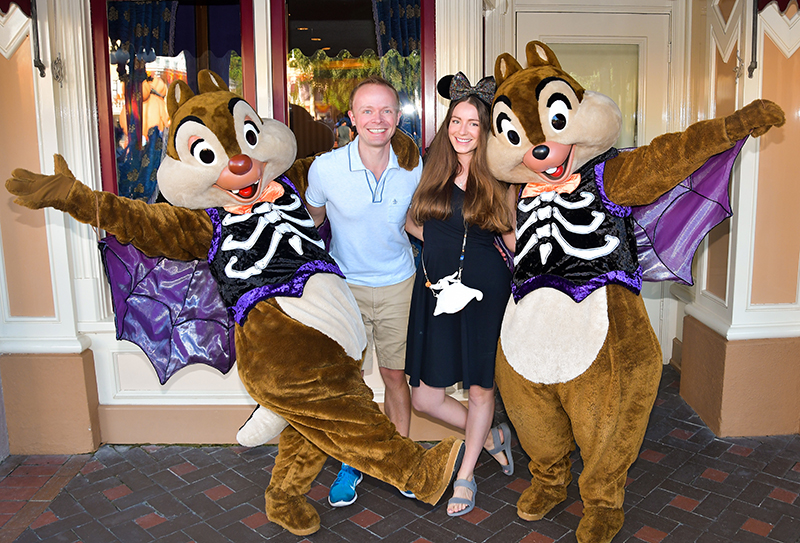
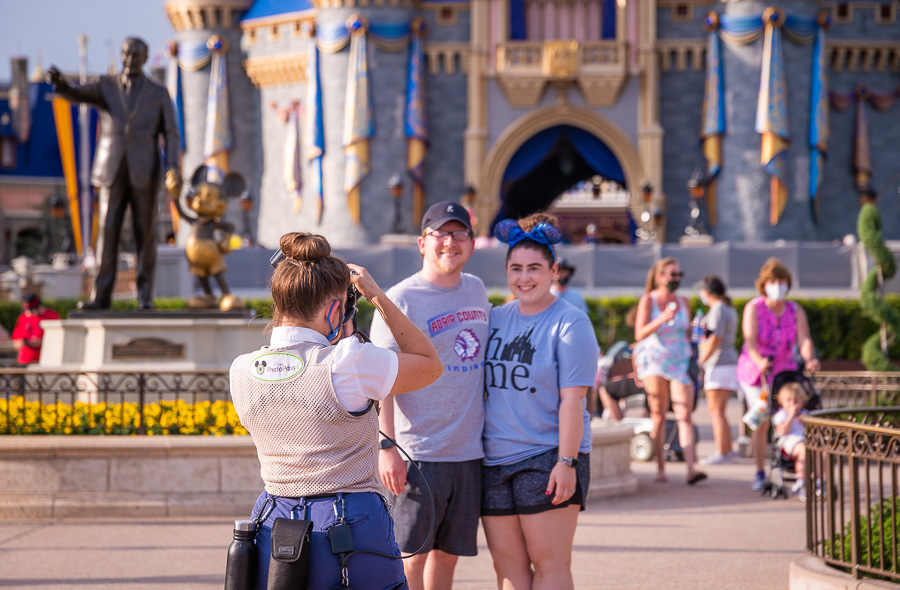
We have never purchased a regular PhotoPass PhotoCD because the value for us simply is not there. The regular PhotoCD is around $120 (the preorder cost), which just isn’t worth it to us. Disney touts PhotoPass as a great way to get professional photos with the whole family in the shot. Based upon this pitch, it’s pretty clear that there are two components to PhotoPass: product (the photos on the CD) and service (having someone else to take the photos for you so the whole family can get into the shot). Some people don’t realize this, but only the product costs money. The service is free, as all PhotoPass photographers will capture photos for you for free with your camera.

Reviewed with this in mind, I think PhotoPass is a bad product. The “professional” PhotoPass photographers are not skilled professional photographers. Granted, there are some PhotoPass photographers who are excellent at what they do and are actually professional or skilled photographers who simply moonlight for Disney, but my experience has been that these skilled photographers are few and far between. Instead, most of the professional photographers employed in PhotoPass positions are only professionals in the sense that it is their job to take photos. Technically, that does make them professionals, but when most people hear the term “professional,” I think they assume something about the skills of the person with the pro title. Claiming PhotoPass Cast Members are professional photographers is about as misleading as it would be if Disney claimed that Test Track ride operators are professional race car drivers.

We use PhotoPass regularly (just to take photos of us with my camera), and at least half of the photographers don’t understand the concept of a prime lens (it’s a lens that doesn’t zoom–-while you may not know this if you’re not a photographer, this is something any real professional photographer knows–it’s photography 101) and attempt to “zoom” my prime lens, leading me to explain that it doesn’t zoom.

I don’t want this to sound like I’m piling on PhotoPass Cast Members. I’m not. As Cast Members, they’re usually delightful to us just like most Cast Members are, but as photographers, I don’t feel that many of them are up to snuff. I realize I’m painting with broad strokes here, and as I mentioned above, some are excellent. (So if you’re a good PhotoPass photographer, please don’t take offense.) However, most of them are simply regular Cast Members with nice camera equipment who aim and press a button. They aren’t any better at photography than the average tourist in the parks. So don’t pre-order a PhotoPass PhotoCD because you think it’s a great way to get professional-quality photos from the parks. It’s not.

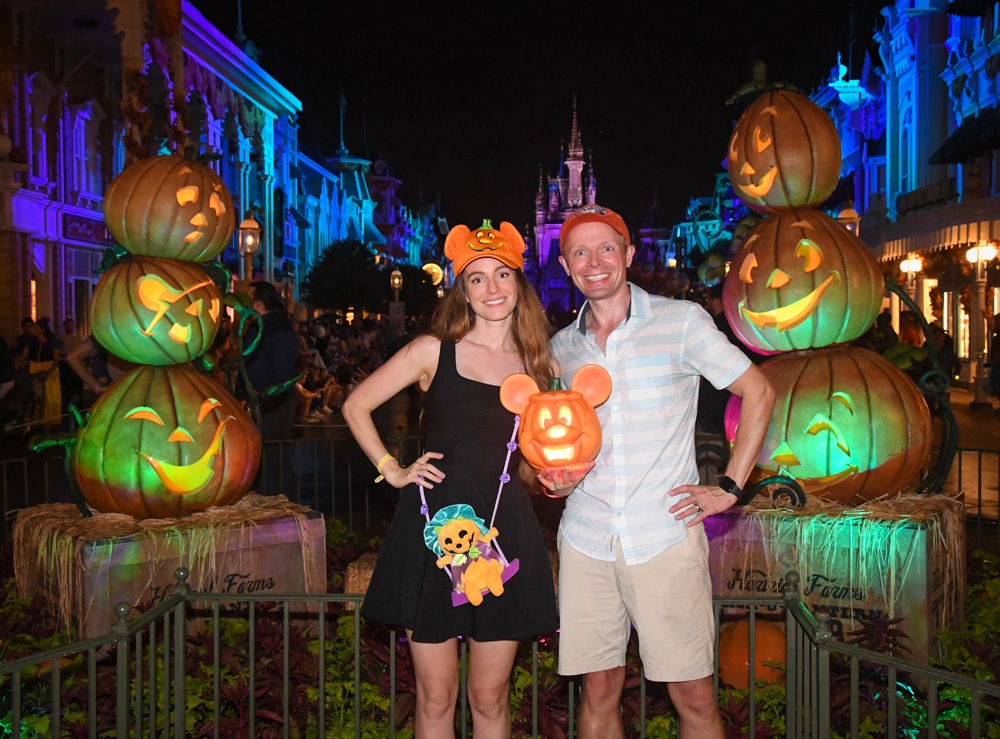
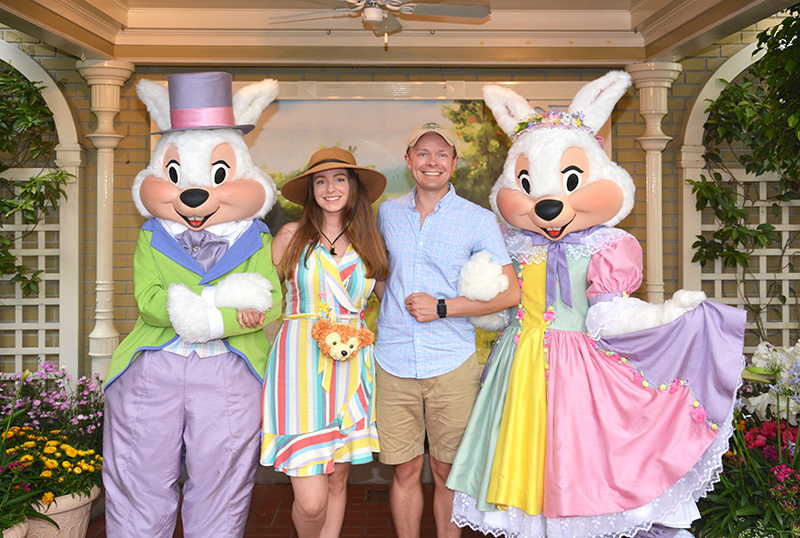
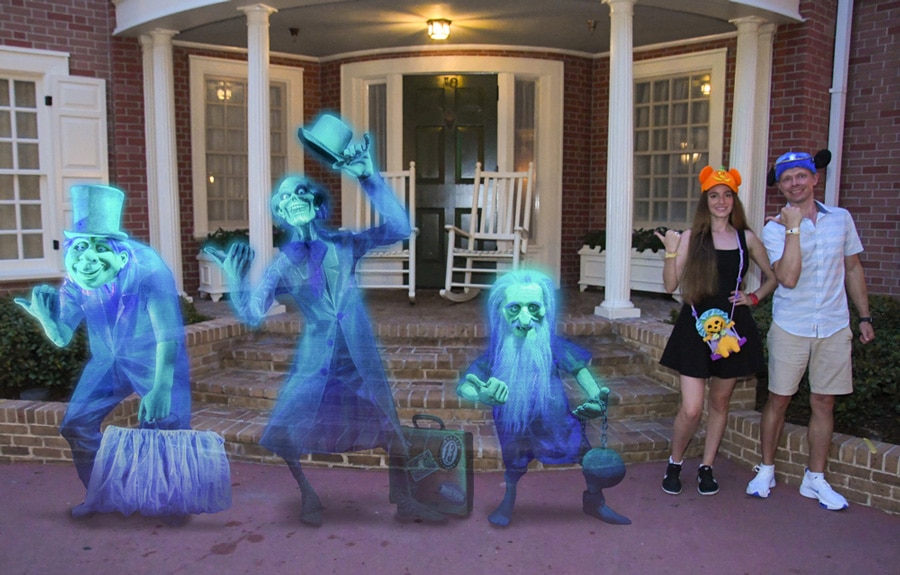
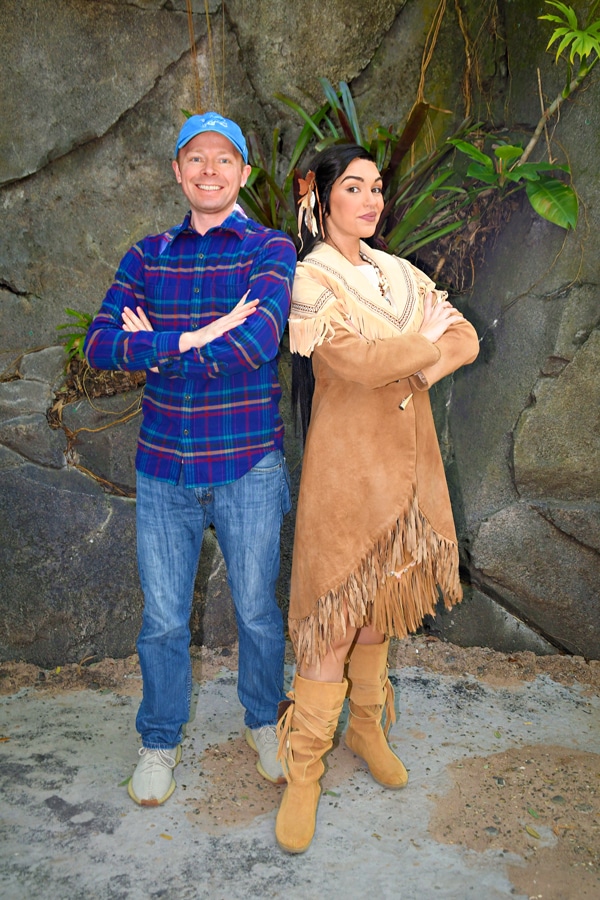
This is not to say there are no benefits to the PhotoPass product. By virtue of the camera used being a semi-professional DSLR, there’s a good chance the photos they take will be nicer than photos you take with your own camera; but you could easily achieve comparable results if you had a DSLR. You also have the benefit of being able to add borders and other graphic elements to the photos if that’s your thing, and at both Walt Disney World and Disneyland, there are some “special” photos that only PhotoPass photographers can take, such as guests holding Simba or Tinkerbell, or Stitch coming out of the pavement.

If you’re going to Blizzard Beach or Typhoon Lagoon at Walt Disney World, PhotoPass also has more value because these photographers are positioned in a lot of fun locations where you probably couldn’t get your own photos (like in the wave pools and at the end of attractions like Crush N Gusher). These photos can be a lot of fun, and definitely make PhotoPass a much better value.

Beyond that, the product becomes a better value if you have a larger party and/or are taking a longer trip. If you’re going on a two week long family reunion and 10 of you will be using PhotoPass to capture thousands of photos from the special trip, the per photo cost is so low that it’s more likely to be worth it for you. By contrast, if you’re only getting 100 or so photos per trip with PhotoPass, you’re paying around $1 per photo, which is more difficult to justify. The PhotoPass CD might be easier to justify for special trips from which you want as many memories as possible. If it’s your “Disneymoon” or a your son or daughter’s first trip to Walt Disney World or Disneyland, some of the photos taken by PhotoPass might be priceless. If that’s the case, you may have no hesitation to pay ~$1/photo for the PhotoCD. Obviously everyone’s circumstances are different in this regard, so weigh your circumstances accordingly when determining whether you should purchase the PhotoPass PhotoCD.


All of that said, as a service, PhotoPass is wonderful. This is because all of the photographers will take photos of you with your camera for free. We use this free service all the time, and while the photos don’t always turn out well, it’s nice to have Cast Members conveniently located in front of icons to take photos of us.
Given the fact that PhotoPass will take photos of you with your own camera, I have always had a really hard time recommending the PhotoPass PhotoCD to anyone. Granted, there are benefits if your camera isn’t very nice, and the PhotoPass photographers are more “aggressive” in getting good photos with their own cameras than with yours, but to me, that’s not enough to justify spending over $100 on PhotoPass. Most guests would come out ahead if they purchased a pocket-sized Canon S95 (my favorite point and shoot camera), had PhotoPass photographers use that to take their photos, and then purchased photobooks through reputable online photobook services (the quality is higher than Disney’s, in many cases). Doing that, you’d come out ahead monetarily after only a couple of trips. Plus, you’d have a Canon S95 at the end of the day, which is an excellent pocket-sized camera that’s easy to carry around Walt Disney World and Disneyland. It’s not as nice as the DSLRs that PhotoPass photographers use, but most people who aren’t skilled photographers won’t notice much of a difference. Plus, by purchasing a nice little point and shoot like that, you are able to take your own nice photos in other circumstances!

PhotoPass+ Review:

Since I’m not really a fan of the PhotoPass PhotoCD, it stands to reason that I wouldn’t like PhotoPass+, either, as it’s basically a more expensive PhotoCD, right? Not exactly.

We used PhotoPass+ at Disneyland, where the $70 price is the same as a regular PhotoCD. As mentioned above, in addition to what you’d have on the regular PhotoCD, this includes the Photo Gallery CD with over 300 stock images, plus photos at character meals and on-ride photos. The stock images are very nice and offer some cool perspectives and character shots, but there are plenty of great Disney photos you can download online for free so this doesn’t add significant value to the package, in my opinion. We didn’t have any character meal photos taken, but those also would have been nice, but not a necessity. After all, you could use your own camera for these photos.

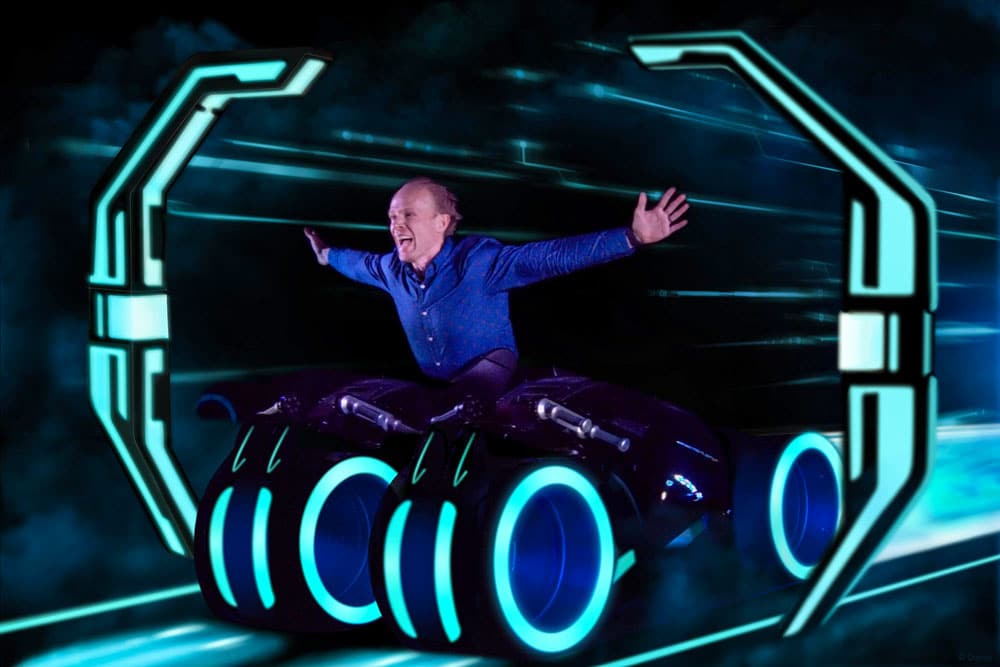
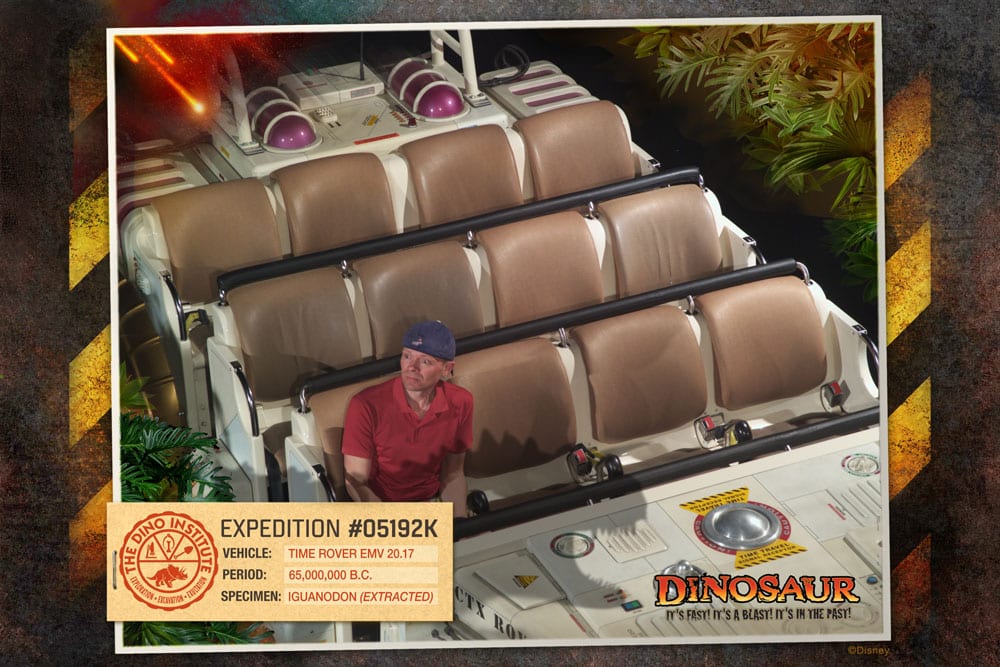
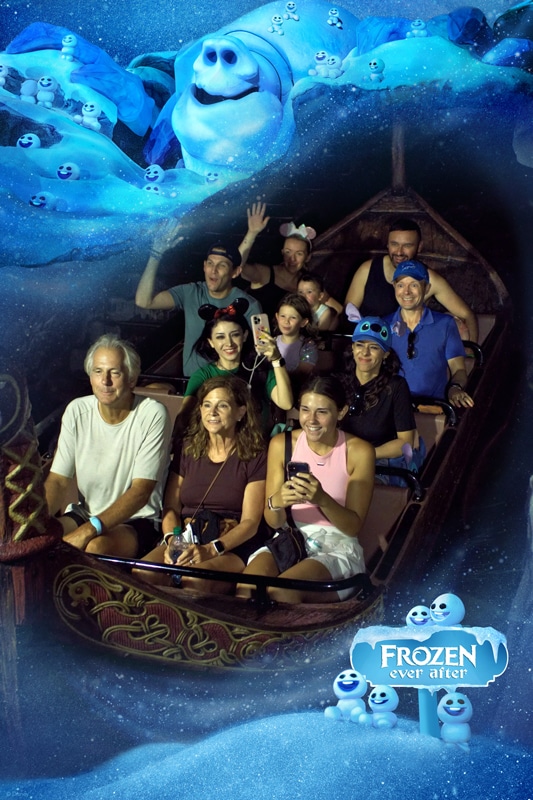
The big benefit is the on-ride photos. Disney normally sells these for $14.95 a pop, which I think is a bit excessive, but people buy them. We love making funny (well, we think they’re funny, you can be the judge of that…) faces for these on-ride photos, and although we have never purchased an on-ride photo, we love them. There have been cases where we’ve come really close to buying these photos, but the price always dissuades us. So for us, this was where the real value of PhotoPass+ could be found.

During the course of our 5-day trip to California, we got 17 on-ride photos. If these were the only photos of value we got from PhotoPass+, they would have cost a little over $4 each. Of course, we would not have purchased all of these photos if we were paying for them separately, but it’s still a much better value than buying the photos individually at the attractions if you’re into on-ride photos. Plus, we did get other photos, and the convenience of not having to hand off my camera to the PhotoPass photographers was a nice luxury (but not something for which I’d pay much of a premium). Having PhotoPass Cast Members around at night was also especially nice–although the photos didn’t turn out as well as photos I could have taken myself.

Obviously, there’s a huge difference in price between PhotoPass+ at Walt Disney World ($170) and at Disneyland ($70), which I would attribute to the average vacation duration at each of the resorts. On average, people stay at Walt Disney World a lot longer than at Disneyland, so they have more opportunities to get photos at Walt Disney World than Disneyland, leading to greater perceived value in the product from guests. Our vacations at Walt Disney World are the same length as our vacations at Disneyland, so this doesn’t prove true for us.

Overall, even at the lower $70 price for Disneyland, I have a difficult time recommending PhotoPass+ to everyone for every trip. If you’ve never purchased on-ride photos but like the idea of them, consider trying it for a longer trip (or if you’re a local, purchase it and use one card for 14 days and go on those attractions a lot), and go nuts getting as many of those photos as you can, plus other photos. After that trip, you might just stick to using PhotoPass as a service to get photos taken with your own camera (although we are considering it again this Christmas at Disneyland). If you’re visiting Walt Disney World, due to the higher price, it’s not something I would ever purchase, but as indicated above, my idea of value isn’t necessarily the same as yours. If you would pre-order a PhotoPass PhotoCD at Walt Disney World anyway, it might be worth upgrading to PhotoPass+ for an extra $50 so that you can get character dining photos and, more importantly, on-ride photos. If you get an on-ride photo from most of the attractions (or multiple photos), the per photo cost of the upgrade to PhotoPass+ is pretty insignificant. In most cases, I think there are far better ways to spend finite vacation dollars than on PhotoPass, but everyone values aspects of their Disney vacations differently!

Do you agree or disagree? Like PhotoPass or hate it? Have you tried PhotoPass+ or are you considering trying it? Let us know your thoughts in the comments!

Disclosure: We were provided with complimentary PhotoPass+ by Disney. This has in no way influenced my review.

468 ad

63 Responses to “PhotoPass+ Review”

  1. Steve Burns says:

    Off of the topic: Your multi-colored striped shirt reminds me of a serape, which makes your Luigi’s Flying Tires hat look like a sombrero. I have to look twice a those photos to see that you aren’t going for a Mexican look.

    Back on the topic: We have gotten PhotoPass CDs from some of our larger group trips, which is fun. And we split the cost between two families, so that helps justify it. But when it is just the three of us, we don’t bother with buying a CD.

    And I’m not that big of a fan of the on-ride photos, anyway. They tell you not to take flash photos, but then they take a flash photo of you. Double standard? Maybe. And no matter where they put the flash, it is hard to disguise a bright light flashing in your eyes. That was always my one complaint about the original Journey into Imagination ride, and back then they didn’t even try to sell you the photo.

    • Tom Bricker says:

      Haha on the hat and shirt comment!

      While a lot of attractions do prohibit flash photography so as to not ruin any illusions, I can’t think of any on-ride photo camera locations where the flash ruins any illusions.

      • Steve Burns says:

        No, it doesn’t exactly ruin the illusion. It just takes my eyes a while to adjust back to normal after being blinded by a flash. That is particularly true on Dinosaur, at least for me.

  2. I agree with your review of the service. It all depends on how you use it. My wife does a lot of digital scrap booking. While I do bring my camera and have the PhotoPass photographers use it, we also typically use the PhotoPass CD too. Sometimes the picture with the PhotoPass camera is better, sometimes the picture with my camera is better: this way we have the choice. I think for the number of PhotoPass pictures we receive, it is a value. The last trip we had over 400 PhotoPass photos of us. And in the past on longer trips, we have gotten so many photos that it took two discs. We also like to get the special shots holding Tinkerbell and the like. We have gotten them as the girls have grown up and it is nice to look back over the years and see their different reactions. I like the addition of PhotoPass+ and used it on my last trip in April. We purchased PhotoPass+ for the ability to get the on-ride photos. But to make the service of value, you need to seek out and utilize the PhotoPass photographers. This may not be as conducive to your particular touring style and therefore may not appeal or be a good value to everyone.

    • Tom Bricker says:

      Out of curiosity, when you mention the number of photos you got, are you counting every single photos or just the unique photos? A lot of our photos were identical (or nearly identical) because the photographer took the shots on burst mode. While I appreciate this as it is nice to pick between two shots (in case someone blinked), I wouldn’t count any identical photos in my assessment of value.

  3. Cory says:

    Thanks for your review! We are going to Disneyland for 6 nights and have purchased the PhotoPass+ package for $69.95. We have young kids and are planning on doing at least 3 of the participating Dining photo package experiences, which can cost around $30 or so. And you get a nice quality print out and a digital copy on the card. For us, the $69.95 is a steal. Our normal WDW trips are 8 nights, so we have been paying the $99.95 Photo CD price before the markup. I likely will pay the $169.95 for the PhotoPass+, because the dining and ride photos make it a deal for us.

    Thanks again.

  4. Christie says:

    We are going in August and actually pre-ordered the PhotoPass CD (not +) for the first time for this trip. My deciding factor was the damn princesses in Town Square Theater. We visited them 6 times during our last trip and I couldn’t get my camera set to adjust to the weird lighting in there. The Photopass photogs apparently already had their’s set, so their photos turned out great. They got some absolutely BEAUTIFUL ones – 3 of which I ended up purchasing the digital copy, for $45 ($15/ea). UGH! I had to have them, though.

    My other deciding factor (though this is negated by the fact that they’ll take photos with my camera for me) is that I have exactly ONE photo of myself from our 11 day trip last year. That photo is crooked and blurry because my daughter was playing with the camera on the bus back to the hotel. The pictures may not be awesome (and I know they really aren’t), but at least I’ll be in them. I’m the photographer in the family, and therefore am ALWAYS behind the camera rather than in front of it. I have several gorgeous photos of my husband and daughter together, but like I said, none of me. I’m hoping to solve that this year.

    I’m also splitting the cost with another family going at the same time.

    • Tom Bricker says:

      I can totally understand the desire to use PhotoPass, especially if you don’t know how to capture photos in the tricky lighting of the indoor character meet and greets.

      However, remember that you can hand off your camera to PhotoPass Cast Members, Character Attendants, and a wide range of other individuals…what I’m getting at is that it’s not as if the only option for getting you in the photo is purchasing PhotoPass!

      • Christie says:

        Maybe you can answer this question for me. For Disney pics, I generally have my camera in “Aperature” mode set to f1.8/no flash. I realize that I’m pigeon-holing myself with that setting, but I’m very comfortable with it and get pretty decent pictures, with really nice depth of field. My lens doesn’t have a zoom on it (gasp! I know!), but it does autofocus. (I have a separate zoom lens, but prefer the low ap one for Disney pics.) I’ve let others use my camera to take pics of me before and they have come out AWFUL. Completely out of focus (they focused on something OTHER than the subject). That’s another issue I have handing it off to a Disney photographer. I’m scared about what I’d be getting back. Handing off my camera literally RUINED every shot I have of my daughter with Santa when she was 2. I was so mad at myself for trusting someone else. It’s easy enough to jump into Auto mode, but then the awful on-camera flash would fire.

        Any thoughts?

  5. Kellie says:

    I’m feeling really dumb right about now, but I really don’t understand the difference in PhotoPass+. In our November trip to WDW and several past trips to DLR, cast members have always been willing to put our ride photos onto our PhotoPass (we’ve never done any character dining). Then after the trip is over we take them home and check them all out online before making any decisions. So what am I missing?

    On the other hand, I must have had some really good luck (or something) because we’ve gotten several really nice family pictures from PhotoPass photographers. But we’ve never ordered a CD because we don’t have that many we really want to keep.

  6. Jeff says:

    The technique of having the PhotoPass photogs take a photo with their camera, then yours (or having the accompanying cast member take the photo, if you’re at a character meet n’ greet) is a great way to get everybody in the picture and getting the most options possible for that photo op.

    That’s what I did on my recent trip to WDW; unfortunately, the cast member didn’t wait for my camera to autofocus before she took the picture (another tip: check your photos before you leave the immediate character area!), but the PhotoPass person did get an in-focus photo. We didn’t pre-pay for the CD, only buying one or two individual photos that we wanted from the PhotoPass website afterwards.

    • Samantha says:

      I have to agree on the fact that pp photographers don’t always take the best photos with your own camera. I had them do this on our Disneymoon 4 years ago and all of the photos except maybe 2 were really bad!

  7. Sarah says:

    A great review of PhotoPass and some interesting thoughts. One area that you didn’t really touch on that should be noted is the character meet & greets. If you have children and you visit a lot of meet & greets during the course of your trip that alone could make the PhotoCD worth it. While you can take some of the same pictures yourself, it’s nice to put the camera down sometimes and just “enjoy” the M&G. I find sometimes I miss some of the experience because my face is always behind the camera. I’ve enjoyed just standing to the side and watch my children interact with the characters while someone else snaps away! I also find that the majority (cetainly not all) of the PhotoPass photographers seem to know the characters and know how to catch the right picture. I’ve found that they’ve caught the hugs, high fives, big smiles on my kids faces at first glance, etc. For that reason alone I have recommended PhotoPass to some friends and family.

    • Tom Bricker says:

      Excellent point about enjoying the meet & greet with your kids and letting someone else take the photos. For parents, that is a definite plus (although being a photographer myself, I’d rather be the one taking the photos if I were in that position). Great point!

  8. Jud says:

    The S95?? Really? Still? :)

  9. Courtney Alyssa says:

    Thanks for the review. I haven’t purchased the PhotoPass cd on any previous trips to WDW, although I do appreciate the PhotoPass photographers and the wonderful (to my naive photographic eye) photos they have taken on my personal camera in the past. I have a question, though. We are going on our Disneymoon from Christmas through New Years 2013-14. I’ve never been to WDW at this time. Although I know it will be more crowded than I’ve ever seen it, it’s the only time my fiancée can get off of work for ten days straight. I’m hoping the magic of the holiday season will negate any crowd frustrations. But, have you noticed that PhotoPass lines are unbearable around this time? If we decide to get the PhotoPass+, I definitely want to preorder it. But I don’t want to waste our money, if the lines for PhotoPass photos will be miles long. I know attraction wait times will be long enough by themselves–I dont want to wait forever for photos on top of that. And if we preorder the PhotoPass+, I’ll feel obligated to get our $$s worth out of it. What’s your experience with PhotoPass lines around that holiday season?

    • Tom Bricker says:

      PhotoPass lines during the holidays (besides at Osborne Lights) aren’t too bad. A little longer, but not too much longer. They usually bring out more photographers to help with demand.

  10. Amanda Susan says:

    Last summer I went to WDW with my cousin and her daughters (ages 6 and 4). I rarely buy photopass pictures but for that trip I pre-ordered.
    For me it was well worth the money. We took them to the Bibbidi Bobbidi Boutique and they had photographers roaming around. They also have an area where you can pose for pictures. The girls loved it and the pictures turned out beautiful.

  11. Kim Payne says:

    I ordered the Photo Pass CD for our trip in May of 2011. I am so thankful that I did. We had 350 pictures on the Photo Pass. We downloaded our own camera’s pictures to our external hard drive each night. When we arrived home and went to look at our photos, our external hard drive crashed. It will be about 1500 to get those pics, if they can be recovered. The first place could not recover them. This was my family’s first Disney World trip and my granddaughter celebrated her 6th birthday there at the Akershus. The Photo Pass CD was the best investment we have made, and I am forever grateful for those 350 pictures. We were there for 6 days, and I am a picture crazy person. When we return next June, we will definitely be pre-purchasing the CD+. It will be a requirement of any Disney trips we take.

    • Tom Bricker says:

      This (and feeling guilty about just handing my camera off) is why we always get the PhotoPass photographer to shoot with their own camera, too. If we ever lost photos, we’d purchase the PhotoCD. I always back-up my photos during our trips, so I’d have to have two failures to lose the photos…but anything is possible, unfortunately.

  12. Maria says:

    We have pre-ordered twice. One photopass and one plus. Both times we either split with another family, this plus trip with my dad is wanting more pics himself. I’m not sure I’d be willing to pay to plus without splitting it, but I love the idea of ride photos and dining photos included. We never/rarely buy ride photos or even dining photos, so this is a nice plus.

    I always love the idea of getting that cd with our photos on it, but when deciding between another nice restaurant to dine at vs. paying for that cd, food will always win.

    • Tom Bricker says:

      Have you taken your PhotoPass+ trip yet? My understanding was that you only receive ONE PhotoPass+ card, which makes sharing a lot more difficult. I could be wrong on that (and hope I am), so you might want to check. If the other family is always with you, no big deal, but otherwise, it could be a problem.

      • Brian says:

        Thanx for your review. I bought the + for our trip next month and am looking forward to using it. We have preordered the CD twice before. Since my wife is a scrapbooker, she loves it.

        To elaborate on your one card comment. I read tons of Facebook posts after they debuted this at DL. This was one of their big questions. As I understand it, you can combine any number of Photopass cards on to one account, but only the + card can get the breakfast and ride pictures. So they recommended that if a large family broke apart and wanted to save their ride shots, they should have the CM at the photo area write down the photo number for them and then go back later in the day with the + card to add them. Every family member can have their own regular pass card though.

      • D Means says:

        a photographer told me how to get around the one card problem…he said that if everyone in the party takes a photo on their phone of the card, the card readers at each camera can read the card off the phone, so parties can still split up and get photopass+ pics

      • Maria says:

        Thanks for the heads up. We haven’t taken the photopass+ trip yet, but I have used multiple cards on previous trip with the cd (and without). I had assumed I could do the same with the pp+ cd.

        We do plan on sticking together for the trip, so it shouldn’t be a problem, but definitely something to keep in mind.

      • Maria says:

        Just found the ‘official’ word on it from the pp+ fb page:

        http://www.facebook.com/notes/disneys-photopass-service/new-disney-photopass/10150650931518325

        Q. I have a large family—how many Disney PhotoPass+ cards will I receive?

        R. Only one Disney PhotoPass+ card will be provided with each purchase. However, multiple PhotoPass cards can be accumulated during your visit, and all of those photos can be added to your account. In order to receive your Attraction and Dining photos, the PhotoPass+ card holder must be present at the time of photo capture.

        But, considering we are taking a grandpa who doesn’t want to miss a minute with his grand babies, I think we’re good. :)

  13. Jim says:

    I have to agree with a lot of what you said. We always grab a Photopass card and have our pictures taken. We rarely order any though. Seems kind of silly we go through the motion of getting them to take our picture and not purchase any. But once in a while we’ll grab one. The prices are a bit steep. They do use our camera too. I do like the borders and such you can get on them, but I’m assuming if I look hard enough online I can find things like that to do myself. And I’m still convinced, I came up with the idea back in the early 90′s when I wrote a letter to Disney telling them they should have CM’s around the park to take pictures of guests using there own cameras. They “plussed” my idea a bit but that’s my story and I’m sticking with it.

  14. CJ says:

    How do you like the Black Rapid strap with a backpack on? I’m on the fence and have heard mixed reviews while wearing a backpack.

    Nice review. We have never purchased PhotoPass and have only every bought one on-ride photo. We just hand off our camera like everyone else!

  15. Jasmine says:

    These photos of you guys are hysterical!

    I would consider paying $70, just for the on-ride photos. I love on-ride photos and the special frames. If I spent that much money, I’d make sure I’d get my money’s worth. WE’RE GETTING ON EVERY SINGLE ATTRACTION THAT INCLUDES PHOTOS. A couple of times, at that.

    Everything else, I don’t think it’s worth it. I’ve got a camera, I can take my own pictures.

  16. Deborah says:

    I’m so glad I found this article! The new PhotoPass+ will be perfect for my upcoming trip to DLR with extended family for 9 days.

  17. Pam says:

    When you hand over your camera (dSLR) to the PhotoPass photographers do you have certain settings that you typically set it at before handing it over? If so, what do you typically use?

    • Christie says:

      This relates to my follow-up comment earlier. I would love to know the answer to this.

    • Tom Bricker says:

      Some sort of semi-auto (usually aperture priority, shutter priority would work, too) mode in an “auto” focus selection point mode (normally I choose my focus point–you don’t want that option enabled for them since most don’t know how to pick a point). The second part of this is key, otherwise the focus will miss. I also set it to as fast of a burst mode as possible, which leads them to “accidentally” take several photos of us generally. Recently, I’ve been switching out the prime lenses for zoom lenses, too, as prime lenses are just too much of a hassle for them.

      • Pam says:

        So would you recommend using the Auto-area focus mode (I shoot on a Nikon D5000) vs. 3D-Tracking focus (which I usually use since I have 4 small kids) in hopes that we’ll more likely be in focus?

  18. backinoz says:

    We ordered the PhotoPass CD on a previous trip three years ago when we spent nearly 3 weeks in WDW – value for money? – not sure, although being able to include our Akershus Princess breakfast photos on the CD made it worth it for us.This trip, we’re doing 6 days in DL, followed by 8 days in WDW (gotta make the most of it since we’re flying from Oz). Does anyone know if the photos from both stays be included on the same PhotoPass? If we decide to pre-order, which Photopass CD, DL or WDW? Or do we have to order both? b.t.w. great blog Tom – it’s helped me include DH in the pre-trip planning – he’s in charge of photography!!

    • Tom Bricker says:

      You will have to pre-order the WDW PhotoPass PhotoCD or PhotoPass+. If you do PhotoPass+, note that your ‘timeline’ for photos is 14 days rather than the 30 for the PhotoCD. Looks like either will work for your trip, but if there is a day of travel or something between the 6 and 8 days, you’re going to lose a day (or more) of coverage at the end.

      In your circumstances, I’d strongly consider PhotoPass+.

      • backinoz says:

        Thanks Tom – with Fall FD being released at WDW, and our dd’s being 13 & 15, we’ve re-jigged our plans – our DL & WDW trips now run concurrently over 12 days in early December, so PhotoPass+ is a definite. It’ll be great to have all those on-ride photos that you see and think are great, but just can’t justify the cost of at the time.

  19. D Means says:

    I just spent a week with my family at WDW and did purchase the photopass+. for us it was worth every dollar. knowing we had this all ready paid for we ended up with 78 ride photos and a total of 291 pics from all over the World. this allowed us to get the first ride surprise pics, we didn’t exactly know where the pics were taken) and also get several silly pics (normally would not have bought any but now have all the memories). Also just to add, very early in the process a photographer told me how to get around the one card problem…he said that if everyone in the party takes a photo on their phone of the card, the card readers at each camera can read the card off the phone, so parties can still split up and get photopass+ pics. this all being said for us this time it was great, but i’m not sure i’d buy it every trip.

  20. Drew says:

    1 question and 2 comments. 1) I see you were using a black rapid strap, I ihave the BR-7 and used it on my last WDW trip it worked flawlessly. So much easier than the neck strap. Is this the first time you used one, I haven’t seen it in your previous photos? How did you like it?
    2) My family of 6 has pre-purchased the photopass the last 2 trips and have really enjoyed them. Granted, sometimes you get a crap photo but for the most part it gets me in the photos. I do hand off my dslr sometimes and for the most part the photopass shoot wasnt befuddled with my camera set (d5000 w/ 18-270 tamron). The only difficulty they had was with the zoom lock.
    3) As for getting your money’s worth, I have made sure i got enough pics to cover the cost. First go round I had 150 pics in the parks and then edited about the same number. The second time we had close to 300 in the parks and 2-300 edited and stock photos. As for the photo+ I will definitly pre-order and will cover the cost with the ride photos and dining photos.

  21. Maria says:

    same page that I linked above, but just found this as well:

    Q. My family may split up and go on two different Attractions however only one Disney PhotoPass+ card is provided, what can I do?

    R. If your family splits up and goes on different Attractions you may save your Ride Stub with the photo # and later on stop by the Attraction to claim the photo with your Disney PhotoPass+ card. Keep in mind that photos are available in our system for only 48 hours after capture; make sure you visit the Attraction to claim your photo within that time period.

  22. Katie says:

    We used to buy about one ride photo per ride (before photopass was an option). When photopass came out, we started preordering that and skipping the ride photos (it cost about the same). I understand much more about photography now, but I still like getting the photopass cd too. I may be a little lazy, but sometimes it’s a pain to get the camera off my neck with the headwear I usually wear in the parks (a Goofy hat with a big brim). Also, at night, their tripod + DSLR is most likely going to do better than my handheld D40 (especially if I don’t have the flash on it). Finally, for character greets, good photographers will be shooting with their camera throughout the greet (i.e. getting shots of Mickey hugging your princess as they first meet) and then do the posed shots on both their camera and yours.

    The photopass plus also solves some ride photo dilemmas for us. We never usually get space mountain or buzz pictures (for example) because our group is usually bigger than the ride vehicle, and we wouldn’t want to pay $14.95 a pop twice for the pictures. Since we don’t get to Disney very often (usually only once every 3-4 years for a week at a time), we’ll probably be getting the photopass plus from here on out. If we were making more frequent or shorter trips it would be more of a decision each trip.

    Just before photopass plus came out, I went to WDW and DL in a week, and my WDW pre-ordered photopass worked for both. Not sure if the + part transfers.

  23. Jayce says:

    Also the photos stay on the photopass cd site for a month so if you can visit multiple times during that 30 day period and all of them will get included in the cd/digital download.

  24. Haydee says:

    Hi,

    I am going to WDW in September with my son to celebrate his 5th birthday. I am a single mom, so I would really like to be certain that I get pictures of my son and I together, and not just him with me behind the camera. I have booked a number of character dinings, Fantasmic, Hoop de Doo, Spirit of Aloha, etc., and plan to go on all the rides that take ride photos. Don’t you think that for a single parent like me the package is a good idea so that I have plenty of photos of my son and I together? Thank you for your thoughts.

  25. Shannon says:

    Hello, We are visiting the DLR in October and have already purchased the photopass+…..just a quick question if anyone can help me out….how does it work with the ride pictures? After the ride do you go to the kiosk where you would normally buy the ride picture and give them your card to have it loaded on?

  26. Samantha says:

    I’m planning on getting PhotoPass+ for my trip next year because of the on ride photos. There are 6 out of the 7 rides (I don’t do dinosaur) I will ride and I am going at a slower time so chances of me riding these rides more than once is pretty high, therefor it will be a value to us. Of course we’ll also use the PP photographers as well. For me, I spend a lot of time trying to capture photos and I often forget to enjoy myself. I also have a habit of taking photos of everyone else and not even bothering to get myself in many! Being able to keep my camera in my bag for a bit and let someone else take the photos of big things for an entire week will be a nice change.

    • Samantha says:

      I realize I say “I” and then “us” haha. I may be going solo or I may be going with my brother or a friend, that hasn’t been decided. I promise I’m not crazy.

  27. Gina says:

    If you have young children and you want to be in the picture with them, then I highly suggest the Photopass. I took my son to DL for his 3rd birthday this past May and the combination of him, the stroller and my DSLR was a bad combination. I got great photos of him, but I only appeared in the photos that Cast members had taken. So, on our next trip, I will get the Photopass and will be sure to tell every cast member with a camera that we bought the CD. I plan on having hundreds of photos available of all the fun once the week is over.

  28. Tricia says:

    My family and I went on a 9 day trip to WDW in September and bought the PhotoPass plus ahead of time. I am a huge scrapbooker so this was a great value to me! We got 3 character meal packages which at $24.95 each was worth it alone. All of the ride photos plus at the end we had almost 200 pictures on our cd! We took full advantage of every photographer we saw. We also got a Tom of magic shots…even some folks don’t know about! (Kissing the frog outside crystal palace)

    The only complaint I had was at both typhoon lagoon and blizzard beach I did not see 1 PhotoPass photographer and we looked!!!

    • Tom Bricker says:

      That’s too bad about Typhoon Lagoon and Blizzard Beach–those are normally the best places for PhotoPass!

  29. J Darling says:

    We recently purchased PhotoPass+ for attractions in Disneyworld. We did get some great photos that we’ll have fun with, but there are very few Disneyworld photos by the Photopass Photographers that I’d purchase. For example, one photopass photographer said, “On the count of 3, say your favorite Disney Character’s name!” Well… Pluto doesn’t make for a very pretty picture…

  30. Karen says:

    I have also seen references to “Attractions+” – are we taking about the same thing here?

    • Tom Bricker says:

      Sort of. Attractions+ is JUST the on-ride photos. PhotoPass+ is that, plus all of the PhotoPass photos you can get from roaming photographers around the parks.

  31. Elizabeth says:

    Hi! First I love all your photography and I definitely agree that photopass CMs are NOT professionals, BUT I brought my DSLR with me on our trip last year with the idea that They would take the photos with my camera and be just as good. This was my FIRST trip to WDW so I had no idea what to expect. Just from what I had read online. However we also had them take photos with their camera just so we could compare. Of the pictures CMs took with MY camera only 2 or 3 were remotely decent. I don’t know if the CM didn’t bother adjusting settings and just snapped it or what. We did have some awful photopass photos too but they also just took alot more photos with their camera so there were a TON I loved (For instance, they took at least 10 pictures of my reaction of meeting Mickey and Minnie and our interactions for the first time…at 31! With my camera they took one group photo that wasn’t that great). I almost bought the CD after the fact but ended up making a photobook on the photopass site. Still stupid expensive but I really loved some of the photos they took. So now we’ve agreed that next time we are always going to get a photopass cd ahead of time. We are not really into the ride photos and have no character meals planned our next trip (except maybe CRT and that one already includes photos, right?) so we probably won’t do the plus. But in our experience the photopass cd will likely be worth it in the end. They also do ‘magic’ photos. We didn’t do any since we didn’t have the cd, but next time we plan to try and hit all the ‘magic’ photopass CMs. :)

    Meanwhile how do you carry your camera around with you all the time?? I was so paranoid I was going to break it! I think next time I am only going to bring it out at night or at Animal Kingdom. I took a million photos there. I could just ride the KS all day with my camera and be a very happy lady. :)

    • Tom Bricker says:

      Cast Members will not adjust settings on your camera–they don’t even adjust settings on their OWN cameras beyond what’s on a “cheat sheet” for them. You have to make sure you hand the camera to them with everything ready to go so all they have to do is press the button.

      Cameras are pretty durable, I’ve never worried about breaking mine.

  32. Jack Apling says:

    When you get your CD with all of your pictures on it, are you then able to upload these on your home computer to print yourself and to use on sites like Shutterfly to make memory books? Or is this CD such as to not allow this type of transfering?

  33. Tony says:

    So, with the Photo Pass+, are the ride photos uploaded to the site/cd, or do you actually get a hard copy at the end of the ride as though you bought the picture?

  34. Rebecca says:

    Hi Tom! Loving your site so much! I am an avid Disney planner and like to squeeze as much out of our rare visits as possible since we only get to go once every few years coming from the UK!

    As such, we like to go all-out when we do go and we LOVE the ride photos, we wish we could afford more!

    Our next trip will be in 2015 and there will be a crowd of us all going together (8 adults!). I’m wondering if it would be possible for the whole group to share one PhotoPass+??

    If all 8 of us can have all of our ride, meet&greet and in-park photos on the same pass, it would be more than worth it since we could split the cost! Just wondering if they let you do that though!?

    Thanks!
    Beccy

    • Tom Bricker says:

      Shouldn’t be a problem. I’ve heard conflicting reports of people being able to get more than one card for it, but at the very least, you can write down your on-ride photo numbers (if separate) and have the person with the card add them later.

      Have fun!

  35. Candi says:

    Hi Tom! I’m debating on getting the photopass cd, but with it being mine and my sisters first time back since we were kids, and both of our boyfriends first time ever, we would really rather enjoy the rides versus scouting out photographers.

    With that being said, do you think we would see enough photographers around without really searching to make the cd worth it, or would it kind of be a waste of money. I’m thinking its most likely a waste, but looking for a frequent visitor’s opinion. Thank you! :)

Trackbacks/Pingbacks

  1. Question Has anyone used the Photopass PLUS??? - Page 2 - [...] Photopass PLUS??? I used and enjoyed PhotoPass+. I wrote a pretty thorough review of it, ...

Leave a Reply

Your email address will not be published. Required fields are marked *

You may use these HTML tags and attributes: <a href="" title=""> <abbr title=""> <acronym title=""> <b> <blockquote cite=""> <cite> <code> <del datetime=""> <em> <i> <q cite=""> <strike> <strong>