
Big Win for Discount Disney Gift Card Hoarders!
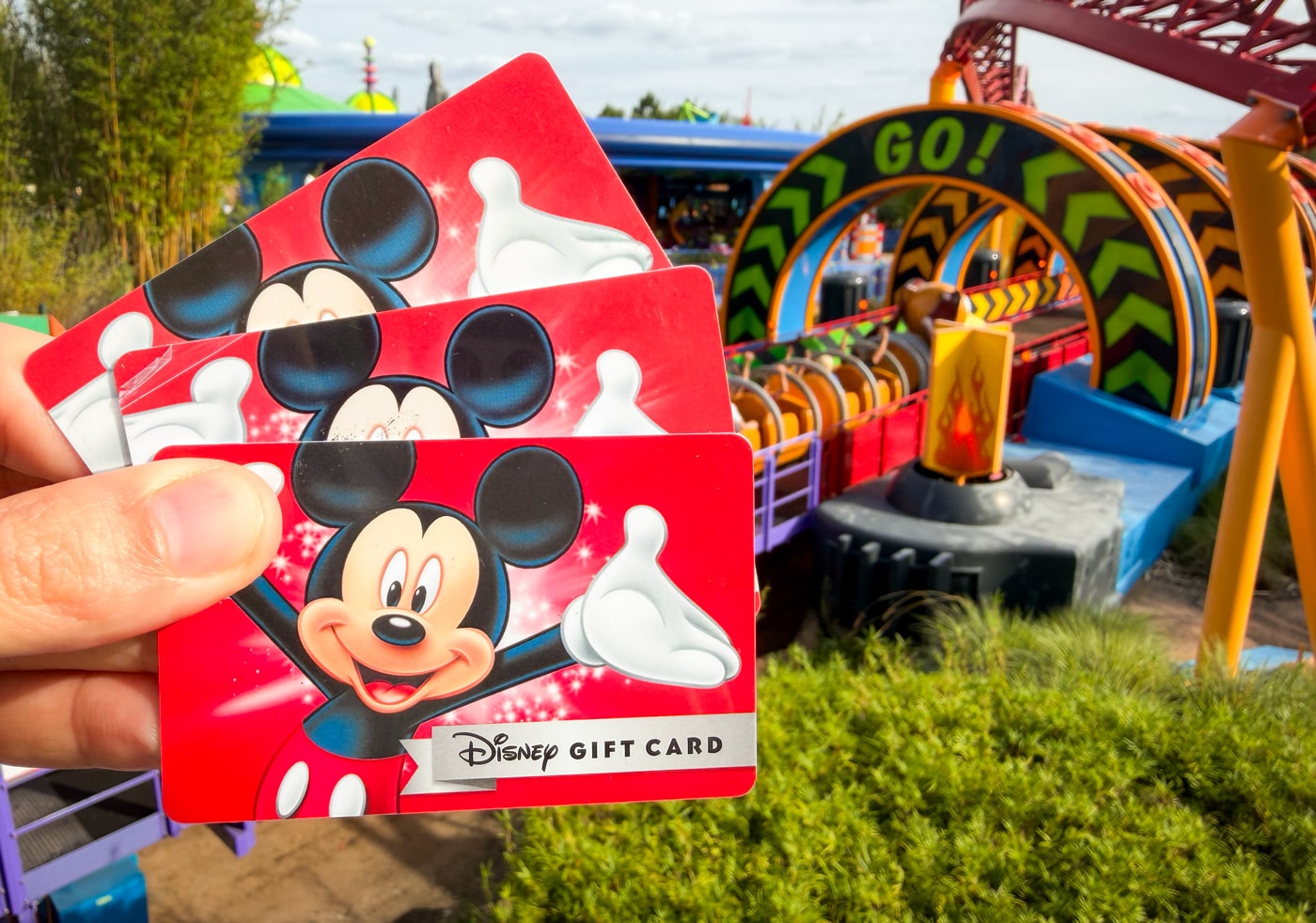
Huge news for hackers and hoarders (we prefer thrifty collectors) of Disney gift cards! You can now save them in your digital wallet, which will populate as payment options in both the Walt Disney World and Disneyland apps. This covers the basics of this game-changer for those of us who have, ahem, ‘accumulated’ thousands of dollars in discount gift cards, and use that as our primary currency at the parks.
Before we get going, a bit of basic background. If you’re looking for ways to save on gift cards at other retailers, check out our comprehensive Money-Saving Tips for Discount Disney Gift Cards. That covers Kroger, Target, Costco, Sam’s Club, Best Buy, Meijer and more. We’ve also been sharing deals on gift cards for third party restaurateurs that operate at Walt Disney World and Disneyland from time to time.
I was hoping that there would be Disney gift cards on sale as part of Amazon Prime Day, but it’s not among the many gift cards that are 10-20% off. There are some deals in there that are Disney-adjacent, though, including but not limited to Starbucks, Hotels.com, Landry’s Restaurants, and more. There are still a few more days, so hopefully something will come along. If not, surely Sam’s Club or Costco will have another modest sale soon.
Normally, 10% off is a great deal on Disney gift cards–even if gated behind a membership at one of the club stores. We jump on discounts offering that degree of savings, especially since virtually every Disney gift card deal has limits. You’ll typically be capped at $800 at the absolute most worth of gift cards with any deal, and it’s very easy to spend $800 at Walt Disney World. That’s one day (at best?) in the parks!
Usually, the best sales happen between mid-November and mid-December and then again during Christmas in July sales. We have been closely monitoring the sites that would typically have summer sales, but have yet to see anything! We share all of the gift card sales, so subscribe to our free email newsletter for a heads up when more Disney gift card deals go live.
Anyway, today’s post is less about a new “deal” for discounted Disney gift cards and more about organizing the ones you’ve already acquired…
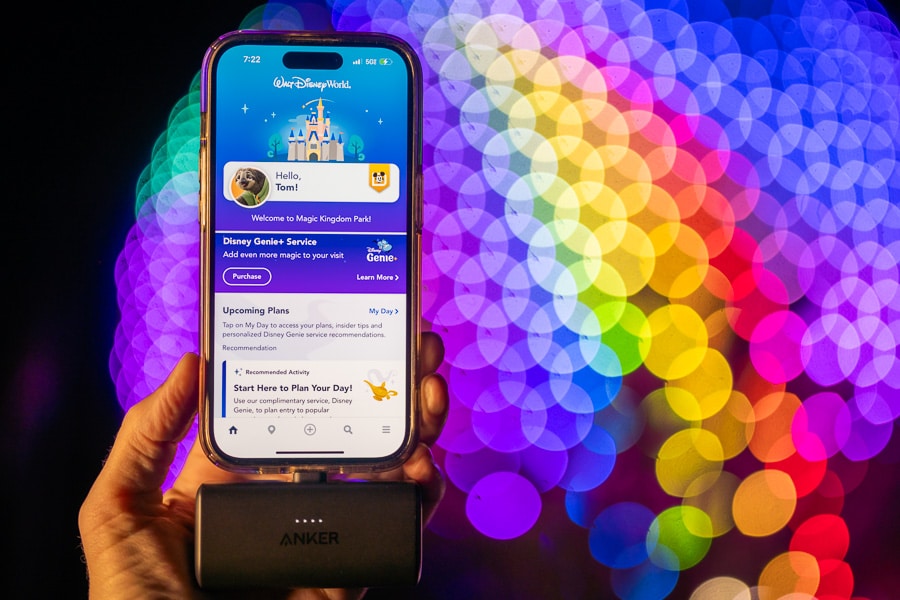
The My Disney Experience (MDX) app for Walt Disney World and the Disneyland app now save gift cards as payment methods!
As my fellow hoarders/hackers/collectors are no doubt aware, gift cards could not be saved to your wallet as an in-app payment method before today. Instead, you had to manually enter the gift card information during checkout each and every single time.
To save your Disney Gift Card in either app, click the hamburger button (three horizontal lines) on the bottom right corner of the app, then scroll down past the tiles to the “Account” section and click “MyDisney Wallet” (right below “Profile).
That will show any payment methods you’ve already saved and also give you the option to “Add a Payment Method” towards the top. Scroll past the credit cards you might have in your account, and you’ll see gift cards.
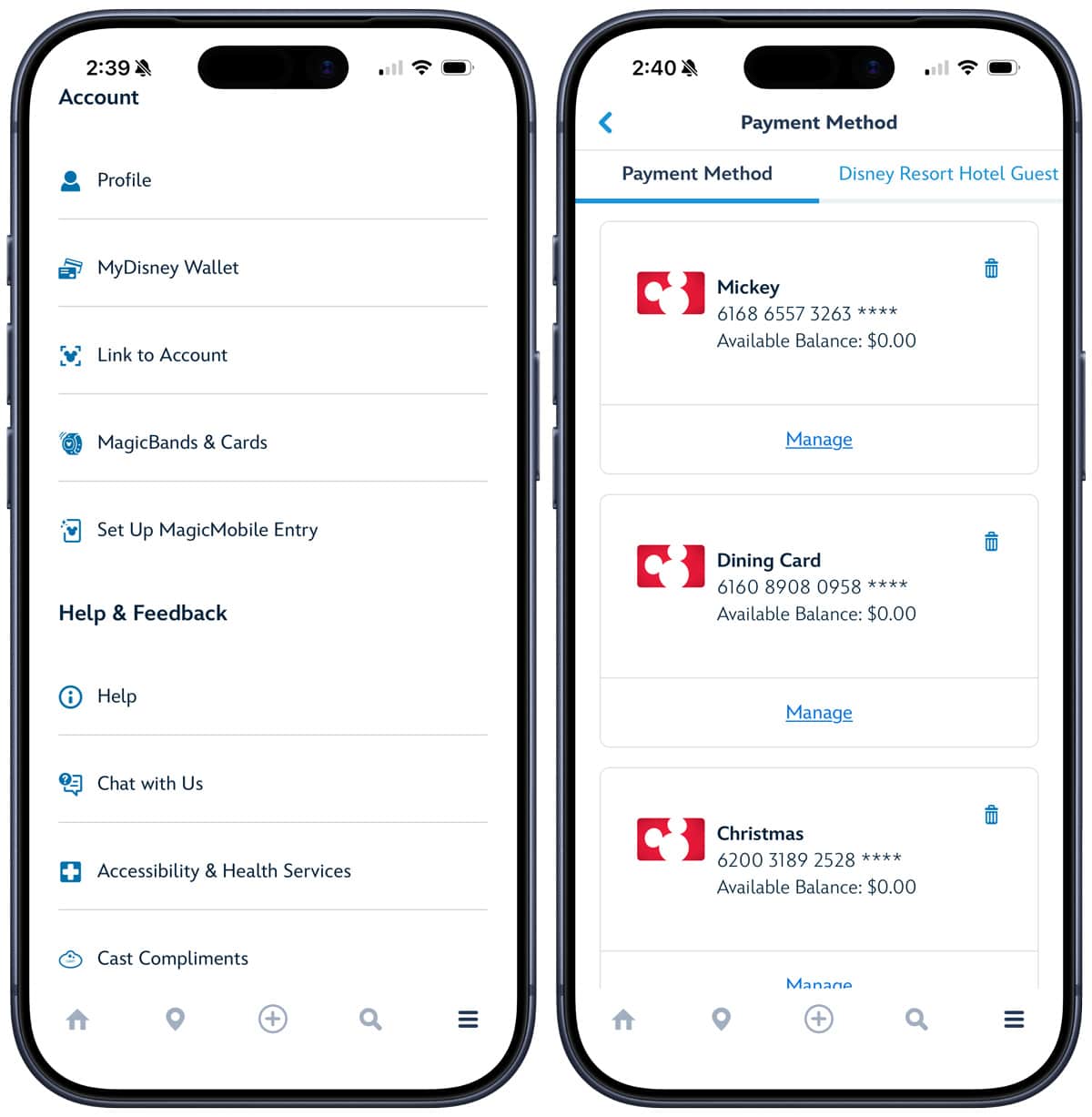
One thing that caught my attention was that I had several gift cards already here that I did not add today.
It felt like I had won the lottery! That is, until I looked closer, and saw that each and every single one was $0. Then it felt more like winning free tickets to Universal Kids Resort.
After a second, I realized that these were gift cards that I’d previously added to my account via DisneyGiftCard.com. Then it clicked that this is MyDisney Wallet and not My Disney Experience wallet. One little space (or lack thereof) with a world of difference.
MyDisney is the new-ish capability that gives guests a seamless login experience by using just a single email and password across services and experiences from The Walt Disney Company.
The unified login experience is available at my.disney.com. Previously, users could use the same login across different Disney websites, but there was a lot of logging in and out. This streamlining means users see the same MyDisney login prompt everywhere, creating a more seamless login experience.
MyDisney includes streaming services like Disney+ and Hulu, news and entertainment apps like ABC and ESPN, and merchandise and experiences like the Disney Store, Disney Cruise Line, Disneyland, and Walt Disney World.
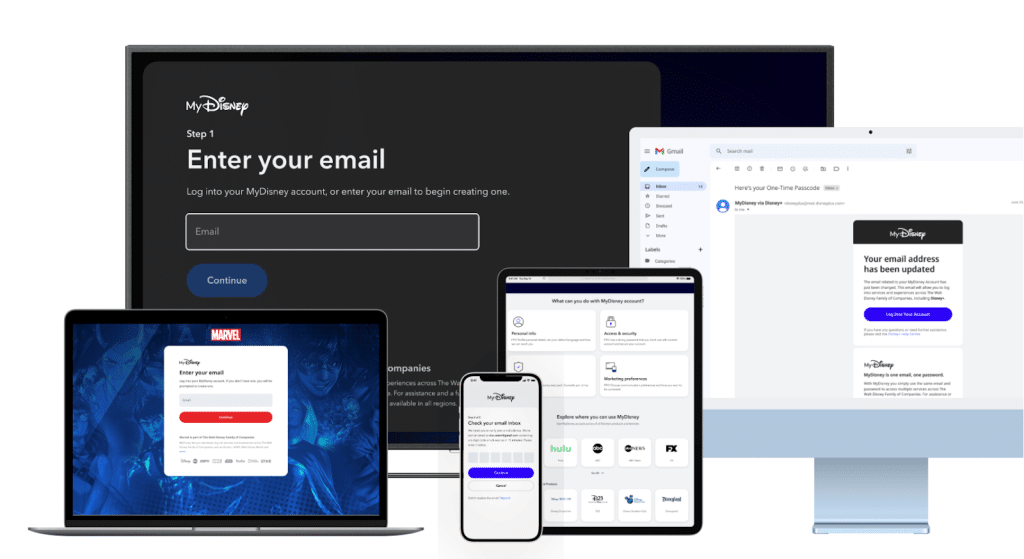
We haven’t really discussed MyDisney here because it’s not an exciting topic, but it’s one of many recent iterative IT improvements. As someone who has a lot of Disney accounts for everything from sports to streaming to shopping to the parks, it was a fairly disconnected experience before.
There was a period prior to the launch of MyDisney when I was constantly kicked out of my accounts and sent in a seemingly endless loop of emailed codes to verify my email. That may not seem frustrating, but it definitely is when you’re trying to book pop-up Lightning Lane availability and instead need to fish a verification code out of your email.
I’m not sure if MyDisney is what fixed this, but it hasn’t happened in a while. In general, it seems like Disney IT is genuinely improving. (Famous last words before new discounts drop and I inevitably have problems validating my Disney+ perks eligibility with Walt Disney World’s special offers.)
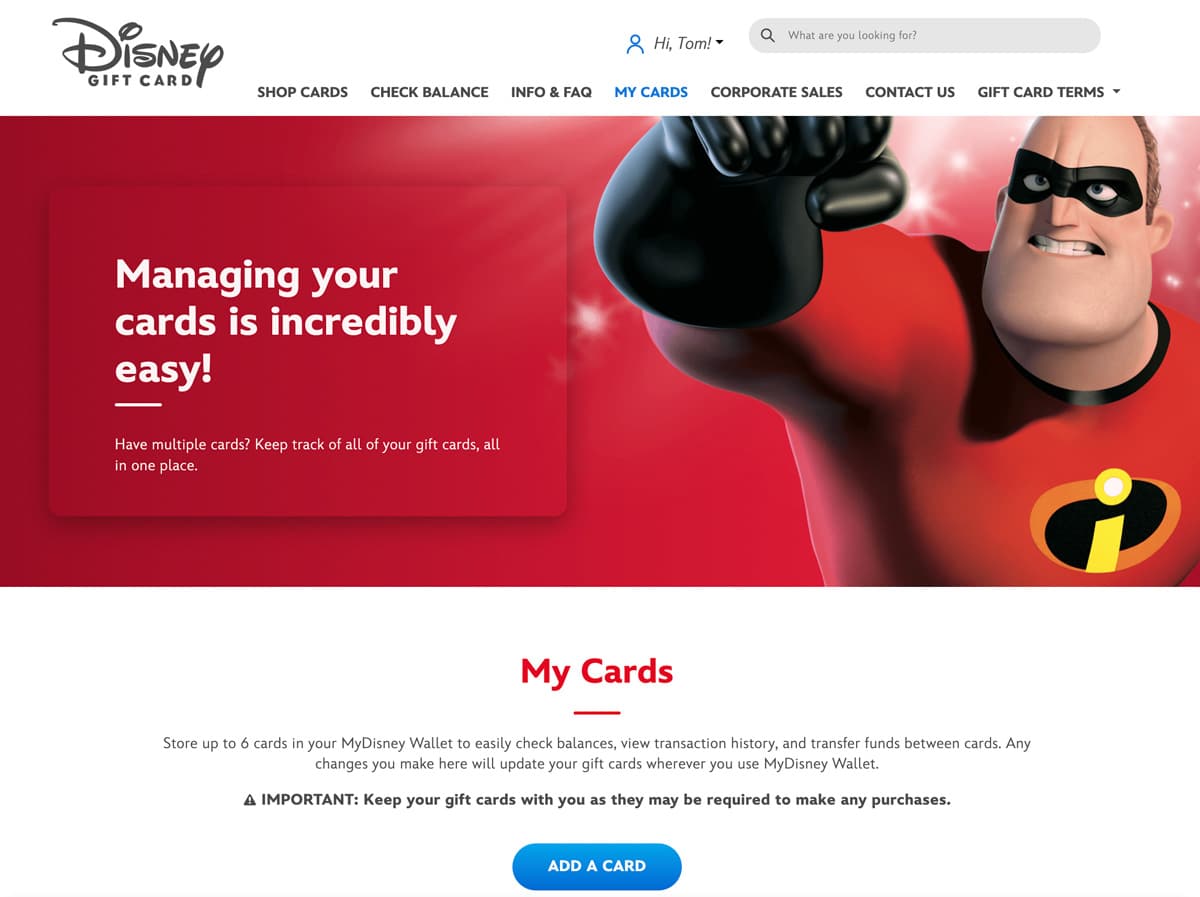
To make a long story short, it dawned on me that I could add more cards to MyDisney Wallet on DisneyGiftCard.com and they’d populate in both the My(space)Disney Experience and Disneyland apps. So I did, and they did.
Just a convenient tip if you find it easier to enter all of this on your computer (as I do) and want to do it via the “Add a Card” feature on the official gift card website.
You can also go to Disneyland.com or DisneyWorld.com and access your profile from there, and add payment methods there via a similar process as the apps. Since MyDisney Wallet is global just like the MyDisney login, any form of payment you enter on one site should be saved on the others.
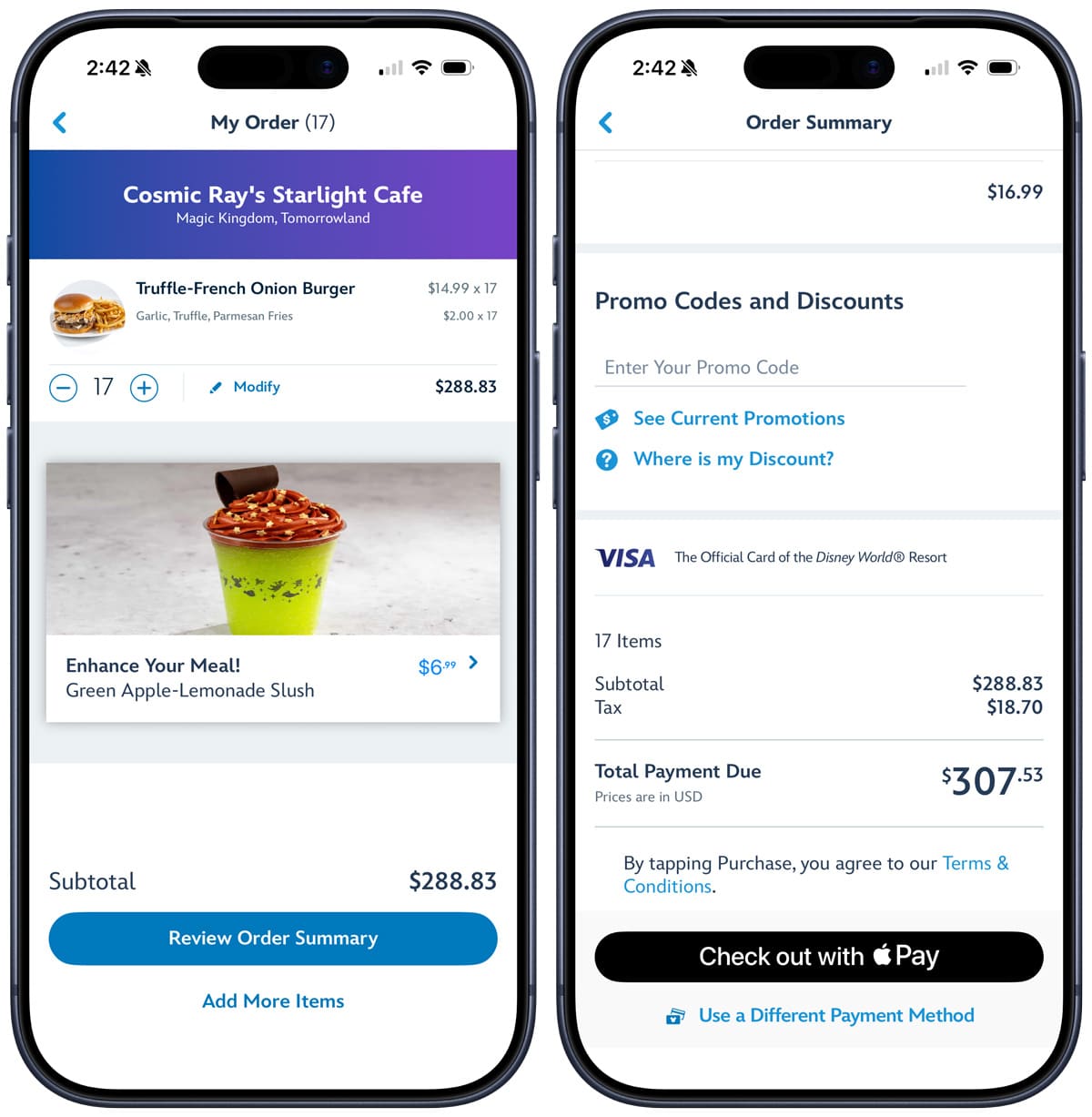
The saved gift cards in MyDisney Wallet can be used for most purchases: mobile order, tickets, merchandise, and more. For some uses, like mobile order, you’ll simply select “Use a Different Form of Payment” and you’ll see the saved gift cards (see above).
At this time, it does not appear that they can be used to buy Lightning Lanes. That’s the only limitation that I’ve spotted in my testing.
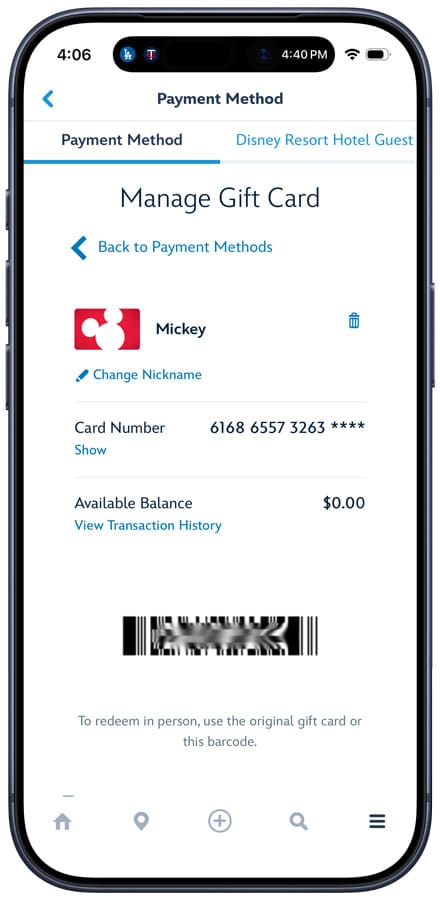
One big upside is that saved gift cards can also be used for in-person transactions! If you click the “manage” button on each card (see previous screenshot), not only can you view a transaction history, but you also can access a barcode that can be redeemed in-person at Walt Disney World and Disneyland cash registers!
Our Commentary
I have never been so happy about the introduction of such an obvious feature that should’ve existed all along. If Disney IT can deliver something this revolutionary, perhaps they really do have a “Super App” in them after all!
Joking aside, the new MyDisney Wallet feature will save me a tremendous amount of time and frustration. It will introduce a much needed element of organization into my admittedly chaotic Disney gift card ‘workflow.’ It is possible that my current approach to Disney gift cards leaves something to be desired.
My current Disney gift card “organization” system might involve a patchwork of Apple Wallet, a stack of physical gift cards bulging out of my actual wallet, and the Notes app in my phone. I know, I know–there are better ways to do it. I am well aware that Disney gift cards can be combined via Disney’s online management tool under “My Cards.”
It is also possible that, from time to time, I find myself having to enter multiple gift cards in the mobile order payment screen, because I have no clue what the balance is on a particular gift card (or if there’s any balance at all). This has led to frustration and, in rare cases, just going to stand in line at the cash register.
This was actually one of the things that I was quietly dreading about all of those free $10 gift cards via Paze last week. I’m never going to turn down free money, but the DTB CFO might’ve remarked that maybe I should get different gift cards since I’ve already collected so many Disney ones.
Anyway, this new MyDisney Wallet feature is a game-changer. I’ve already added several gift cards in a matter of minutes, and am feeling a newfound sense of freedom and relief. A dozen down, an embarrassing number still to go!
Planning a Walt Disney World trip? Learn about hotels on our Walt Disney World Hotels Reviews page. For where to eat, read our Walt Disney World Restaurant Reviews. To save money on tickets or determine which type to buy, read our Tips for Saving Money on Walt Disney World Tickets post. Our What to Pack for Disney Trips post takes a unique look at clever items to take. For what to do and when to do it, our Walt Disney World Ride Guides will help. For comprehensive advice, the best place to start is our Walt Disney World Trip Planning Guide for everything you need to know!
Your Thoughts
What do you think of the new MyDisney Wallet feature? Is this likewise a major game-changer for you that’ll save time and frustration? Looking forward to taking advantage of more gift card deals now? Any other strategies you’ve used to save for a Walt Disney World trip? Questions about any of the techniques we’ve shared? We love hearing from readers, so please share some of your favorite ways to save, or any other thoughts or questions you have, in the comments!



I just tried this out, and while I’m glad it exists in theory, it isn’t capable of transferring balances between gift cards. It might be useful for checking balances, but you get that on every receipt.
So in practice I doubt i’m going to use this over my current practice of simply having a gift card in Apply Pay to which I transfer funds using the ensure.
Tom, do you know if there’s a way for me to “share” the gift card with my spouse, since she has her own MDE account? Or I guess the alternative is, and I haven’t tried it yet, can she just type in the gift card on her own My Disney account and can we both have the same gift card attached to each of our accounts?
This should’ve been a feature from the very beginning! On the topic of discounted gift cards, Meijer Mperks has a dollar off per gallon of gas for 10,000 points, and they frequently give 5000 points per $50 gift cards. So, if you spend $100 on gift cards, and have a 24 gallon tank like me, it’s like constantly getting gift cards at 24% off, no sale needed! (obviously you have to wait for that to be one of the Mperks offers, but I’d say it happens once month or so.)
This is good news.
Before seeing this article, I had randomly checked MDX app (yes, I do that sometimes) and noticed it showed I could add gift cards.
For digital/soft gift cards (like those emails by Sam’s club) it has always been straightforward to screen shot the barcode and present that at physical checkouts – no need to enter anything.
I have less experience with physical gift cards – do they NOT have barcodes? if not, can you register physical cards on the Disney gift card website, and then use the website to get screen-shot-able barcodes? They would not help you mobile food orders, but the screen-shoted bar codes were great for physical points of sale.
I guess this is all OBE now. Just curious, I suppose.
Yes, a lot of the gift cards do have barcodes. As far as screen shots of barcodes, I think you should be able to add a gift card to your Google or Apple wallet on your phone, and just tap to pay at physical locations.
*dying* at your example mobile order for 17 burgers. But also, this is great! Just in time for my fourth of July trip. 🙂
Excellent! Immediately checked my app while reading and voila…there they are! This really is a great obvious plus. @Ellen White asked about Chase rewards. I am guessing that won’t be automatic since whatever one’s Chase online password would be isn’t the same thing as the ones synced across all the Disney stuff. However, you definitely can add your redemption card number to the app and unless they changed it since last August that card can be used for LL purchases (we got all of ours that way last year).
Liz…thanks a bunch for the info on my rewards redemption card! Entering it now – arrive WDW later today!
I think the best Chase deal is to use your Chase Disney credit card at the parks where many restaurants give discounts, then when you get home use your chase rewards to pay the bill.
Maybe too early for anyone to answer but if by chance you don’t have enough on your gift card balance to cover a purchase, will you be able to split type of payment (put the rest on another credit card on file in the app)?
I love getting the gift cards at Target but I don’t want to have to add money so I can use the remaining balance. If it’s like Chick-fil-a’s app, it’s an endless cycle! 🙂
This is so handy for mobile order! But I do always load everything onto my Spira for Galaxy’s edge – especially at Oga’s it can be a lot of fun to plunk down in universe coinage to ‘pay’.
Do we think we can add our Chase rewards Disney card in here also?
I second this question!
I’ve had mine in there for quite a while!
This is awesome! As my family uses magic bands for all purchases. At the end of our vacation, I would check out in the lobby and use Disney gift cards to pay off our balance verse being charged to my Disney Visa. It would take forever, as I would have at least 20+ plus Disney gift cards. I am sure the cast member becomes tired of scanning and entering gift card numbers to pay off our balance. This new feature should simplify and speed up everything!
So you can’t use them to purchase lightning lane passes? I purchase all lightning lanes with a Disney Gift Card so why does it not work with the card numbers already being in my account? That makes no sense. Every time we go I have to add my card number for each purchase and was jumping with joy that I wouldn’t have to add it each time, then you burst my bubble by saying you couldn’t use it for lightning lanes. Can you please confirm this? Thanks!
I don’t know why it doesn’t work, but the gift cards aren’t showing up in my wallet when attempting to check out a Lightning Lane transaction. I have the option to add a new one, but not use an existing one.
I would hope/expect this will be resolved sooner rather than later, but then again, I thought this feature would’ve been added long ago, so…
Well here’s hoping that maybe they will fix the issue before I have to make lightning lane picks the end of August but I highly doubt it. Thanks for the information! It is nice to at least have my Disney gift cards saved to use for purchases! Keep up the awesome work you do!!
This is amazing!! There it is, in MDE! (And not just in my desk drawer with a little piece of masking tape on it with the current balance.) I feel a disproportionate amount of joy over this.
Finally! This was such a head scratcher to not be done sooner! I can’t tell you how many times I wanted to do a mobile order and then let out a huge eye roll when I had to go into my iPhone Notes app – just not efficient! So happy to hear this news!
So if I load my cards I don’t have to carry them with me ?
Here’s the official stance of Disney: “IMPORTANT: Keep your gift cards with you as they may be required to make any purchases.”
With that said, the digital MyDisney Wallet should suffice. About the only limitation I can see is at table service restaurants, as handing your phone over to a server can be awkward. (Really wish all Disney restaurants had portable card readers brought to the table.)
I am over the moon!! I have 3 physical gift cards that we use all the time, saved at DisneyGiftcard.com and I am constantly combining and consolidating my discount cards onto these to pay the balance for trips or food while there. They magically showed up when I opened mde just now. Finally, some true Disney IT magic!!!
Yes! Me too! Just checked and all my giftcards have magically appeared!