
Memory Maker & PhotoPass Pricing, Info + Review
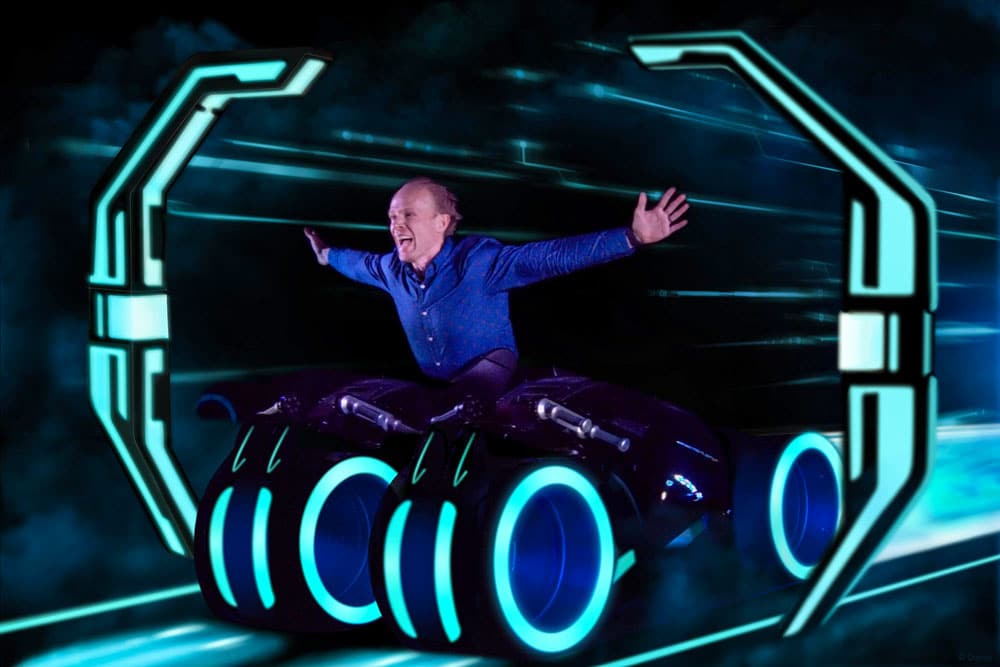
Walt Disney World sells Memory Maker and Capture Your Moment, both of which are PhotoPass photography packages. This guide & review helps you determine whether they’re worth the money, quality you can expect from photos, and also the differences between WDW and Disneyland. (Updated February 1, 2024.)
Like so much that Walt Disney World offers, all of this is incredibly confusing. What’s the difference between PhotoPass and Memory Maker? What about Memory Maker and Capture Your Moment? Or even Memory Maker advance purchase vs. during/post vacation vs. one day?! It’s a lot to digest, rivaling the convoluted Genie+ and Lightning Lane system in use for line-skipping at Walt Disney World.
At Walt Disney World, the easiest way to distinguish Memory Maker and PhotoPass is by thinking of Memory Maker as the package you purchase that gives you access to your photos, and PhotoPass is the service that Disney offers with Cast Members taking your photo around the park. PhotoPass is a free service available to everyone, including but not limited to those who buy Memory Maker.
Memory Maker includes a digital download of all photos taken by PhotoPass photographers, plus on-ride and character dining photos taken at select locations at Walt Disney World and Disneyland. So in a nutshell, Memory Maker is the digital download product. Things get confused a little bit because there are other PhotoPass-branded products (including single-photo downloads for $15, coffee cups, etc.) available for purchase.
Then there’s Capture Your Moment, which is more niche, and is basically a private photo shoot. This is also a service and not a product, meaning that you pay for the photographer’s time, but have to acquire the product separately. The main thing to remember is this: PhotoPass=service, Capture Your Moment=service, Memory Maker=product.
There’s (very understandably!) a lot of confusion about Memory Maker and PhotoPass, so hopefully that helps clear up some of that!
Memory Maker at Disney World
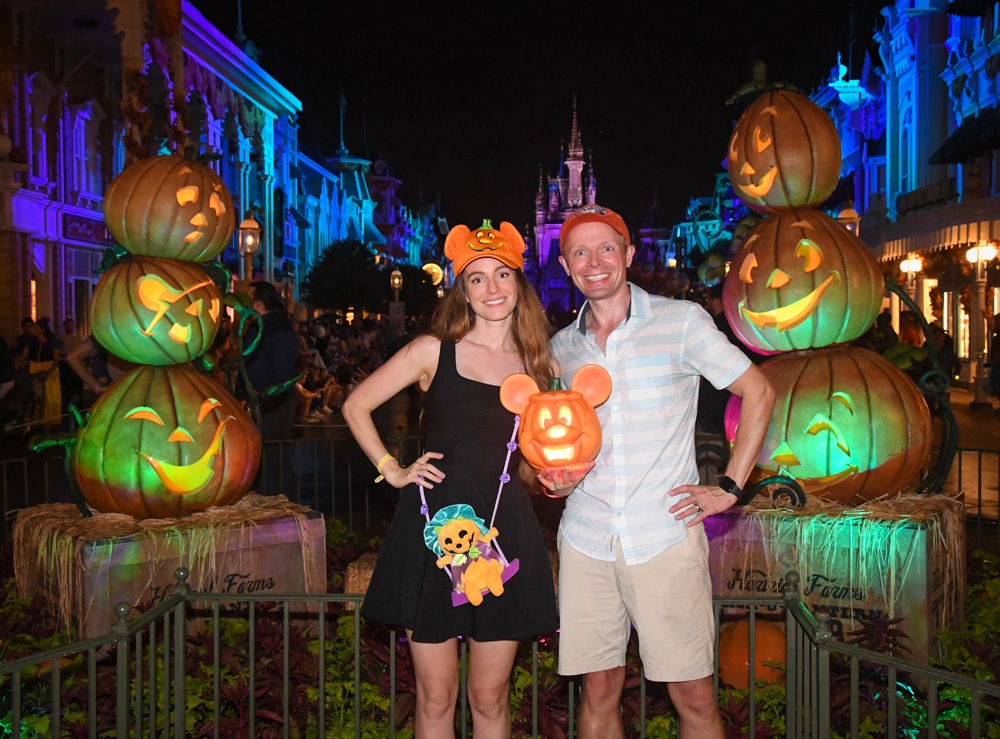
Let’s start with the products. For the duration of your vacation, Memory Maker costs $185 at Walt Disney World when purchased in advance, or $210 if bought during your trip. Another option is Memory Maker One Day, which is exactly as the name suggests–all of your photos & videos from a single day of your vacation (of your choosing) for $75.
In the past, Annual Passholders received free digital downloads of all PhotoPass photos, but that is no longer the case. Currently, APs can either buy the Memory Maker products (which makes zero sense given price points) or purchase the PhotoPass add-on to the Annual Pass at a cost of $99 per year. The upside of this approach is that you can have one person in your party purchase the add-on to collect photos from everyone family (at least, those who visit together).
Memory Maker and the Annual Passholder PhotoPass add-on packages also now includes on-ride photos and select character dining. Strong emphasis on ‘select’ in character dining experiences, as it’s fairly rare to see PhotoPass photographers in restaurants as of 2024, with the exception of spots that have a character you meet at the entrance. (Examples that come to mind include Chef Mickey’s, Cinderella’s Royal Table, and Minnie’s Seasonal Dine. There might be a few others, and you might get lucky with photographers roaming restaurants, but don’t count on it!)
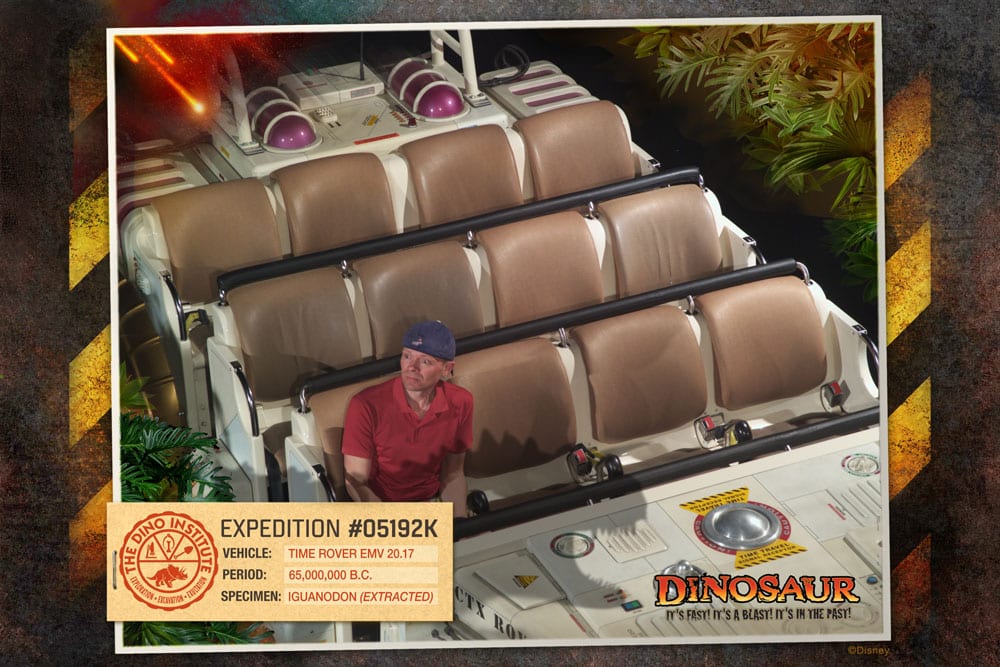
Attraction photos are taken while in the parks at more than a dozen of Walt Disney World’s most popular attractions including the following:
Magic Kingdom
- Buzz Lightyear’s Space Ranger Spin
- Haunted Mansion
- Pirates of the Caribbean
- Space Mountain
- Seven Dwarfs Mine Train
- Tiana’s Bayou Adventure (opening in 2024)
- TRON Lightcycle Run
EPCOT
- Frozen Ever After
- Guardians of the Galaxy: Cosmic Rewind
- Test Track
Hollywood Studios
- Rock ‘n’ Roller Coaster Starring Aerosmith (currently closed)
- Slinky Dog Dash
- Twilight Zone Tower of Terror
Animal Kingdom
- DINOSAUR
- Expedition Everest
Pre-ordered vacation packages online can be upgraded to Memory Maker upon arrival at Walt Disney World, but we recommend pre-ordering due to the difficulty we’ve heard some people have encountered in doing this. Memory Maker is integrated into your MagicBands, but you can also use your ticket media. So long as you’re all together in My Disney Experience, every photo scanned into any of your MagicBands will appear in the party account. f
Capture Your Moment at Walt Disney World
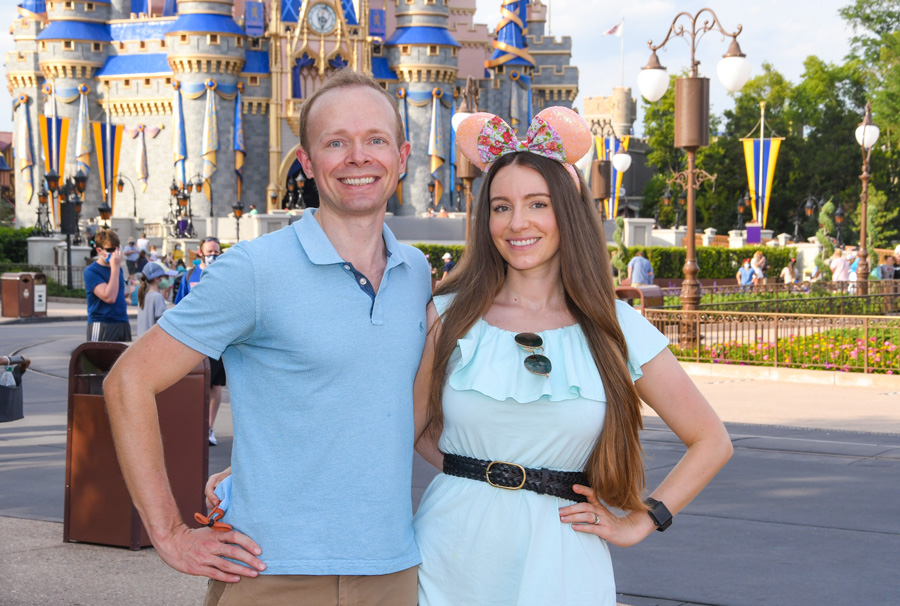
Capture Your Moment is a relatively new PhotoPass service that lets you book time with a Disney PhotoPass photographer for a personalized photo session during regular park hours at Magic Kingdom in 20 minute increments.
As of 2024, Capture Your Moment photo session locations are now available in all four parks, with two options in Disney’s Hollywood Studios (one exclusive to Star Wars: Galaxy’s Edge). At the start of your session, the PhotoPass photographer will share available photo shoot locations and discuss photo options before escorting you to your location.
Each Capture Your Moment session is $99. Gratuity is not included or required. If you book two Capture Your Moment sessions back-to-back for $99 each, you can spend up to 40 minutes with your photographer capturing photos in at least two different photo locations. Call 407-939-7758 to book a Capture Your Moment session. This is only bookable over the phone–not on a walk-up basis.
Prints and digital downloads are not included with the price of a Capture Your Moment session. In order to receive your photos from the photo shoot, you’ll need one of the Memory Maker packages, or an Annual Pass add-on that’s eligible for free PhotoPass downloads.
There is definitely guest demand for such a “private photo shoot” service, but it’s worth pointing out that essentially the same thing can be accomplished for free by visiting multiple locations. The critical distinction between a real portraiture session and this is that you are still reliant upon regular PhotoPass photographers, rather than a true professional with an eye for photography.
PhotoPass at Disneyland
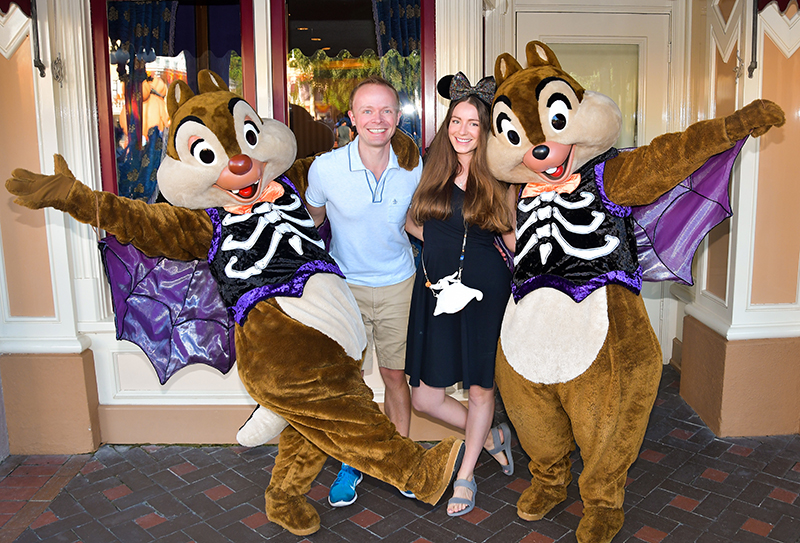
At Disneyland, PhotoPass is still the service, but currently the product is called PhotoPass+ One Week for $78. There are also other products that can be purchased under the PhotoPass brand, but the main product that offers inclusive digital downloads is PhotoPass+ One Week, and as the name suggests, it’s offered for downloads of a full week (7 days) worth of photos for your entire family. Magic Shots and Animated Magic Shots captured during those days are also included.
You won’t find a ton of information about PhotoPass+ on Disneyland’s official website, and the reason for that is because the company has more or less backed away from pushing the package. This is because it’s been indirectly replaced by the Genie+ service, which offers Lightning Lane line-skipping and unlimited Disney PhotoPass digital photo downloads from your day, including on-ride and character photos. You’ll also unlock Disney PhotoPass Lenses, giving you access to augmented reality effects that bring Disney stories and characters to life.
Genie+ starts at $30 per person per day, and the main feature is the aforementioned line-skipping. If you’re only visiting for a few days and would’ve purchased PhotoPass+ One Week anyway, buying Genie+ is a no-brainer at Disneyland. You’ll accomplish a ton more, and get photos included.
In fact, in almost all use cases, Genie+ is the better option than PhotoPass+ One Week. Unless you do not want that benefit and have a large party and are visiting Disneyland for over 3 days, you’re probably better off just sticking with Genie+ and Lightning Lanes. At the very least, you can use it strategically–buying Genie+ for 2 days and focusing on photos and line-skipping then. (This is what we recommend. The vast majority of guests visiting Disneyland for longer durations do not need Genie+ more than 2 days.)
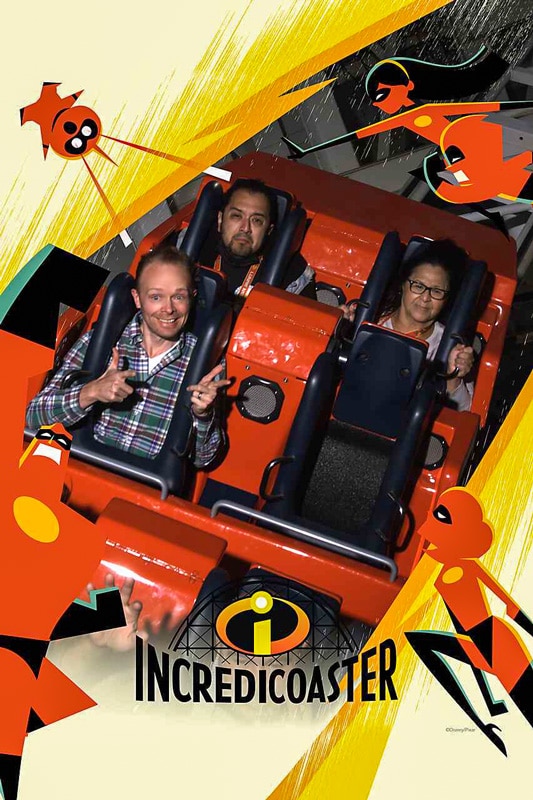
On-ride photos are as follows. At Disneyland:
- Space Mountain
- Tiana’s Bayou Adventure (opening in 2024)
At Disney California Adventure:
- Guardians of the Galaxy – Mission: BREAKOUT!
- Incredicoaster
- Radiator Springs Racers
Whether these PhotoPass services are worth the cost depends on a number of factors, namely, how many photos you’ll take with it and what you think of PhotoPass in the first place. Given that, we’ll continue with our review of the PhotoPass service and conclude with a review of the Memory Maker product.
Review of PhotoPass Service
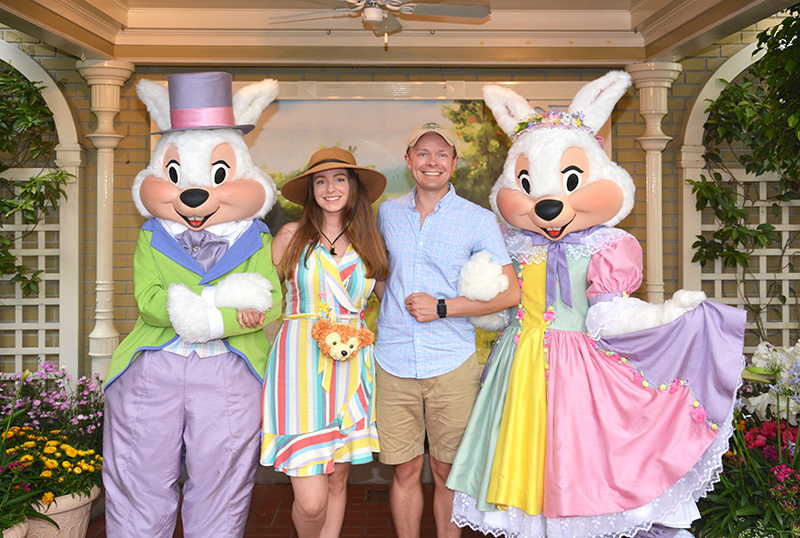
For some guests, no review is necessary. Memory Maker might be included in your Walt Disney World vacation package, or you might have it with an Annual Pass. We have never purchased regular PhotoPass as part of a vacation package because the value for us simply is not there. The calculus is different now that we have Annual Passes; $99 for a full year (given how much we visit) is worth it to us. We use it a decent amount for the convenience, but still wouldn’t pay for it on a per-trip basis in most cases.
Disney touts PhotoPass as a great way to get professional photos with the whole family in the shot. Based upon this pitch, it’s pretty clear that there are two components to PhotoPass/Memory Maker: product (the photos available for digital download) and service (having someone else to take the photos for you so the whole family can get into the shot). Some people don’t realize this, but only the product costs money.
The service is free, as all PhotoPass photographers will capture photos for you for free with your camera or phone. Same goes for character attendants, which is a key thing to note since many meet & greets don’t have PhotoPass photographers at all–just character attendants. So those won’t be included in your Memory Maker package regardless.
Due to ongoing staffing shortages, we’d estimate that a little over half of character meet & greets at Walt Disney World have PhotoPass photographers as of 2024. At Disneyland, that percentage is lower; notably, the popular Mickey & Friends meets in Town Square at Disneyland and Buena Vista Street at DCA usually do not have PhotoPass photographers.
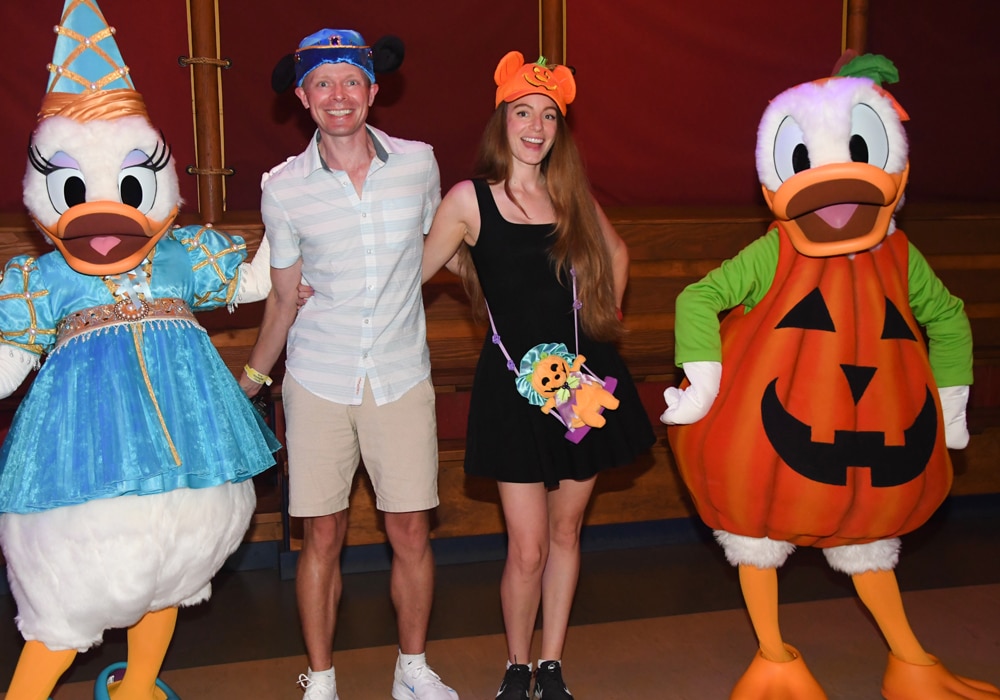
Reviewed with this in mind, I think PhotoPass is a nice service, but the products under its brand aren’t all that great. The “professional” PhotoPass photographers are not skilled professional photographers. Most of the professional photographers employed in PhotoPass positions are only professionals in the sense that it is their job to take photos. They are paid to do it, therefore they are professional.
They have no specialized expertise or experience in photography–they were just given some quick on the job training in using the PhotoPass equipment. Consequently, many PhotoPass Cast Members have trouble using cameras that are handed off to them (except iPhones–they all are fluent in iPhoneography).
That’s just the start of the problems. With PhotoPass, sometimes you’ll get photos that are out-of-focus, poorly composed, or not properly exposed. This isn’t a problem some of the time, but can be an issue. If you’re only getting photos during the day, it’s usually not a problem–your keeper rate should be close to 75%.
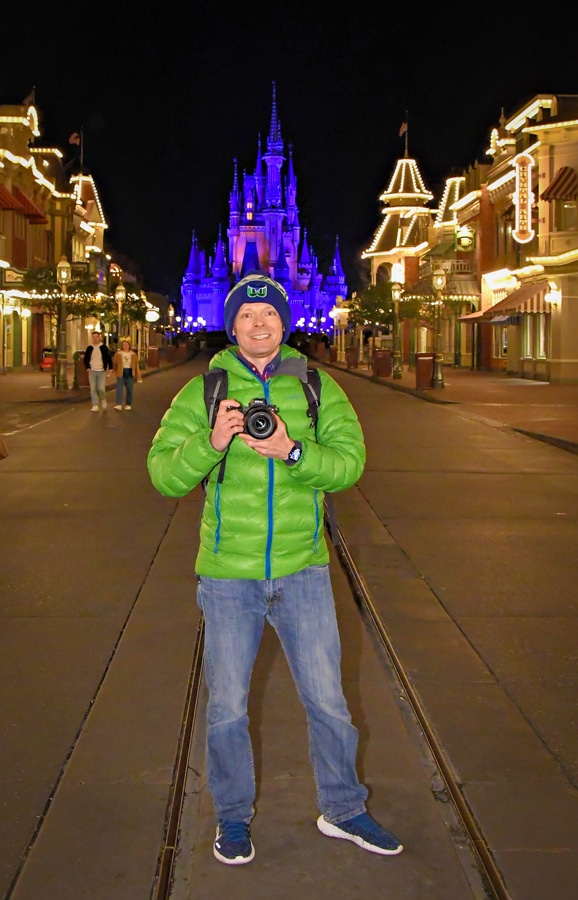
At night, that number drops. Many PhotoPass photographers don’t have tripods at night, which is a red flag for low-quality photos with underexposed backgrounds, bright flashes, and high noise levels. If you don’t have an “eye” for photography, you may not notice this. If you do, you’ll instantly see the problems.
Honestly, many of these PhotoPass Cast Members are better at using your iPhone than they are with their own cameras. This is especially true with the younger College Program participants. Intuitively, this should make sense. Many of them were just handed a DSLR for the first time ever a few weeks ago–but they’ve been using camera phones pretty much all their lives.
It also helps that phone camera technology continues to improve. If you have a newer device and have a younger phone-savvy Cast Member take your photo, I’d estimate it’s about 50/50 whether the DSLR or iPhone photo will turn out better. In which case, why bother paying extra for Memory Maker?!
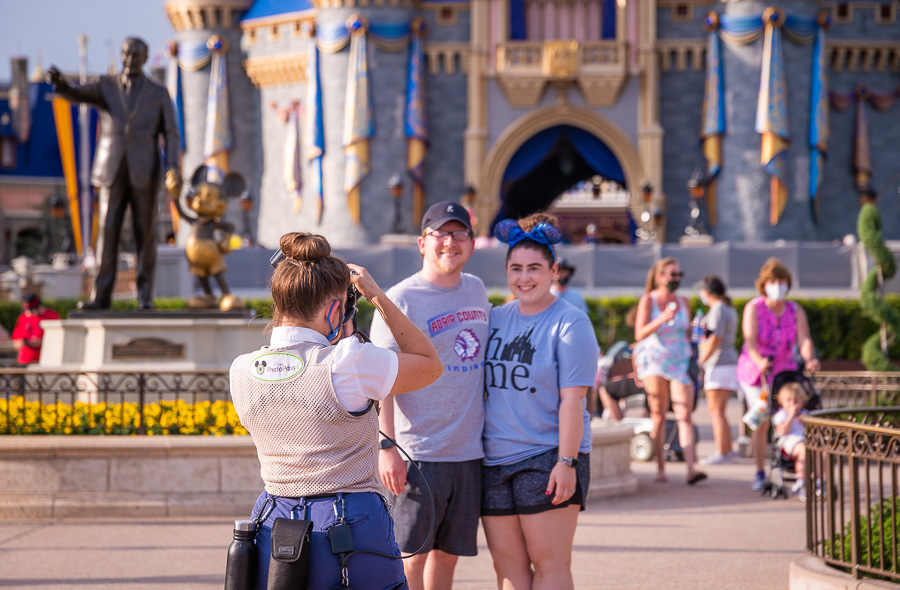
I don’t want this to sound like I’m piling on PhotoPass Cast Members. I’m not. As Cast Members, they’re usually delightful to us just like most Cast Members are. As photographers, I don’t feel that many of them are up to snuff. I realize I’m painting with broad strokes here.
Some PhotoPass photographers are excellent. So, if you’re a good PhotoPass photographer, please don’t take offense. However, most aren’t any better at photography than the average tourist in the parks. So don’t purchase Memory Maker or PhotoPass+ One Week because you think it’s a great way to get professional-quality photos from the parks. It’s not.
All of that said, as a service, PhotoPass is wonderful. This is because all of the photographers will take photos of you with your camera for free. We use this free service all the time, and while the photos don’t always turn out well, it’s nice to have Cast Members conveniently located in front of icons to take photos of us.
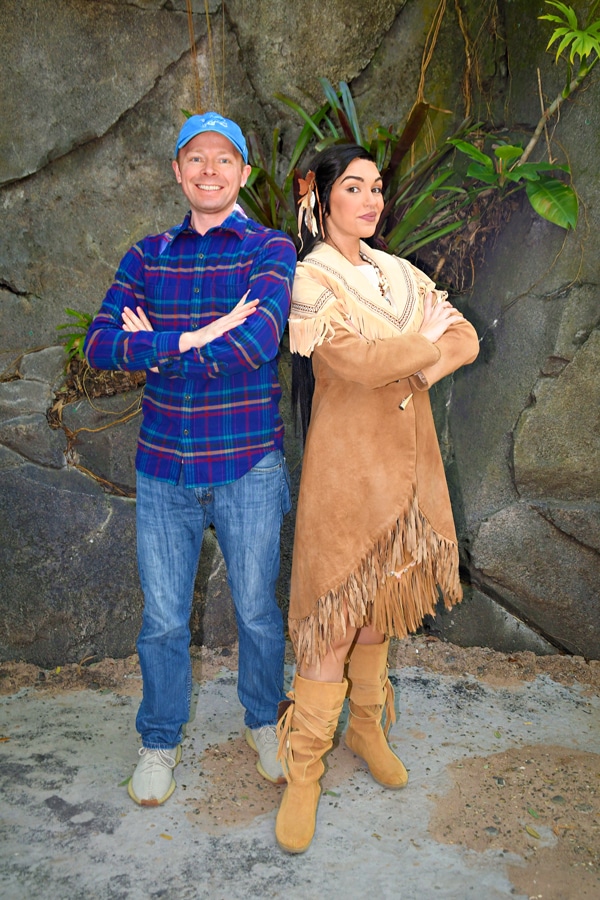
Given the fact that PhotoPass will take photos of you with your own camera, I have always had a really hard time recommending Memory Maker or PhotoPass+ One Week to anyone on a tight budget. Granted, there are benefits if your camera isn’t very nice and there’s also something to be said for convenience.
However, I think most guests would be better suited by purchasing a nice point & shoot camera or upgrading their phone, having PhotoPass photographers use that to take their photos, also using it to take their own photos, and then purchasing photobooks through reputable online services with all of their vacation photos. Doing that, you’d come out ahead monetarily after only a couple of trips.
Plus, you’d have a wonderful camera at the end of the day, which is an excellent pocket-sized camera that’s easy to carry around Walt Disney World and Disneyland that is capable of almost as good of photos as the PhotoPass cameras. Plus, by purchasing a nice little point and shoot like that, you are able to take your own nice photos in other circumstances!
Review of Memory Maker Product
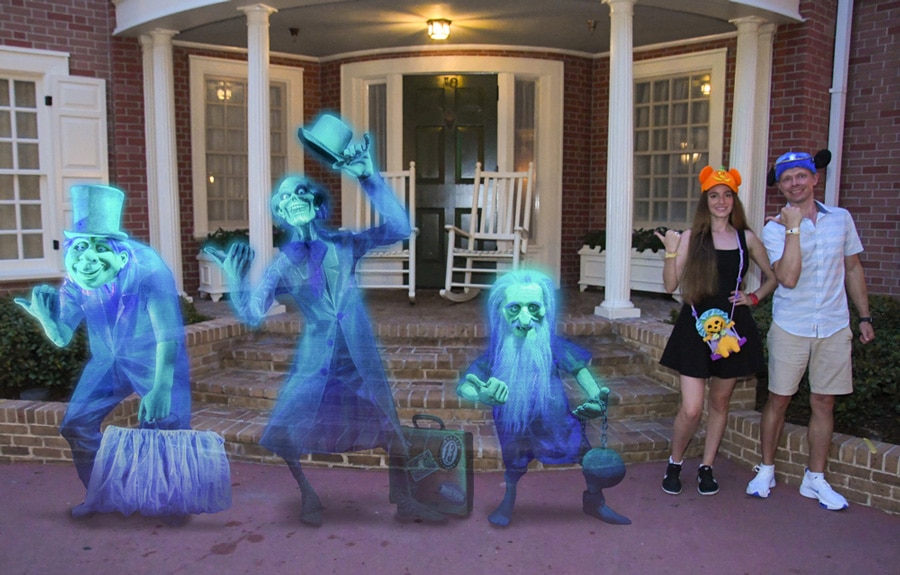
Memory Maker offers several benefits. By virtue of the camera used being a semi-professional DSLR, there’s a good chance the photos they take will be nicer than photos you take with your own camera; but you could easily achieve comparable results if you had a DSLR.
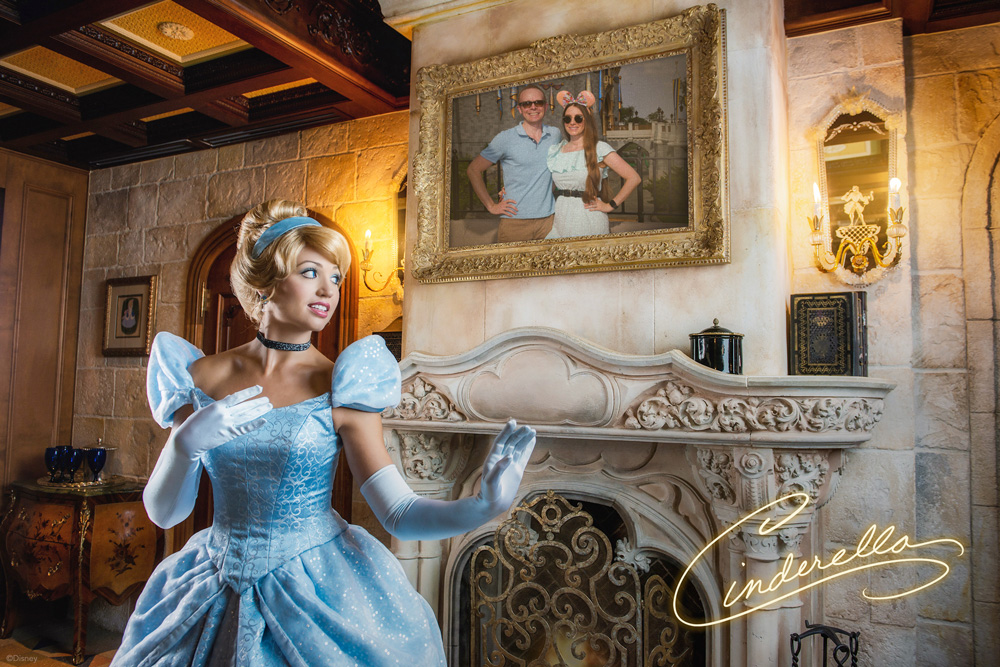
At both Walt Disney World and Disneyland, there are some “special” photos called Magic Shots that only PhotoPass photographers can take, such as guests holding Simba or Tinkerbell, or Stitch coming out of the pavement.
If you’re going to Blizzard Beach or Typhoon Lagoon water parks at Walt Disney World, Memory Maker also has more value because these photographers are positioned in a lot of fun locations where you probably couldn’t get your own photos (like in the wave pools and at the end of attractions like Crush N Gusher). These photos can be a lot of fun, and definitely make PhotoPass a much better value.
Beyond that, the product becomes a better value if you have a larger party or (at Walt Disney World) are taking a longer trip. If you’re going on a two week long family reunion and 10 of you will be using PhotoPass photographers to capture thousands of photos from the special trip, the per photo cost of Memory Maker is so low that it’s more likely to be worth it for you. By contrast, if you’re only getting 10 or so photos per trip with PhotoPass, you’re paying $10+ per photo, which is more difficult to justify.
Memory Maker might be easier to justify for special trips from which you want as many memories as possible. If it’s your “Disneymoon” or a your son or daughter’s first trip to Walt Disney World, some of the photos taken by PhotoPass might be priceless. Obviously everyone’s circumstances are different in this regard, so weigh your circumstances accordingly when determining whether you should purchase Memory Maker.
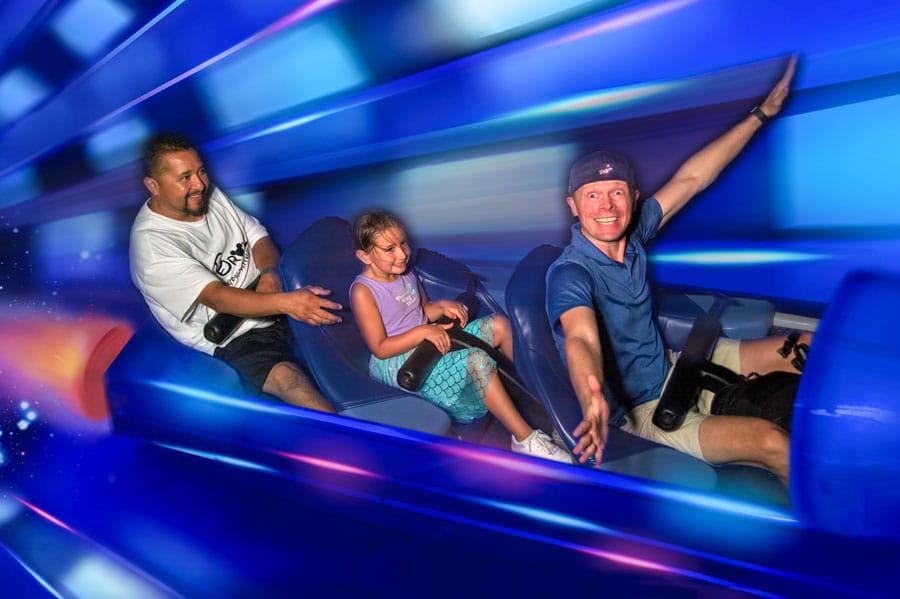
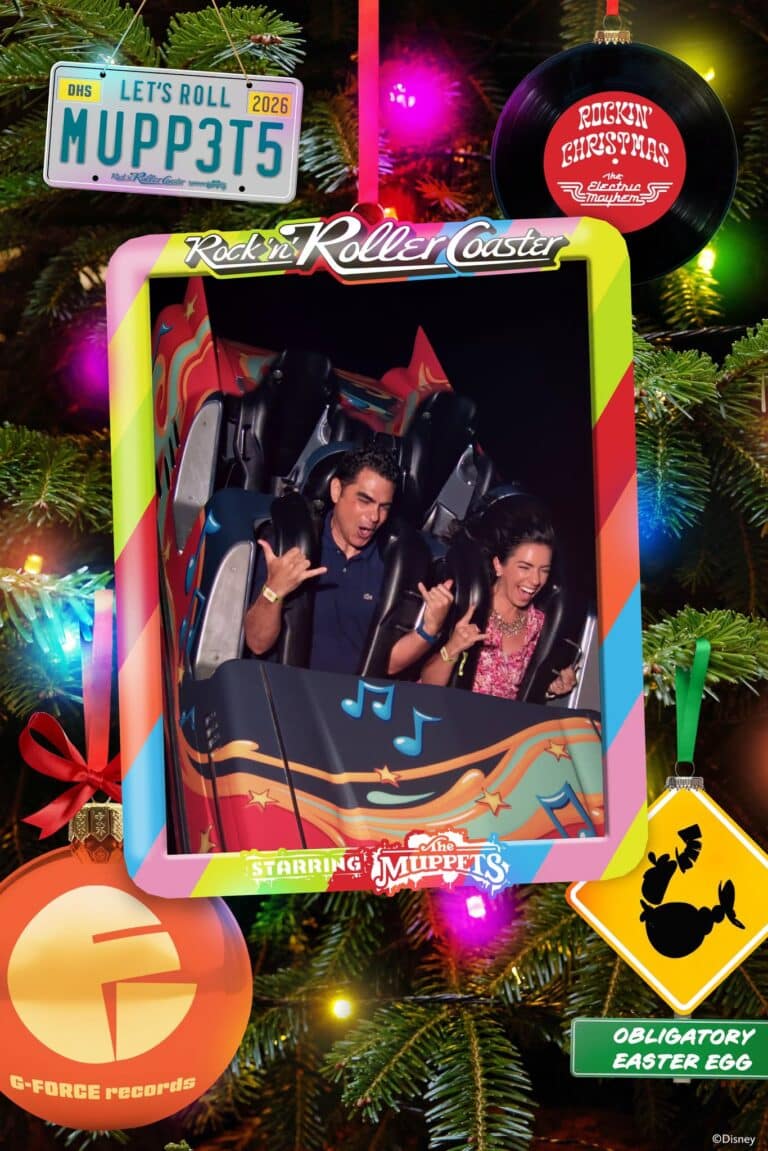
Perhaps the single biggest benefit is the on-ride photos. We love making funny faces for these on-ride photos, and although we have never purchased an on-ride photo when you could buy them a la carte, we love them. So for us, this was where the real value of Memory Maker can be found.
During the course of one 5-day trip to Walt Disney World, we got 17 on-ride photos. On a longer trip, we could’ve gotten even more. Plus, we did get other photos, and the convenience of not having to hand off my camera to the PhotoPass photographers was a nice luxury (but not something for which I’d pay much of a premium).
It should go without saying, but you cannot use your own camera or phone for on-ride photos or videos. There aren’t PhotoPass Cast Members stationed inside Space Mountain who you can pass off your phone to for a quick snap as the roller coaster races around. Crazy, right?! So the main option for on-ride photos is buying Memory Maker.
Admittedly, we’re also suckers for the Magic Shots and always make a point to get the new or seasonal ones for Halloween, Christmas, or special celebrations. Not only that, but there are now fun photos and video that offer bird’s eye or innovative 360-degree shots. These are also shots you could not capture with your own camera. None of them are essential, but they’re icing on the cake.
There’s also video on Seven Dwarfs Mine Train, which is one of several innovative and fresh things Walt Disney World is doing with PhotoPass. It’s pretty neat and fun to show family and friends or share via social media. I think this is the way of the future, and Disney will likely try to incorporate on-ride video like this into as many future attractions as possible.
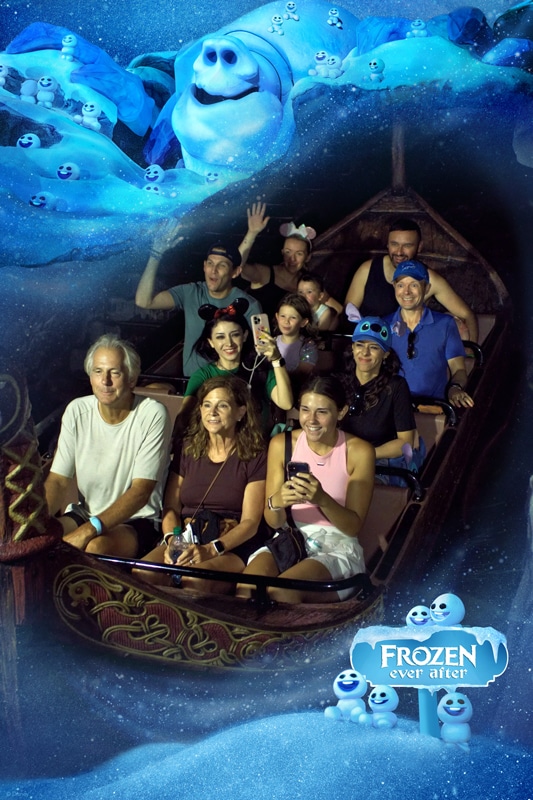
For us, on-ride photos are really the most fun–and what we want from our visits. Although Memory Maker is the main way of acquiring all of these over the course of a Walt Disney World vacation, it’s not the only option.
As mentioned above, Genie+ at Disneyland includes all PhotoPass photos. At Walt Disney World, Genie+ now includes on-ride photos taken during the days that you purchase the line-skipping service. While this can end up costing more than Memory Maker over the course of a trip, Genie+ also provides the even more valuable Lightning Lane benefit.
If I were determining how to allocate my vacation budget, I’d put the money towards Genie+ for 2-3 days of the trip. Make a point of grabbing as many on-ride photos as possible on those days, and just hand my phone or camera off to PhotoPass photographers for the rest of the trip. That’s the balanced approach that allows for photos and line-skipping. Win-win.
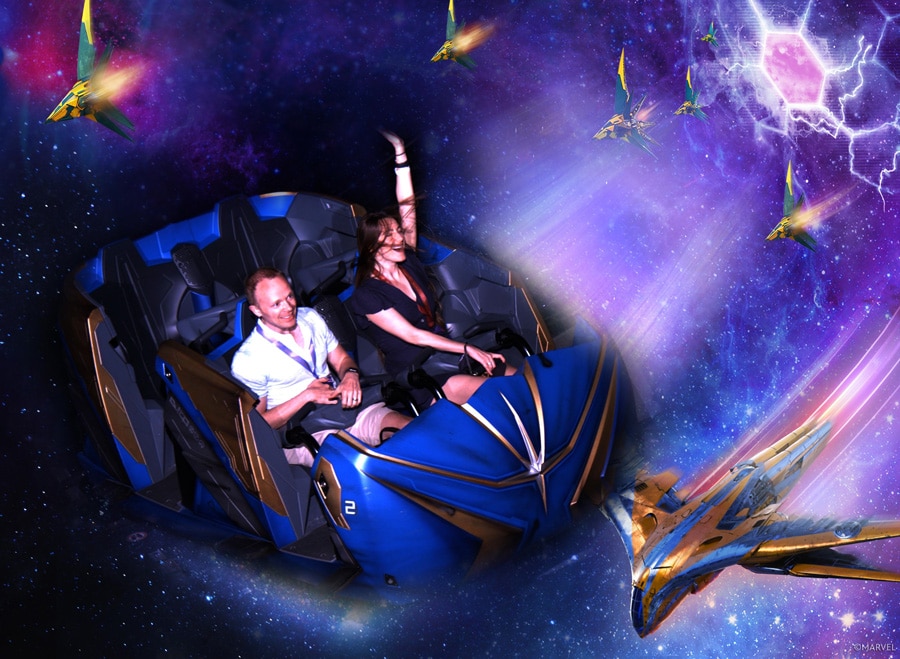
Overall, I have a difficult time recommending Memory Maker at Walt Disney World to everyone for every trip. If you’ve never purchased on-ride photos but like the idea of them, consider trying it for a longer trip, and go nuts getting as many of those photos as you can, plus other photos. After that trip, you might just stick to using PhotoPass as a service to get photos taken with your own camera.
I think it mostly makes sense for long or special occasion trips. If you are taking a week or longer vacation with a lot of family members, it might be worth getting Memory Maker so that you can get character dining photos and, more importantly, on-ride photos. If you get an on-ride photo from most of the attractions (or multiple photos), the per photo cost of Memory Maker is pretty insignificant.
Thus, the longer your trip and the more people in your traveling party, the better of a value Memory Maker is. In most cases, I think there are far better ways to spend finite vacation dollars than on Memory Maker, but everyone values aspects of their Disney vacations differently, and it might be a great value to you depending upon your circumstances!
Planning a Walt Disney World trip? Learn about hotels on our Walt Disney World Hotels Reviews page. For where to eat, read our Walt Disney World Restaurant Reviews. To save money on tickets or determine which type to buy, read our Tips for Saving Money on Walt Disney World Tickets post. Our What to Pack for Disney Trips post takes a unique look at clever items to take. For what to do and when to do it, our Walt Disney World Ride Guides will help. For comprehensive advice, the best place to start is our Walt Disney World Trip Planning Guide for everything you need to know!
Your Thoughts
Do you agree or disagree? Like PhotoPass or hate it? Have you tried Memory Maker or PhotoPass+ One Week? Are you considering trying one of them? Any questions we can help you answer? Hearing your feedback–even when you disagree with us–is both interesting to us and helpful to other readers, so please share your thoughts below in the comments!

1 question and 2 comments. 1) I see you were using a black rapid strap, I ihave the BR-7 and used it on my last WDW trip it worked flawlessly. So much easier than the neck strap. Is this the first time you used one, I haven’t seen it in your previous photos? How did you like it?
2) My family of 6 has pre-purchased the photopass the last 2 trips and have really enjoyed them. Granted, sometimes you get a crap photo but for the most part it gets me in the photos. I do hand off my dslr sometimes and for the most part the photopass shoot wasnt befuddled with my camera set (d5000 w/ 18-270 tamron). The only difficulty they had was with the zoom lock.
3) As for getting your money’s worth, I have made sure i got enough pics to cover the cost. First go round I had 150 pics in the parks and then edited about the same number. The second time we had close to 300 in the parks and 2-300 edited and stock photos. As for the photo+ I will definitly pre-order and will cover the cost with the ride photos and dining photos.
I just spent a week with my family at WDW and did purchase the photopass+. for us it was worth every dollar. knowing we had this all ready paid for we ended up with 78 ride photos and a total of 291 pics from all over the World. this allowed us to get the first ride surprise pics, we didn’t exactly know where the pics were taken) and also get several silly pics (normally would not have bought any but now have all the memories). Also just to add, very early in the process a photographer told me how to get around the one card problem…he said that if everyone in the party takes a photo on their phone of the card, the card readers at each camera can read the card off the phone, so parties can still split up and get photopass+ pics. this all being said for us this time it was great, but i’m not sure i’d buy it every trip.
We ordered the PhotoPass CD on a previous trip three years ago when we spent nearly 3 weeks in WDW – value for money? – not sure, although being able to include our Akershus Princess breakfast photos on the CD made it worth it for us.This trip, we’re doing 6 days in DL, followed by 8 days in WDW (gotta make the most of it since we’re flying from Oz). Does anyone know if the photos from both stays be included on the same PhotoPass? If we decide to pre-order, which Photopass CD, DL or WDW? Or do we have to order both? b.t.w. great blog Tom – it’s helped me include DH in the pre-trip planning – he’s in charge of photography!!
You will have to pre-order the WDW PhotoPass PhotoCD or PhotoPass+. If you do PhotoPass+, note that your ‘timeline’ for photos is 14 days rather than the 30 for the PhotoCD. Looks like either will work for your trip, but if there is a day of travel or something between the 6 and 8 days, you’re going to lose a day (or more) of coverage at the end.
In your circumstances, I’d strongly consider PhotoPass+.
Thanks Tom – with Fall FD being released at WDW, and our dd’s being 13 & 15, we’ve re-jigged our plans – our DL & WDW trips now run concurrently over 12 days in early December, so PhotoPass+ is a definite. It’ll be great to have all those on-ride photos that you see and think are great, but just can’t justify the cost of at the time.
When you hand over your camera (dSLR) to the PhotoPass photographers do you have certain settings that you typically set it at before handing it over? If so, what do you typically use?
This relates to my follow-up comment earlier. I would love to know the answer to this.
Some sort of semi-auto (usually aperture priority, shutter priority would work, too) mode in an “auto” focus selection point mode (normally I choose my focus point–you don’t want that option enabled for them since most don’t know how to pick a point). The second part of this is key, otherwise the focus will miss. I also set it to as fast of a burst mode as possible, which leads them to “accidentally” take several photos of us generally. Recently, I’ve been switching out the prime lenses for zoom lenses, too, as prime lenses are just too much of a hassle for them.
So would you recommend using the Auto-area focus mode (I shoot on a Nikon D5000) vs. 3D-Tracking focus (which I usually use since I have 4 small kids) in hopes that we’ll more likely be in focus?
I’m so glad I found this article! The new PhotoPass+ will be perfect for my upcoming trip to DLR with extended family for 9 days.
These photos of you guys are hysterical!
I would consider paying $70, just for the on-ride photos. I love on-ride photos and the special frames. If I spent that much money, I’d make sure I’d get my money’s worth. WE’RE GETTING ON EVERY SINGLE ATTRACTION THAT INCLUDES PHOTOS. A couple of times, at that.
Everything else, I don’t think it’s worth it. I’ve got a camera, I can take my own pictures.
How do you like the Black Rapid strap with a backpack on? I’m on the fence and have heard mixed reviews while wearing a backpack.
Nice review. We have never purchased PhotoPass and have only every bought one on-ride photo. We just hand off our camera like everyone else!
I have to agree with a lot of what you said. We always grab a Photopass card and have our pictures taken. We rarely order any though. Seems kind of silly we go through the motion of getting them to take our picture and not purchase any. But once in a while we’ll grab one. The prices are a bit steep. They do use our camera too. I do like the borders and such you can get on them, but I’m assuming if I look hard enough online I can find things like that to do myself. And I’m still convinced, I came up with the idea back in the early 90’s when I wrote a letter to Disney telling them they should have CM’s around the park to take pictures of guests using there own cameras. They “plussed” my idea a bit but that’s my story and I’m sticking with it.
We have pre-ordered twice. One photopass and one plus. Both times we either split with another family, this plus trip with my dad is wanting more pics himself. I’m not sure I’d be willing to pay to plus without splitting it, but I love the idea of ride photos and dining photos included. We never/rarely buy ride photos or even dining photos, so this is a nice plus.
I always love the idea of getting that cd with our photos on it, but when deciding between another nice restaurant to dine at vs. paying for that cd, food will always win.
Have you taken your PhotoPass+ trip yet? My understanding was that you only receive ONE PhotoPass+ card, which makes sharing a lot more difficult. I could be wrong on that (and hope I am), so you might want to check. If the other family is always with you, no big deal, but otherwise, it could be a problem.
Thanx for your review. I bought the + for our trip next month and am looking forward to using it. We have preordered the CD twice before. Since my wife is a scrapbooker, she loves it.
To elaborate on your one card comment. I read tons of Facebook posts after they debuted this at DL. This was one of their big questions. As I understand it, you can combine any number of Photopass cards on to one account, but only the + card can get the breakfast and ride pictures. So they recommended that if a large family broke apart and wanted to save their ride shots, they should have the CM at the photo area write down the photo number for them and then go back later in the day with the + card to add them. Every family member can have their own regular pass card though.
a photographer told me how to get around the one card problem…he said that if everyone in the party takes a photo on their phone of the card, the card readers at each camera can read the card off the phone, so parties can still split up and get photopass+ pics
Thanks for the heads up. We haven’t taken the photopass+ trip yet, but I have used multiple cards on previous trip with the cd (and without). I had assumed I could do the same with the pp+ cd.
We do plan on sticking together for the trip, so it shouldn’t be a problem, but definitely something to keep in mind.
Just found the ‘official’ word on it from the pp+ fb page:
http://www.facebook.com/notes/disneys-photopass-service/new-disney-photopass/10150650931518325
Q. I have a large family–how many Disney PhotoPass+ cards will I receive?
R. Only one Disney PhotoPass+ card will be provided with each purchase. However, multiple PhotoPass cards can be accumulated during your visit, and all of those photos can be added to your account. In order to receive your Attraction and Dining photos, the PhotoPass+ card holder must be present at the time of photo capture.
But, considering we are taking a grandpa who doesn’t want to miss a minute with his grand babies, I think we’re good. 🙂
I ordered the Photo Pass CD for our trip in May of 2011. I am so thankful that I did. We had 350 pictures on the Photo Pass. We downloaded our own camera’s pictures to our external hard drive each night. When we arrived home and went to look at our photos, our external hard drive crashed. It will be about 1500 to get those pics, if they can be recovered. The first place could not recover them. This was my family’s first Disney World trip and my granddaughter celebrated her 6th birthday there at the Akershus. The Photo Pass CD was the best investment we have made, and I am forever grateful for those 350 pictures. We were there for 6 days, and I am a picture crazy person. When we return next June, we will definitely be pre-purchasing the CD+. It will be a requirement of any Disney trips we take.
This (and feeling guilty about just handing my camera off) is why we always get the PhotoPass photographer to shoot with their own camera, too. If we ever lost photos, we’d purchase the PhotoCD. I always back-up my photos during our trips, so I’d have to have two failures to lose the photos…but anything is possible, unfortunately.
Last summer I went to WDW with my cousin and her daughters (ages 6 and 4). I rarely buy photopass pictures but for that trip I pre-ordered.
For me it was well worth the money. We took them to the Bibbidi Bobbidi Boutique and they had photographers roaming around. They also have an area where you can pose for pictures. The girls loved it and the pictures turned out beautiful.
Thanks for the review. I haven’t purchased the PhotoPass cd on any previous trips to WDW, although I do appreciate the PhotoPass photographers and the wonderful (to my naive photographic eye) photos they have taken on my personal camera in the past. I have a question, though. We are going on our Disneymoon from Christmas through New Years 2013-14. I’ve never been to WDW at this time. Although I know it will be more crowded than I’ve ever seen it, it’s the only time my fiancée can get off of work for ten days straight. I’m hoping the magic of the holiday season will negate any crowd frustrations. But, have you noticed that PhotoPass lines are unbearable around this time? If we decide to get the PhotoPass+, I definitely want to preorder it. But I don’t want to waste our money, if the lines for PhotoPass photos will be miles long. I know attraction wait times will be long enough by themselves–I dont want to wait forever for photos on top of that. And if we preorder the PhotoPass+, I’ll feel obligated to get our $$s worth out of it. What’s your experience with PhotoPass lines around that holiday season?
PhotoPass lines during the holidays (besides at Osborne Lights) aren’t too bad. A little longer, but not too much longer. They usually bring out more photographers to help with demand.
The S95?? Really? Still? 🙂
It’s better than the S100…and cheaper!
A great review of PhotoPass and some interesting thoughts. One area that you didn’t really touch on that should be noted is the character meet & greets. If you have children and you visit a lot of meet & greets during the course of your trip that alone could make the PhotoCD worth it. While you can take some of the same pictures yourself, it’s nice to put the camera down sometimes and just “enjoy” the M&G. I find sometimes I miss some of the experience because my face is always behind the camera. I’ve enjoyed just standing to the side and watch my children interact with the characters while someone else snaps away! I also find that the majority (cetainly not all) of the PhotoPass photographers seem to know the characters and know how to catch the right picture. I’ve found that they’ve caught the hugs, high fives, big smiles on my kids faces at first glance, etc. For that reason alone I have recommended PhotoPass to some friends and family.
Excellent point about enjoying the meet & greet with your kids and letting someone else take the photos. For parents, that is a definite plus (although being a photographer myself, I’d rather be the one taking the photos if I were in that position). Great point!
I, too, like to just enjoy the M&G and not worry about my camera. And this last trip, I found that at M&Gs if I told the PhotoPass photographer, “I’m getting a PhotoCD, so I trust what you’re taking”, I sometimes got MORE pictures than just the quick “posed” one. I got pictures of my kids interacting with the characters, some sweet candids, etc. Depended on the photographer, but I got a lot of real gems!!
You definitely get more pictures when you tell them you ordered the CD, and it is so worth it for meet and greets with small kids. One of our first character encounters was with Buzz Lightyear, and the PhotoPass photographer got some awesome shots, and even got down on the ground to get a cool angle. They don’t all go to that length, but they definitely take more if they know you are going to use them.
The technique of having the PhotoPass photogs take a photo with their camera, then yours (or having the accompanying cast member take the photo, if you’re at a character meet n’ greet) is a great way to get everybody in the picture and getting the most options possible for that photo op.
That’s what I did on my recent trip to WDW; unfortunately, the cast member didn’t wait for my camera to autofocus before she took the picture (another tip: check your photos before you leave the immediate character area!), but the PhotoPass person did get an in-focus photo. We didn’t pre-pay for the CD, only buying one or two individual photos that we wanted from the PhotoPass website afterwards.
I have to agree on the fact that pp photographers don’t always take the best photos with your own camera. I had them do this on our Disneymoon 4 years ago and all of the photos except maybe 2 were really bad!
I’m feeling really dumb right about now, but I really don’t understand the difference in PhotoPass+. In our November trip to WDW and several past trips to DLR, cast members have always been willing to put our ride photos onto our PhotoPass (we’ve never done any character dining). Then after the trip is over we take them home and check them all out online before making any decisions. So what am I missing?
On the other hand, I must have had some really good luck (or something) because we’ve gotten several really nice family pictures from PhotoPass photographers. But we’ve never ordered a CD because we don’t have that many we really want to keep.
As you can see on the PhotoPass FAQ, you normally cannot have on-ride photos added to PhotoPass (except Test Track). So you’ve gotten lucky!
http://www.disneyphotopass.com/aboutdpp_faq.aspx
We are going in August and actually pre-ordered the PhotoPass CD (not +) for the first time for this trip. My deciding factor was the damn princesses in Town Square Theater. We visited them 6 times during our last trip and I couldn’t get my camera set to adjust to the weird lighting in there. The Photopass photogs apparently already had their’s set, so their photos turned out great. They got some absolutely BEAUTIFUL ones – 3 of which I ended up purchasing the digital copy, for $45 ($15/ea). UGH! I had to have them, though.
My other deciding factor (though this is negated by the fact that they’ll take photos with my camera for me) is that I have exactly ONE photo of myself from our 11 day trip last year. That photo is crooked and blurry because my daughter was playing with the camera on the bus back to the hotel. The pictures may not be awesome (and I know they really aren’t), but at least I’ll be in them. I’m the photographer in the family, and therefore am ALWAYS behind the camera rather than in front of it. I have several gorgeous photos of my husband and daughter together, but like I said, none of me. I’m hoping to solve that this year.
I’m also splitting the cost with another family going at the same time.
I can totally understand the desire to use PhotoPass, especially if you don’t know how to capture photos in the tricky lighting of the indoor character meet and greets.
However, remember that you can hand off your camera to PhotoPass Cast Members, Character Attendants, and a wide range of other individuals…what I’m getting at is that it’s not as if the only option for getting you in the photo is purchasing PhotoPass!
Maybe you can answer this question for me. For Disney pics, I generally have my camera in “Aperature” mode set to f1.8/no flash. I realize that I’m pigeon-holing myself with that setting, but I’m very comfortable with it and get pretty decent pictures, with really nice depth of field. My lens doesn’t have a zoom on it (gasp! I know!), but it does autofocus. (I have a separate zoom lens, but prefer the low ap one for Disney pics.) I’ve let others use my camera to take pics of me before and they have come out AWFUL. Completely out of focus (they focused on something OTHER than the subject). That’s another issue I have handing it off to a Disney photographer. I’m scared about what I’d be getting back. Handing off my camera literally RUINED every shot I have of my daughter with Santa when she was 2. I was so mad at myself for trusting someone else. It’s easy enough to jump into Auto mode, but then the awful on-camera flash would fire.
Any thoughts?
Thanks for your review! We are going to Disneyland for 6 nights and have purchased the PhotoPass+ package for $69.95. We have young kids and are planning on doing at least 3 of the participating Dining photo package experiences, which can cost around $30 or so. And you get a nice quality print out and a digital copy on the card. For us, the $69.95 is a steal. Our normal WDW trips are 8 nights, so we have been paying the $99.95 Photo CD price before the markup. I likely will pay the $169.95 for the PhotoPass+, because the dining and ride photos make it a deal for us.
Thanks again.
I agree with your review of the service. It all depends on how you use it. My wife does a lot of digital scrap booking. While I do bring my camera and have the PhotoPass photographers use it, we also typically use the PhotoPass CD too. Sometimes the picture with the PhotoPass camera is better, sometimes the picture with my camera is better: this way we have the choice. I think for the number of PhotoPass pictures we receive, it is a value. The last trip we had over 400 PhotoPass photos of us. And in the past on longer trips, we have gotten so many photos that it took two discs. We also like to get the special shots holding Tinkerbell and the like. We have gotten them as the girls have grown up and it is nice to look back over the years and see their different reactions. I like the addition of PhotoPass+ and used it on my last trip in April. We purchased PhotoPass+ for the ability to get the on-ride photos. But to make the service of value, you need to seek out and utilize the PhotoPass photographers. This may not be as conducive to your particular touring style and therefore may not appeal or be a good value to everyone.
Out of curiosity, when you mention the number of photos you got, are you counting every single photos or just the unique photos? A lot of our photos were identical (or nearly identical) because the photographer took the shots on burst mode. While I appreciate this as it is nice to pick between two shots (in case someone blinked), I wouldn’t count any identical photos in my assessment of value.
Yes, I believe that some are on almost identical shots due to burst mode.
Off of the topic: Your multi-colored striped shirt reminds me of a serape, which makes your Luigi’s Flying Tires hat look like a sombrero. I have to look twice a those photos to see that you aren’t going for a Mexican look.
Back on the topic: We have gotten PhotoPass CDs from some of our larger group trips, which is fun. And we split the cost between two families, so that helps justify it. But when it is just the three of us, we don’t bother with buying a CD.
And I’m not that big of a fan of the on-ride photos, anyway. They tell you not to take flash photos, but then they take a flash photo of you. Double standard? Maybe. And no matter where they put the flash, it is hard to disguise a bright light flashing in your eyes. That was always my one complaint about the original Journey into Imagination ride, and back then they didn’t even try to sell you the photo.
Haha on the hat and shirt comment!
While a lot of attractions do prohibit flash photography so as to not ruin any illusions, I can’t think of any on-ride photo camera locations where the flash ruins any illusions.
No, it doesn’t exactly ruin the illusion. It just takes my eyes a while to adjust back to normal after being blinded by a flash. That is particularly true on Dinosaur, at least for me.