
What We’ve Learned from Lightning Lane Multi Pass So Far at Disney World (Q&A)
Walt Disney World has rolled out the new Lightning Lane Multi-Pass, killing off the Genie+ service. This post answers a lot of frequently asked reader questions about the new pre-arrival ride reservation system based on our firsthand experiences in extensively field testing the line-skipping service. (Updated December 15, 2024.)
There are a lot of questions about the whole Lightning Lane Multi Pass system, and we’ve answered many of them in our regularly-updated Guide to Lightning Lane Multi Pass & Single Pass at Walt Disney World. This whole system is confusing and convoluted, especially for those who never used FastPass+. This post is best viewed as a supplement to that guide and FAQ.
In fact, that’s probably the better resource if you want a deep dive into Lightning Lane Multi-Pass (LLMP) and Single Pass (LLSP). It’s much longer and more comprehensive, covering everything you need to know based on our extensive experiences using LLMP and LLSP throughout late summer, Halloween and Christmas. This is more like a supplement offering similarities and differences to the now-defunct Genie+ system. If you weren’t familiar with that, read the full FAQ instead…
Is refreshing and rebooking ride reservations possible with Lightning Lane Multi-Pass like it was with FastPass+ or Genie+?
Yes, and it’s easy thanks to the modify button. As before, you can play the ‘refresh game’ and get better or more convenient return times, and also search for availability at other attractions without losing your existing Lightning lane ride reservation.
You do not have to cancel and rebook. Between the modify button and the 5-minute cart, you can bounce between the “Modify Plan” button and the “Close” button to refresh and check for new times pretty easily without losing your existing selection–or committing to an inferior one.
Is more availability added to Lightning Lane Multi-Pass throughout the day?
Yes. This is no surprise whatsoever, as both FastPass+ and Genie+ had ride reservation refills, drops, or whatever you want to call them that occurred at consistent times. (See Ride Reservation Refill Rules at Walt Disney World.)
It’s tough to gauge the cadence of these under Lightning Lane Multi-Pass, but I’ve seen ride reservation refills for several attractions under LLMP. And I know they were refills and not cancellations, as a ton of times popped up–they had all of the hallmarks of a refill.
With the modify button, searching for ride reservation refills is easy. Combined, the two strategies can be leveraged to score several more Lightning Lane selections per day. Just be warned: it becomes addictive–just like a video game. Also like a game, it can mean losing a ton of ‘real world’ time as your face is glued to a screen.

Which Lightning Lane selections are the “best” ones from each tier?
We rank the best Lightning Lane Multi-Pass picks for each park based upon time saved and how quickly return times fill up and run out. This is incredibly helpful for choosing the order to book your ride reservations:
- Magic Kingdom Lightning Lane Ride Ranks & Strategy
- Disney’s Hollywood Studios Lightning Lane Ranks & Strategy
- EPCOT Lightning Lane Ride Ranks & Strategy
- Animal Kingdom Lightning Lane Ride Ranks & Strategy
One word of warning: those are very, ahem, “optimistic” about how many Lightning Lanes you’ll be able to book per day versus the on-the-ground reality we’re seeing on day one of Lightning Lane Multi-Pass. But it’s still very early and a lot could–and will–change.
Does Park Hopping cost extra?
With Lightning Lane Multi Pass, there is no additional charge for Park Hopping, and you do not need to pay for the Lightning Lane Multi-Pass a second time. There’s a lot of confusion about this due to inaccurate reporting and assumptions based on Disney’s history of nickel and diming, but they’re inaccurate.
However, you must use your first Lightning Lane before making subsequent selections in different parks. The reason for this is that upfront pricing does differ. Meaning without this ‘tap in’ requirement for the first Lightning Lane, I could purchase Lightning Lane Multi Pass for Animal Kingdom at $16, make my selections there at 7:00 am, and then modify them all to Magic Kingdom at 7:01 am. It would be a loophole to save $9 per person, without much cost since availability is still pretty good at 7 am.
But you can’t do that. If you try to modify Lightning Lane Multi Pass selections from one park to another before using any of them, you will have to pay the difference. Thus closing that loophole. However, if you use your Lightning Lane first (let’s say for Na’vi River Journey at 8:30 am), then you can start making Magic Kingdom Lightning Lanes at that point without paying anything extra. Availability won’t be as good and you probably won’t get Tiana’s Bayou Adventure, but that’s the tradeoff!

Should I book the default return times that Lightning Lane Multi-Pass spits back after selecting my rides?
Oddly and surprisingly: yes. Yes, you should most of the time.
The Lightning Lane Multi-Pass system is “smart” and will book the first available return time for each attraction, with a sufficient buffer between them so that you’re not double-booked. This is the ‘best practice’ because you typically should be making as early of arrival times as possible (for at least one attraction) in order to “unlock” that 4th ride faster.
In fact, you should consider changing your Group B selections in order to prioritize for a mixture of return time and ride priority. Don’t book Haunted Mansion and Pirates of the Caribbean, for example, if both have return times in the afternoon. Opt for the next highest priority with an early return to unlock that 4th pick.
What’s the best order of parks for making advance Lightning Lane Multi-Pass reservations?
From what we’re seeing in terms of availability (or lack thereof), you should book parks in the following priority:
- Magic Kingdom (Tiana’s Bayou Adventure)
- Disney’s Hollywood Studios (Slinky Dog Dash)
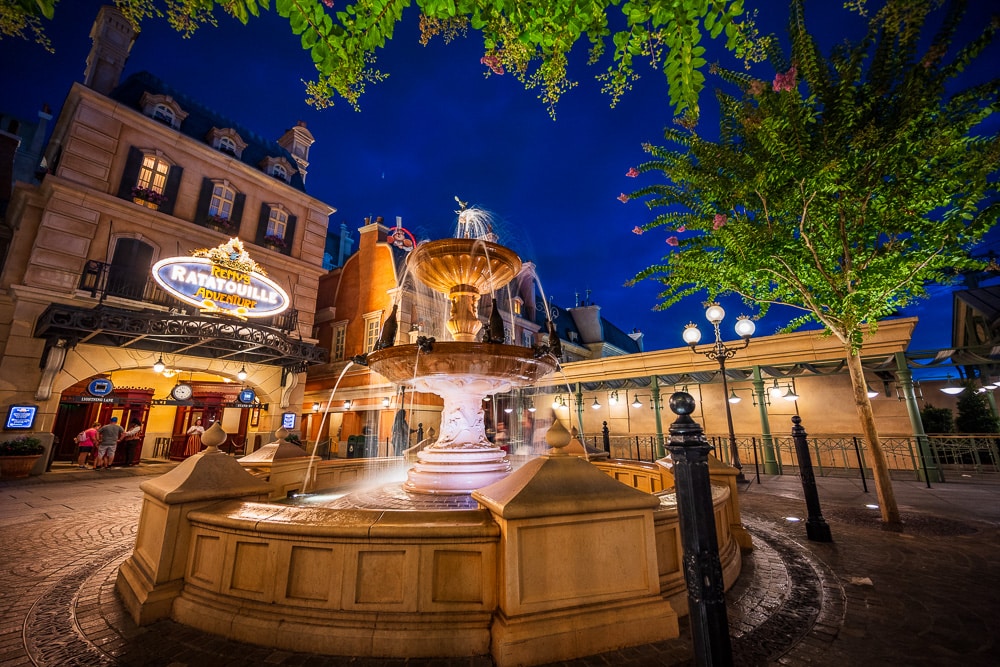
- EPCOT (Remy’s Ratatouille Adventure)
- Animal Kingdom (Na’vi River Journey, Kilimanjaro Safaris, Kali River Rapids or Expedition Everest)
For the best attraction and return time options, you’ll want to backload your bookings with Magic Kingdom furthest out, then DHS, EPCOT, and Animal Kingdom. This matters less if you have a longer trip and more for a shorter one.
For example, if I were visiting the parks January 12-15, 2025, I’d book in the following order:
- Magic Kingdom: January 15, 2025
- DHS: January 14, 2025
- EPCOT: January 13, 2025
- DAK: January 12, 2025
This will probably change once Tiana’s Bayou Adventure becomes more reliable. Its capacity will improve and thus so too will its Lightning Lane availability. I’d hope that this will occur in Winter 2025, but failing that, TBA’s popularity should drop slightly once winter arrives.
In the long term, I have a hard time seeing Slinky Dog Dash dethroned from its #1 spot. On the other hand, Magic Kingdom is going to have rotating refurbishments/reimaginings from Group A through 2025 and DHS does have a strong lineup in top tier. Not only that, but Haunted Mansion and Pirates of the Caribbean were the fastest-booking Group B options of anything from any park. (Somewhat surprisingly.)

Are any attractions booking up beyond the 3-day window?
Yes. Here are attractions with limited Lightning Lane availability during the on-site booking window:
- Tiana’s Bayou Adventure
- Haunted Mansion
- Pirates of the Caribbean
- Jungle Cruise
- Slinky Dog Dash
- Remy’s Ratatouille Adventure
- Frozen Ever After
- Tower of Terror
- Toy Story Mania
I’d caution anyone against extrapolating trends based on current LLMP availability or lack thereof. As we saw firsthand with Genie, things changed frequently and repeatedly in the first 18 months after launch. Lightning Lane Multi-Pass already appears more stable (it’s certainly not as half-baked), but it’ll still evolve throughout 2025. That’ll be especially true with Tiana’s Bayou Adventure if/when it becomes more reliable and switches to standby.
Is it possible to see available attractions and return times before buying?
Yes. In fact, this is the only way to do it.
You select your first three attractions and return times with Lightning Lane Multi Pass before you pay–that’s the last step of the process. Once you make your selections, you’ll have a set amount of time during which your ‘cart’ is reserved in order to complete the transaction.

How much time are your choices locked in?
You have 5 minutes from the time you place Lightning Lanes in your “cart” to complete checkout.
This can mean there’s still a shifting of times right at the 7:00:00 am mad dash, but once you make the selections, they’re locked into place. (Error messages will occur before that, if at all.) This is a massive improvement from Genie+ when times were ‘blind’ for the first 30 minutes due to the massive shifting possible.
This also means you probably want to keep playing the ‘refresh game’ until around 7:30 am when booking your Lightning Lanes via Multi-Pass, as carts will expire and other guests will keep swapping around Lightning Lanes and “trading up” times as availability allows.
Do tiers apply same-day?
If you’re just booking ‘cold’ or for the first time, the Grouping A and B distinctions do apply with your first same-day Lightning Lane Multi-Pass selections.
Once you’ve entered a park and tapped into your first Lightning Lane, tiers no longer apply for subsequent selections.
What about tiers to modifications?
In our experience, tiers do not apply to modifications so long as you’ve already redeemed a Lightning Lane. Meaning that you could redeem a Lightning Lane for Pirates of the Caribbean at 9:05 am, and then modify pre-booked Lightning Lane from Haunted Mansion to Big Thunder Mountain Railroad while still also holding a Tiana’s Bayou Adventure Lightning Lane.
The question I cannot answer is whether you could tap into the park and then modify all of these Lightning Lanes to Group A selections before tapping into any of them.

Can Lightning Lane ride reservations overlap with one another?
Not completely. In the screenshot above, you can see that we have a Tiana’s Bayou Adventure Lightning Lane for 11:45 am to 12:45 pm and Haunted Mansion from 12:35 to 1:35 pm–an overlap of 10 minutes.
In doing a variety of testing, we were able to book partially overlapping Lightning Lanes by as much as 25 minutes. In other cases, we couldn’t do more than 20 minutes. It’s difficult to tell whether this was due to availability or a rule setting the buffer.
By default, it seems like there isn’t overlapping. It also appears that if you modify to create an overlap, the system will attempt to shift your other existing selections to reduce or eliminate the overlap. But you can still modify to create greater overlaps–at least, in some scenarios, and at certain attractions.
This is unlike the Genie+ system, which was “dumb” and thus didn’t check for conflicts with existing reservations. It is similar to the FastPass+ system, which prevented overlap. (To the best of my recollection, no overlap whatsoever was allowed.)
Can Lightning Lane ride reservations overlap with Advance Dining Reservations?
Again, not completely. Meaning that if you have an Advance Dining Reservation (ADR) at Cinderella’s Royal Table starting at 2:05 pm, you cannot have a Lightning Lane also starting at 2:05 pm. This is also unlike Genie+.
Weirdly, it does seem that you can have a Lightning Lane starting at 1:55 pm even if you have an ADR at 2:05 pm. It’s unclear how much buffer is necessary or if this is a glitch and will change–but it’s what we’re seeing so far.
Were Lightning Lanes removed from meet & greets and entertainment?
Yes. Walt Disney World made clear that this was happening in advance, but then oddly used the old attractions list from Genie+ in My Disney Experience, giving some hope that maybe characters were back.
As to the “why” of this and whether it could change…we’ll have a longer post in the coming days. But for now until probably at least early 2025, character meet & greets no longer offer Lightning Lanes, nor do parades and other entertainment.
What is the booking window for Annual Passholders who are staying on-site?
When it comes to the booking windows, staying on-site always takes precedence. Meaning that it doesn’t matter what your ticket type is if you have an on-site resort reservation that entitles you to the 7-day booking window takes priority. Or at least, it should.
There’s always the possibility of issues when it comes to Disney IT and systems determining which “status” to prioritize, but the official policy is that staying on-site supersedes ticket type. This means that all guests with their MDX profiles linked to an on-site resort reservation should be able to purchase and make Lightning Lane reservations pursuant to the 7-day on-site advantage booking window, for their entire stay (up to 14 days).
What about split stays?
Officially, resort split stays that are continuous (back-to-back bookings with no gaps between hotels) may purchase and book Lightning Lane Multi Pass and Single Pass selections for the entire length of their visit up to a maximum of 14 days. This should work, in theory, regardless of how many reservations you have. I could do single night stays for two weeks, and it should still work. (I wouldn’t want to, but I should be able to do so.)
In practice, we’re hearing this is more hit or miss and can require an override from Disney IT. That’s not completely surprising, as FastPass+ had similar issues from time to time. We don’t have any firsthand experience with this and LLMP yet, but it’s something to be aware of if you’re doing a split stay.

Is Lightning Lane Multi Pass worse than Genie+?
(Say the line, Bart.)
Queueing is a zero-sum game that creates winners and losers in equal parts. What this means is that attraction capacity is fixed and finite. There is no more or less capacity than there was when Genie+ existed than there is today under Lightning Lane Multi Pass. Moreover, if someone receives an advantage, that means someone else is disadvantaged. There is no magical system where everyone gets to wait in shorter lines.
Line-skipping systems do not change capacity. No approach to lines changes the underlying capacity. It doesn’t matter if it’s all standby, paper FastPass, FastPass+ vs. Genie vs. Lightning Lane Multi-Pass. The only meaningful way to actually alter the equation is by actually increasing capacity. The best way that’s done, in the long term, is building more attractions.
Other ways to increase capacity in the short or medium term are adding entertainment, extending operating hours, or just giving guests other things to do that either pull them away from rides or dilute the distribution of guests throughout the day. Everything else is a matter of rearranging the deck chairs, and having different guests or demographics come out ahead or behind.
From what I’ve heard over the course of the last year or so, Walt Disney World’s aim with its suite of queueing changes is better balance. Policies and systems that feel fairer to the majority of guests and don’t advantage or disadvantage anyone too much. From what we’ve heard, they’ve been trying to thread the needle with all of these changes. It’s an unenviable task and no-win proposition, but that’s the intent.
In other words, this is really a matter of asking better or worse for whom? It’s still very early, but current signs point to significantly less Lightning Lane availability under the Multi Pass and Single Pass systems. Whether that was intentional or not remains to be seen. Let’s assume it was, in which case this new paradigm will be worse for its buyers than the Genie+ service. But guess what? Queueing is ultimately a zero-sum game that creates winners and losers in equal parts. This means that the big winner of Lightning Lane Multi Pass and Single Pass would…guests not paying anything extra to use the standby line!
Planning a Walt Disney World trip? Learn about hotels on our Walt Disney World Hotels Reviews page. For where to eat, read our Walt Disney World Restaurant Reviews. To save money on tickets or determine which type to buy, read our Tips for Saving Money on Walt Disney World Tickets post. Our What to Pack for Disney Trips post takes a unique look at clever items to take. For what to do and when to do it, our Walt Disney World Ride Guides will help. For comprehensive advice, the best place to start is our Walt Disney World Trip Planning Guide for everything you need to know!
YOUR THOUGHTS
Have any questions we didn’t answer with the above FAQ? Still confused by how Lightning Lane MultiPass or Single Pass will work? Do you agree or disagree with our assessments? Other thoughts or concerns? Any questions we can help you answer? Hearing your feedback–even when you disagree with us–is both interesting to us and helpful to other readers, so please share your thoughts below in the comments!


I apologize if this has already been asked and answered: we are staying on property so I will book all of our rides at the seven day mark. As far as modifying goes, can I modify throughout the seven days before our trip? Like if I book my first day at Magic Kingdom on day 7 before our trip, and I have a ride at 9, 10 and 11, can I then modify them at home to earlier times or change the rides during that time? Before I actually arrive at the park? Or is all modifying done when you get to Disney World and arrive at the parks?
Out experience today for booking for tomorrow at MK:
-purchased at 7:00 am and no Tiana availability already. Hoping to make the VQ on that.
-You can overlap a single lightning lane (7DMT or Tron) with the multipass. We have TRON for 910-1010 and Barnstormer (I know I know…small kids. And also early group B booking) for 905-1005. Seems that’s a random miss.
Bigger issue to be aware of:
When booking, you can only make the same selections for the ENTIRE group. Thus I mistakenly bought my 5 yo a lightning lane for Tron. I went to a cast member who refunded it who said they brought this up during testing-noting that it’s very common for only certain members of a group to want/be able to do certain attractions.
You either have to:
A. Do separate bookings (risking time take )
Or
B. Book the entire group and go to guest relations to get a refund for the one you don’t need.
The CM told me the refund route for the time being is the way to go until they fix this.
Hopefully that helps someone! We’ll see how MK goes tomorrow. This was an expensive add on but with the single park 4 day tix, there’s the “it’s today or not at all this trip” reality aT play (that basically negates the ticket deal but here we are).
Not sure if I missed this… If you are staying on property, are your LLMP selections generated for actual park opening or for early entry park opening? If you’re planning on rope dropping early entry, do you just modify your selections accordingly?
By the way, thanks for your huge effort on these posts, as you’ve got your hands rather full!
I can answer the VPN / UK questions, hopefully by way of thanks:
• On many UK mobile networks (eg: EE), when in the USA, you still appear to be in the UK as traffic is routed back “home”.
• Currently, inaccessible services include Genie+ and Dining Reservations (on the app).
• Historically, Disney isn’t using geolocation, it’s an IP address restriction. So just being in the US isn’t enough; you also need to be on a US Wi-Fi network, or using a VPN.
• VPNs do work to circumvent this, but one caveat is that payments might not go through. This is because VPNs are viewed as suspicious, and I assume Disney blocks them.
• As of now, it appears that it is possible to book LLMP/LLSP from a UK IP address, while in the US. I didn’t complete the payment, but I could get to the payment screen. So unless there’s a geolocation block, or a problem with payment (both very possible!), there may in fact be no problem. This would be a welcome change from Genie+.
I always assumed that this was incompetence rather than malice/intent, ie Disney is very persistent about redirecting to the UK site if a UK IP address is presented, which is very cut down and (among other things) makes it hard to renew annual passes or buy non-UK tickets. This was definitely the cause of the park reservations stuff, until they fixed it. Maybe you know differently, though.
Didn’t catch it in here so I’m sorry if I missed it – I can confirm that the multipass LL experience didn’t not switch to a multi experience LL after a ride (Aerosmith) was down all morning and we “missed” our window. They did let us go when the ride was back up – even though our magic band wouldn’t turn it green (kept flashing blue instead). Hopefully they’ll get that sorted out! Otherwise the system worked great today!
Are you able to pay with a Disney gift card, or is it just credit card?
Hi Chrissy,
Great question. Unless I misread the rules on MDX I’m very happy to report that YES YOU CAN!!!!!
Amazing! Thank you, mickey1928! My mom hordes Disney gift cards and that’s our primary way of paying for things there. We do have a cc for the room charges on file (and then we use a gift card to pay off the balance), and carry some cash with us, but my mom loves her gift cards. She’s the Disney gift card queen lol. She’s always buying and then combining them on one card.
I am taking a large group of Girl Scouts in 3 weeks. Do you know how many people we can book together on one account? I believe with genie+ it was up to 12 people.
Here’s my experience today, which included a long chat with a CM:
We arrive Friday for 16 nights at Riviera (graduation/college goodbye trip). Our stay consists of 2 reservations at Riviera: July 26-Aug 5 and Aug 5-11 (switching room categories). I mention this because for us, having a 2nd reservation did not impact us at all when it came to making our selections. This is definitely a YMMV situation though, as someone else did not have the same result. It’s also important to mention that I had already identified days that I would not be in the parks/buying Multi-Pass, so we would stay under the 14 day limit.
My husband “assisted” me so I asked him to tackle Studios and Slinky Dog days while I went after Tiana/MK days and other than 7/28 at MK, we worked back to front. We were able to get Tiana for every MK day of our trip and I went back after the fact to switch some out for other Tier 1 rides, especially as I saw what was happening with availability throughout the day. He was also able to get 2 Slinky Dog (all I asked for) and 1 RnR – and that was with him messing up completely on his first Slinky run.
When it came to Tier 2 rides, I took Tom’s approach and looked at early return time rides that were near whatever I planned to hit at rope drop, so I could scan in and book a 4th selection immediately.
Things we learned –
1. Having extra dining times booked caused havoc one day. We were trying to finalize our schedule and I had a morning with an ‘Ohana breakfast and a Kona lunch. Not something that would be the reality, but ‘Ohana just opened up for me last night and I had to snag it and didn’t think to reschedule Kona yet. The system kept giving me ride times that overlapped with dining, which created an error message when trying to finalize. Keep this in mind! When it happened, the only solution was to completely leave the booking and try again, making sure to modify your times before you get the error message.
2. We had to call in this morning for assistance and did learn that the overlap limit IS 20 minutes.
3. I learned pretty quickly that it was much better to book ONLY Tiana or Slinky in the original purchase, so I could move on to the next day without spending time rearranging ride times. Once I had finished buying all of the days for my trip, I went back and added the Tier 2 rides to Studios and MK.
4. Overall, I was INCREDIBLY impressed with how well their technology held up under the strain this morning. I expected a dumpster fire and was pleasantly surprised, with the only issue being the dining time overlap error message.
I will most likely consider more park hopping if it continues to be difficult to keep scoring LL’s at my first park of the day, but this will be something we’ll modify as we go and as people continue using the system over the next week or so.
I know that’s a lot, but I hope my experience helps!
Great work so far Tom, very helpful! One question about single pass LL availability… although I know it’s possible to purchase multi-pass and single pass on the same transaction, for a longer stay would it be smarter to book all your multi-pass reservations for each day of your trip and then go back and make your single pass reservations for each day? I understand speed matters when making multi-pass reservations beginning at 7am 7 days out, do single pass reservations go quickly as well?
My ‘playing it safe’ response is that it’s too early to tell. I’d be very surprised if availability doesn’t change over the course of the next couple weeks, to the point that it doesn’t matter.
However, what I’ll add is that earlier time slots will *always* be advantageous with LLMP because of the rolling 3 rule (or whatever you want to call it). Due to that, I personally would be inclined to book my LLMP first if I were really worried about this. I wouldn’t be really worried at 7+ days out, though, because the transaction process is a breeze and you should be in good shape to get morning returns regardless.
To each their own, though.
Based on my experience this morning, I think it SHOULD be ok to book the SLL at the same time. What I recommended in my (long) post is booking just the “big” attractions in the initial purchase (SLL, Slinky, Tiana) for all of the days, and then circling back at the end to fill in the 2nd tier attractions. That said, I was booking with a huge window of dates and it’s day 1. I couldn’t say if this would work for someone with only the 3 day window or shorter trips.
Did anyone else notice that if you try to make a modification, the Earliest time available listed for the attractions are not accurate.
My observation is that LLSPs are mostly sold out for the next 3 days. I was able to book GOTG/ROTR today, but not anything further. And previously these attractions were pretty easy to book a few hours ahead, on-the-day.
Is capacity drip-feeding with on-the-day (morning) refills, or are people genuinely booking up these attractions when prompted in advance to do so? Hopefully the former, but if it’s the latter, it’s great news for Disney as their next move would be to increase the price.
It kills me to read your FAQs just to see this was pretty much exactly what you could do under free Fastpass+ that everyone complained about so much because no one took the time to learn the system. But now that you have cash in the game to use it, you all learn how to use it. Just be aware that those Fastpass+ complaints led to part of the reason for its elimination. Of course the other reason was additional revenue for Disney.
I respectfully disagree. Disney’s plan was always to monetize FP+. Like Netflix, you get people hooked on a service at a low price point (in this case, free) then raise the price as much as they can. MaxPass in FL was already launched before FP+ was removed. Paying was inevitable.
Have you looked into booking for large groups where not everyone wants to do the same rides? Would the strategy by book everyone for Tiana’s, and then go back in modify individuals who don’t want to do Tiana’s to pick a different ride?
I wanted to share my experience this morning trying to book for the check out day of my split stay next week:
We have a split stay, checking in on 7/31 and checking out on 8/1 and then checking into a different resort on 8/1 and checking out on 8/4. We are annual passholders and everything is linked. When I went on this morning everything in the app worked like I was going to be able to book today for 8/1 but after I selected my party and hit continue, I got an error saying something went wrong.
I chatted with support in the app and they told me to call Disney tech. I called and explained the situation and they told me that the system is reading 8/1 as my check-in day so I can’t book for 8/1 until tomorrow. I explained that I’m not trying to book for the length of my 2nd half of my split stay, I’m just trying to book for 8/1 as part of my 7/31-8/1 stay and because we are 7 days from check-in and because I can book for length of stay, I should be able to book for 8/1. They seemed to agree with me, but the system does not.
The cast member on the phone said she could book the 8/1 selections for me but there was zero remaining availability for Tiana’s that day already at noon, so I didn’t bother. I will keep checking the app or will just do it myself tomorrow for the length of stay for the second half of my split stay. As far as fixing this system glitch, they basically just said they are taking feedback based on people’s experiences today.
So, tldr; beware of split stay check-out days with the new system, at least until they fix the glitch.
That’s really odd! I have a split stay as well, however I’m not changing resorts – just room categories (DVC). This morning, I was able to book both reservations without an issue. It’s important to note that my second reservation falls outside of the 7-day window (check-out/check-in on 8/5), but I didn’t run into any issues. Maybe it’s a DVC thing, maybe it’s because we aren’t physically changing resorts, maybe we’re getting some pixie dust and won’t have to change rooms after all. I don’t know for sure, but I wanted to at least chime in on my experience!
Out of curiosity, was either or both of your reservations booked as a package? I could imagine this bug happening easily if the second reservation was booked as a package with tickets attached and the first was a room-only reservation. Either way, I hope they fix this bug for you and everyone
@Victoria – Mine were both DVC room-only reservations on points. We have AP’s, so there was no package component to ours at all. However, our split stay consists of moving from a Preferred View 1-bedroom at Riviera to non-preferred, so that could be why we didn’t have an issue.
@Victoria – both parts of my split stay are room-only. We have APs.
I’m an American visiting in a few weeks, but currently on an island in the Caribbean and was geolocked out of looking at LLMP availability this morning. Luckily we return to the U.S. more than 10 days before our trip starts so I’m not going to sweat it.
Tried it for the sake of searching ; no VPN, modification of location or whatever managed to do the trick
I have two further questions:
1. If you book 1 tier A attraction, 1 tier B attraction, and leave an empty slot, can you fill it with a tier A attraction once tapped into the park? Or do you have to wait until you tap into your pre-booked tier A (or even B) attraction?
2. If you fully book ahead of time (1 tier A, 2 tier Bs), can you book a second tier A attraction once you tap into your first B? Or can you only modify your other existing B into an A?
Was wondering the same about question 1. Somebody try this please!!
Thanks! I do have a few questions though…When you say “tap in” do you think that would also work if the time slot simply expired? So if I booked a 9-10 am LL but didn’t quite make it there do you think I would be able to book 3 different selections at 10 am/could they be booked in a different park if I miss the first one? Also, in order to use LL with park hopping, are you required to tap into the first park, the one you bought the LL for, before you are allowed to add attractions for other parks?
A different news site tried this (AllEars) and if your first LL expires, you need to tap into the park to make a new one.
This system stinks. All of the bad aspects of FP+ are back (limited inventory, tiers, limited flexibility on when and how to tour the parks) with the added negatives of ILLs not included like they were in FP+ and obviously the cost. This is the worst iteration of line skip that they have ever had. Huge bummer.
Terrible news. Tiers and no more stacking? It’s like they hate us.
P.S. Please take a break, I need to get some work done.
My God you’re a writing fool. Third article today.
Bless you,,,is that a baby I hear crying?