
How Much Does Paid FastPass Cost at Disney World & Disneyland?

Previously free, FastPass is now paid at Walt Disney World, Disneyland, and all of the international parks. This offers a rundown of the line-skipping costs at Magic Kingdom, Epcot, Animal Kingdom, Hollywood Studios, plus California, Tokyo, Paris, and the other international parks. We’ll offer quick tips for how you can minimize your wait times and save hours in line.
If you’re planning a Walt Disney World vacation for 2026, you need to know that free FastPass+ has been permanently retired and replaced by Lightning Lanes. There are currently three different tiers of Lightning Lane line-skipping products at Walt Disney World.
Lightning Lane Multi-Pass (LLMP) replaced Genie+ as the primary paid FastPass option at Walt Disney World. With the switch, there’s once again the addition of an on-site advantage, ability to make 3 selections in advance, making this almost identical to the old FastPass+ (except paid).
Additionally, there’s Lightning Lane Single Pass (LLSP), which is the a la carte option that used to be called Individual Lightning Lanes. That’s all bookable in advance. The reason LLMP is “almost” identical to FastPass+ is because 1-2 attractions are excluded from LLMP in each park, and those can be purchased separately via LLSP.
Finally, there’s Lightning Lane Premier Pass (LLPP), which is the top tier of line-skipping meant for the top 1-2% of guests and priced accordingly. It’s like Universal’s Express Pass. LLPP offers line-skipping access to every LLMP and LLSP attraction in each park at the guest’s leisure–no advance booking required.
There’s a lot more to know about Lightning Lane Premier Pass, Multi-Pass and Single Pass, all of which is beyond the scope of this post. If you don’t already know about these line-skipping services, we’d encourage you to read our Guide to Lightning Lanes at Walt Disney World instead of this post.
With all of that in mind, here are the maximum prices for Lightning Lanes at Walt Disney World…

Lightning Lane Multi-Pass Peak Prices
- Magic Kingdom: $45 per person
- Disney’s Hollywood Studios: $39 per person
- EPCOT: $37 per person
- Disney’s Animal Kingdom: $35 per person
Lightning Lane Single Pass Peak Prices
- Seven Dwarfs Mine Train: $15
- TRON Lightcycle Run: $23
- Guardians of the Galaxy Cosmic Rewind: $22
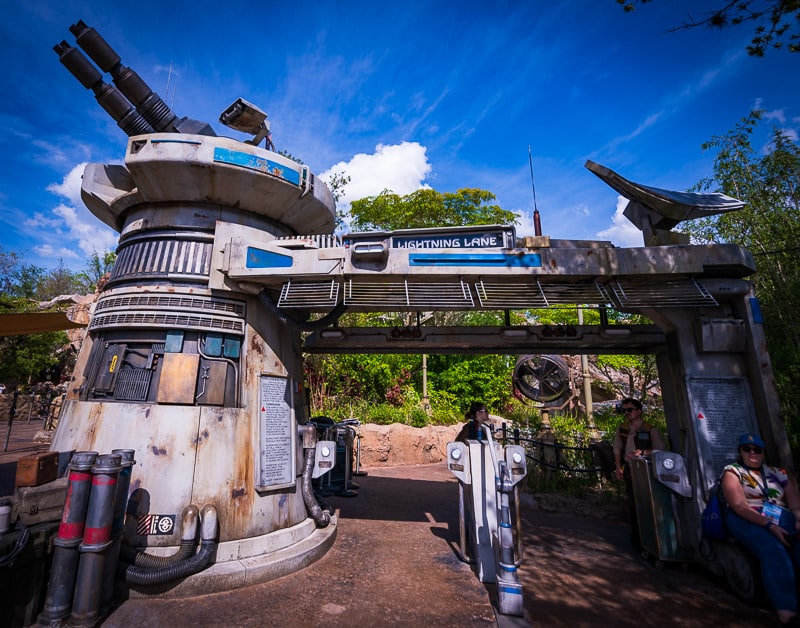
- Star Wars Rise of the Resistance: $25
- Avatar Flight of Passage: $19
Lightning Lane Premier Pass Peak Prices
- Magic Kingdom: $449 per person
- Disney’s Hollywood Studios: $349 per person
- EPCOT: $249 per person
- Disney’s Animal Kingdom: $199 per person
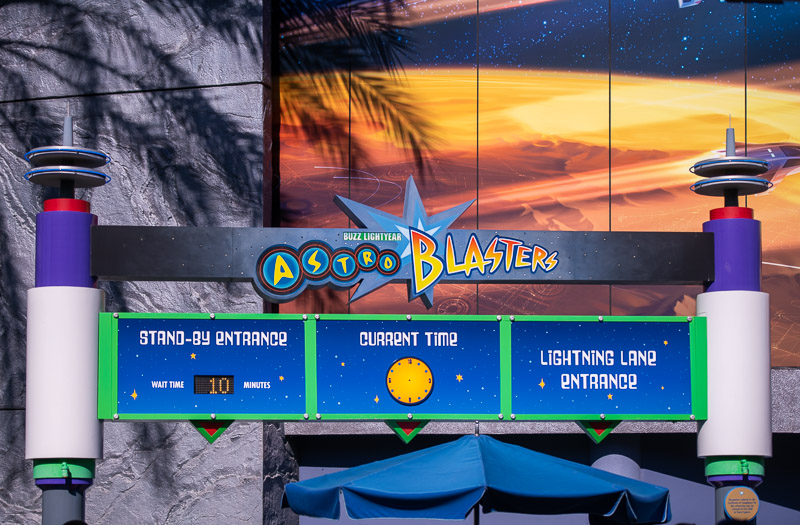
It’s the same story at Disneyland, which did away with paper FastPass and the paid digital MaxPass system in favor of Lightning Lanes. See our Guide to Lightning Lanes at Disneyland and California Adventure for everything you need to know about paid line-skipping at Disneyland Resort.
From now through early October 2026, Lightning Lane Multi-Pass ticket add-on will now cost $34 per day for pre-arrival purchases, which is up from the previous cost of $32 per day. As a reminder, Lightning Lane Multi-Pass includes PhotoPass at Disneyland, which is one reason why it costs more.
As with Walt Disney World, same-day Lightning Lane Multi-Pass purchases will be variably priced based on date and demand and now will start at $37 per day. We’ve already seen several $40 days at Disneyland. It’s only a matter of time before Disneyland breaks the $50 barrier. Perhaps as soon as the upcoming holiday weekend, but probably more likely on one of those upcoming Tier 6 days between Christmas and New Year’s Eve.
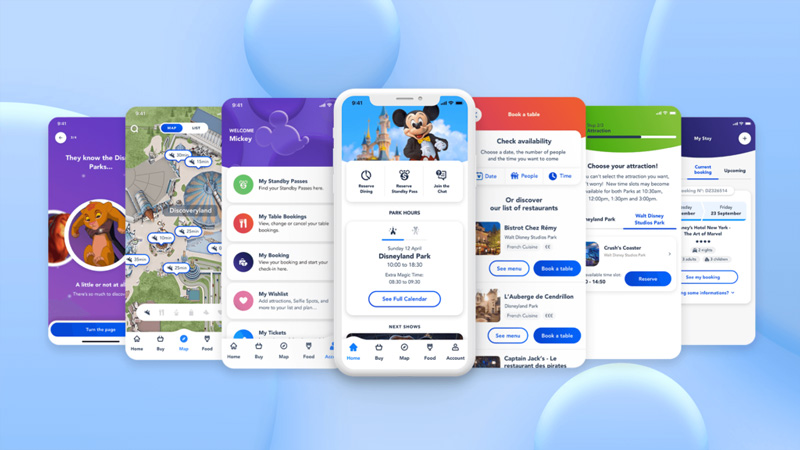
Disneyland Paris has replaced free FastPass with paid Premier Access line-skipping.
Disney Premier Access can be purchased via the Disneyland Paris App and costs between €7 and €20 for one-time access to skip the regular queue line for popular attractions, including Autopia, Big Thunder Mountain, Peter Pan’s Flight, Ratatouille: L’Aventure Totalement Toquée de Rémy, Buzz Lightyear Laser Blast, Star Wars Hyperspace Mountain, Star Tours: the Adventures Continue, and the Twilight Zone Tower of Terror.
From anywhere inside the parks, guests can use the Disneyland Paris App to purchase an assigned time slot for the aforementioned attractions. Pricing for Disney Premier Access will be per ride, and is dynamic. It depends upon the attraction and crowds on the day of visit. Think of it like Express Lanes on toll roads, Uber’s surge pricing, or to a lesser degree, Walt Disney World’s date-based ticket and hotel prices.
There’s also Disney Premier Access Ultimate, which is like Lightning Lane Premier Pass at the US parks. This offers one-time access to all eligible rides, costs between €90 and €190 per person depending on the season.
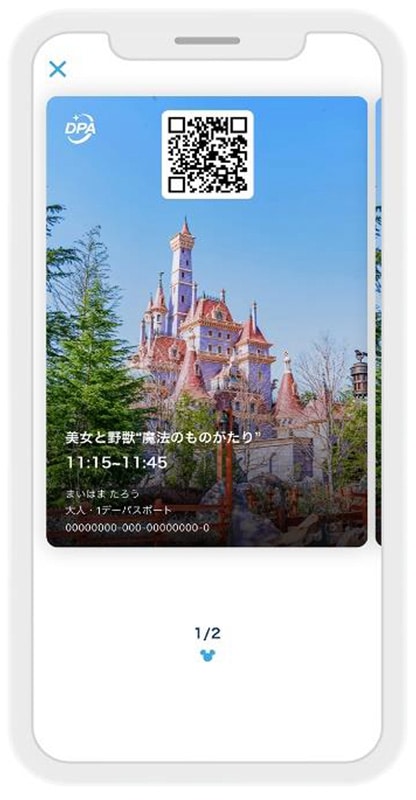
Disney Premier Access is a new digital paid FastPass service that allows guests to reserve certain theme park attractions by using the app at Tokyo Disneyland and Tokyo DisneySea. With Disney Premier Access at Tokyo Disneyland and Tokyo DisneySea, guests will have the ability to select their preferred time and make reservations to experience attractions.
Several attractions offer Premier Access, including but not limited to the Enchanted Tale of Beauty and the Beast, The Happy Ride with Baymax, and Splash Mountain at Tokyo Disneyland, plus Soaring: Fantastic Flight, Journey to the Center of the Earth, Anna & Elsa’s Frozen Journey, Rapunzel’s Lantern Festival, and Toy Story Mania at Tokyo DisneySea. Each cost 2,000 yen, or approximately $15.50 per person per attraction.
There’s also Priority Pass, which is available free of charge at select attractions, and allows guests of Tokyo Disneyland and Tokyo DisneySea the ability to enjoy a reduced wait time. Priority Pass is available for eligible experiences using the Tokyo Disney Resort App as soon as guests enter the park; it’s basically FastPass by a different name. It is not available at any rides with Premier Pass.
See our Guide to Paid Premier Access & Free Priority Pass at Tokyo Disney Resort for more info and tips.

At Shanghai Disneyland, the upgraded Disney Premier Access offers priority access to popular attractions from the designated starting time to the closing time or reserved viewing area of the entertainment venue anytime during the designated return window of your selected entertainment show.
The upgraded Disney Premier Access is available in a wider range of price options and is available on the Shanghai Disney Resort Official App. The price of Disney Premier Access varies by date, attractions and entertainment shows and is subject to availability.
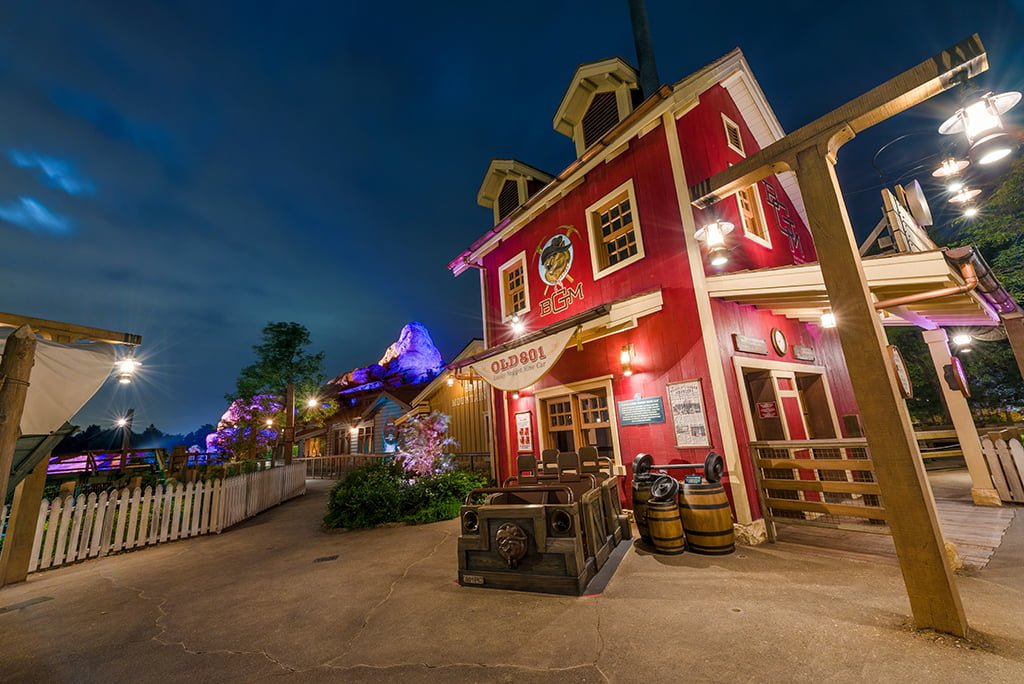
At Hong Kong Disneyland, paid FastPass is available in various bundles and can be purchased with tickets or as a day-of add-on option. Choose either 8 designated attractions or 3 from a list of 5, and enjoy priority access on arrival. Get ahead of the queues with the Disney Premier Access starting from HK$159.
Premier Access at Hong Kong Disneyland gives you priority access to some of the park’s most popular attractions, including Iron Man Experience, Mickey’s PhilharMagic and Big Grizzly Mountain Runaway Mine Cars, saving you time and allowing you to enjoy more rides during your visit.
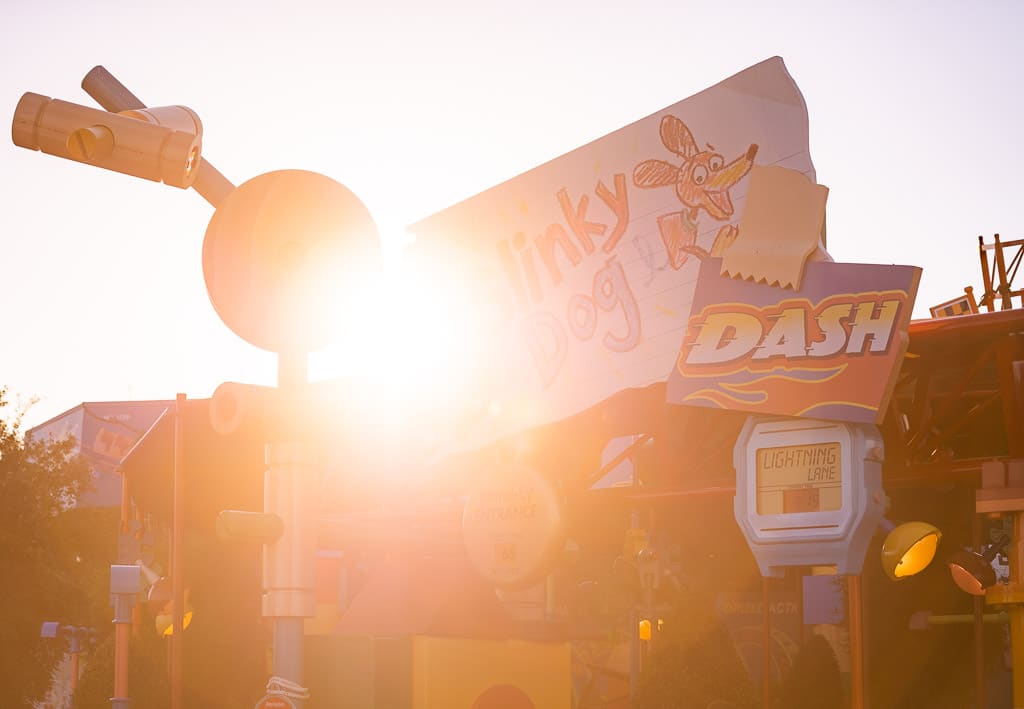
The good news is that the more things change, the more things stay the same. The most popular and hard-to-score Lightning Lane reservations at Walt Disney World are still Slinky Dog Dash and Millennium Falcon Smugglers Run in Hollywood Studios, Frozen Ever After and Remy’s Ratatouille Adventure in Epcot, and Peter Pan’s Flight in Magic Kingdom.
The bad news is that a ton has changed. Jungle Cruise is now incredibly popular as a Lightning Lane reservation, and many attractions are now sold on an a la carte basis as Lightning Lane Single Pass. These include Star Wars: Rise of the Resistance, Guardians of the Galaxy: Cosmic Rewind, Seven Dwarfs Mine Train, and TRON Lightcycle Run. Most of the FastPass advice that follows isn’t relevant to the Lightning Lane system.
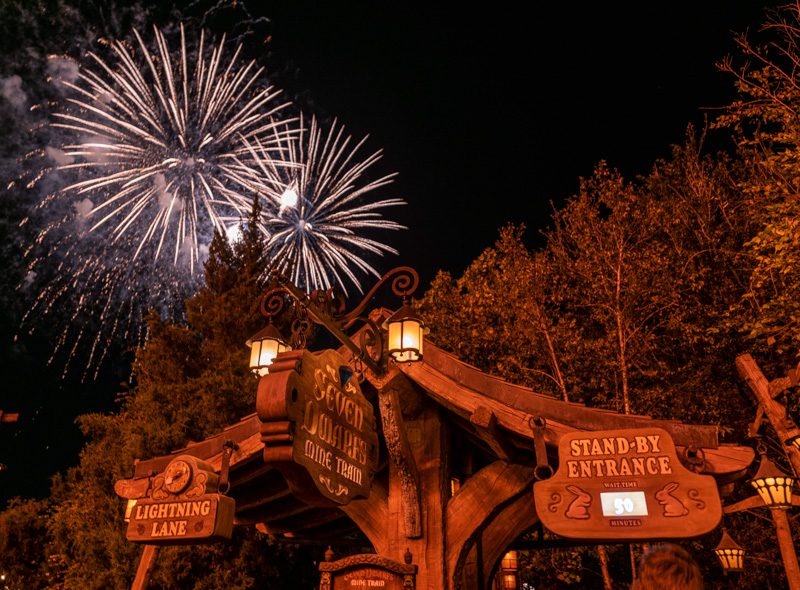
Above all else, we strongly recommend buying tickets as early as possible in our Tips for Saving Money on Disney Tickets post. Many of the parks offer paid FastPass as a ticket add-on, and it’s usually a good idea to purchase that. It’s a guard against future price increases, which are common.
Our detailed guide for using FastPass at Walt Disney World has been tweaked numerous times to better help you plan as changes have been made to the line-skipping systems. In addition to recommending the attractions you should prioritize attractions, we cover a variety of different approaches (including the “refresh strategy” and Park Hopping), and other ways to save time by avoiding waiting in standby lines. (Again, Lightning Lanes have replaced FastPass queues. A lot of this works similarly, but what follows is outdated and only preserved for the sake of posterity.)
Before we get to those specific tips, a bit of background is in order. You might be wondering, just what exactly is FastPass? Well, it’s essentially ride reservations. You make a FastPass reservation, and go to the attraction at which you booked the reservation during your allotted timeframe (say, 1:20 – 2:20 pm), enter through the FastPass line, and have a minimal wait in line. It’s like a VIP line, but there is no charge to use FastPass.
FastPass+ is the second generation of FastPass at Walt Disney World, replacing paper FastPass ride reservations. The idea then was to get people out of lines and allow them to do other things while waiting for their ride reservation window. The original FastPass system had its strengths and weaknesses, and could be leveraged to allow those who did their homework a strategic advantage.
There was trepidation about FastPass+ existed when it officially launched a few years ago by those who mastered the old system, but FastPass+ has its own advantages. While FastPass+ can’t be exploited to the same degree as regular paper FastPass, guests who are “in the know” can still save a ton of time. All it takes is a little patience and spending the time to understand how FastPass+ works.
While we can’t grant you patience, we will help you understand the system in this post…
Step by Step FastPass+ Booking Process
There are two ways FastPass+ can be obtained: via the My Disney Experience app or website in advance of visits, or via in-park kiosks for guests who don’t have smart phones or who don’t purchase tickets in advance. The FastPass+ is then stored on the MagicBand or your park tickets. (Note that Magic Bands are not required to use FastPass+.)
FastPass+ can be booked for any hour window during the park’s normal operating hours. FastPass+ cannot be booked during Extra Magic Hours or hard ticket events such as Mickey’s Very Merry Christmas Party or Mickey’s Not So Scary Halloween Party. Additionally, FastPass+ times cannot overlap.
Guests “redeem” FastPass+ by swiping the MagicBand or park ticket against an RFID “Mickey Head” reader outside FastPass+ attractions. Guests are able to book 3 FastPass+ tickets in advance of their vacation. You can be 5 minutes early or 15 minutes late to use your FastPass+ reservation and the RFID readers will allow you to enter. So really, your “hour” window is 1 hour 20 minutes long.
After these initial FastPass+ selections are redeemed, guests can book additional same-day selections, as available. This is now possible with the app in addition to the in-park kiosks.
The advance booking process for FastPass+ is relatively straightforward once you understand it, but it’s one of those things that’s much easier to understand when you can look at something to help you visualize the process, so I’m going to walk you through it and explain some additional things to know.
For this walk-through, I’m using the My Disney Experience website, but it’s virtually the same on the app. Before starting, you’ll want to download the My Disney Experience app, or sign onto your DisneyWorld.com account. While our explanation covers what you need to know, it’s easiest if you just play around with the app and see for yourself. Learn by doing.
When you purchase Walt Disney World tickets in advance and stay at a Walt Disney World resort hotel, you can make your FastPass+ selections up to 60 days prior to check-in for the entire length of your stay. These booking windows open up at 7 a.m. on the 30 or 60 day mark, so don’t wait around until 8 a.m. to do this like you would Advance Dining Reservations! Okay, now time for the steps…
The first step is being up bright and early before your booking window opens at 7 a.m. on your 30 or 60 day mark. Make sure you’re logged into My Disney Experience on your computer or phone, pull up the My Disney Experience menu, click FastPass+, and be ready to go at exactly 7 a.m. Once the clock hits 7, click the “Get Started” button on the FastPass+ page, and select the date and park you plan on attending.
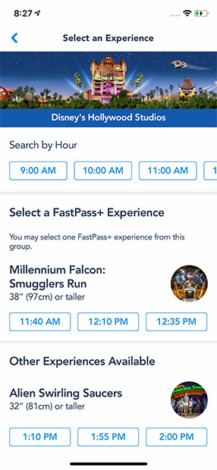
Next, you make your individual selections.
This works differently for the Magic Kingdom than it does Animal Kingdom, Epcot, and Disney’s Hollywood Studios, as Magic Kingdom does not use tiering and the other three parks do. We’ll cover this in the strategy section below.
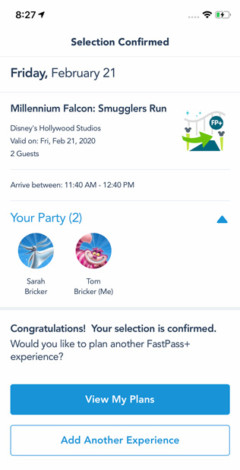
After choosing my time, I’m given a confirmation screen…
…After hitting confirm, I receive confirmation, and am asked whether I want another FastPass+. Rinse and repeat. The system via My Disney Experience is pretty easy. (So long as the app doesn’t crash!)
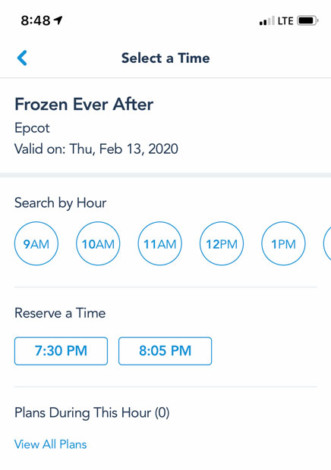
When you return to the FastPass+ screen, you’ll see your reservations, have the ability to modify, etc. It’s all very intuitive. If you can use Facebook, you can use this system. Chances are that any question you have about the functionality of the site will answer themselves after playing around with it for 5 minutes.
With all of that said, don’t be afraid to ask questions below, but since the basics of booking FastPass+ are ridiculously easy to understand, I’m going to move onto strategy, which is where the fun begins…
Best FastPass+ By Park
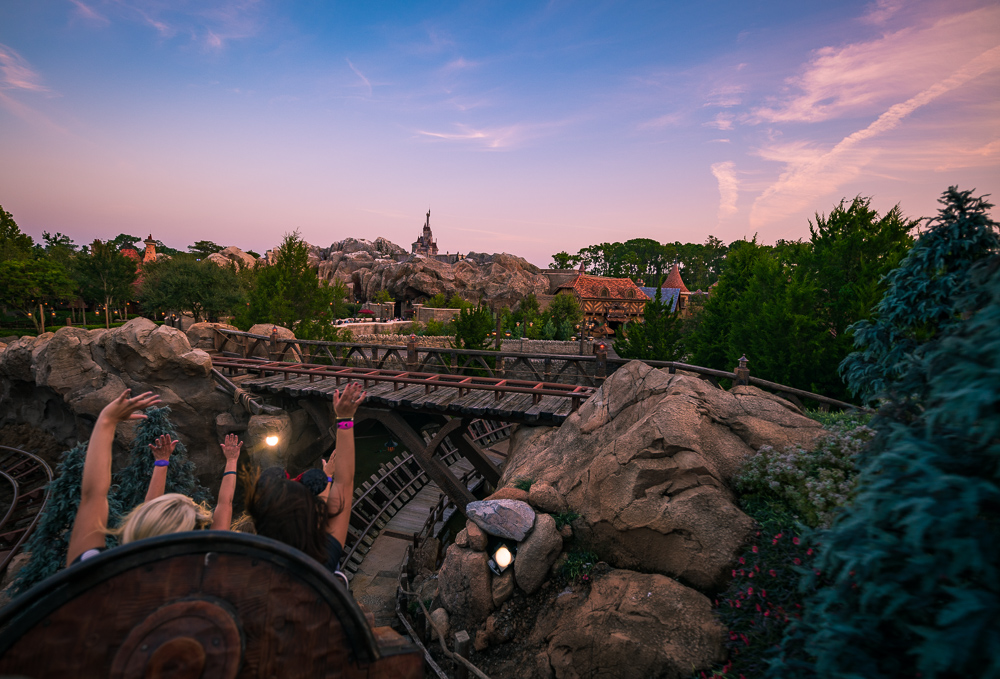
We’ll keep it short and sweet here, in case all you care about is the best choices, and don’t want to read a long explanation as to why (that’s in the strategy below). You can also find more strategy in our Disney Attraction & Ride Guides for Walt Disney World each contain thorough recommendations concerning the best uses of FastPass+ for each park.
Here are the choices that will save you the most time in each park:
Magic Kingdom
- Seven Dwarfs Mine Train
- Peter Pan’s Flight
- Splash Mountain
- Space Mountain
- Big Thunder Mountain Railroad
Epcot
- Frozen Ever After (Tier 1)
- Soarin’ Around the World (Tier 1)
- Test Track (Tier 1) – single rider recommended instead
- Spaceship Earth (Tier 2)
- Mission: Space (Tier 2)
Disney’s Animal Kingdom
- Avatar Flight of Passage (Tier 1)
- Kilimanjaro Safaris
- Expedition Everest
- Dinosaur
Disney’s Hollywood Studios
- Mickey & Minnie’s Runaway Railway (Tier 1)
- Slinky Dog Dash (Tier 1)
- Rock ‘N’ Roller Coaster (Tier 2)
- Twilight Zone Tower of Terror (Tier 2)
- Toy Story Mania (Tier 2)
These are objectively the best choices, but they may not be the best selections for you, depending upon which attractions interest you (also note that some of the above have height restrictions, so they may not be the best options for families). The best thing you can do prior to your FastPass+ booking windows opening is looking at Walt Disney World wait times for a little while before your trip, and pinpointing the most appealing high-wait attractions to you.
FastPass+ Strategy
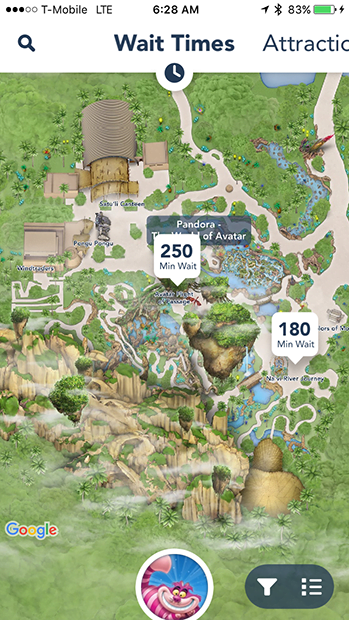
If should come as no surprise that not all FastPass+ attractions are created equally. Some are really difficult to score, and others are seemingly always available (think of them as the “participant award” FastPass+). Let’s start with the difficult ones.
Currently, the most coveted FastPass+ is for Avatar Flight of Passage in Disney’s Animal Kingdom. Along with Na’vi River Journey, these are the two new attractions in the Pandora – World of Avatar land.
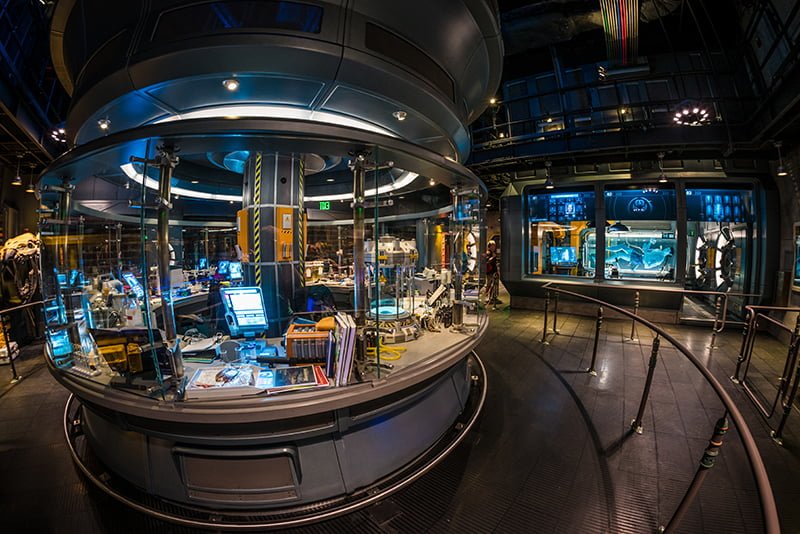
For these two attractions, Animal Kingdom has gone to a quasi-tiered approach. In this context, you cannot hold FastPasses for both Pandora attractions simultaneously. While both attractions are sure to have long waits, the more popular FastPass+ is Avatar Flight of Passage.
Since this is the E-Ticket thrill ride (whereas Na’vi River Journey is a slow-moving boat ride), it’s likely going to have longer wait times. As such, we recommend trying to score a FastPass+ for Avatar Flight of Passage and doing Na’vi River Journey via the standby line. You can read more about strategy for this new land in our Ultimate Guide to Pandora – World of Avatar.
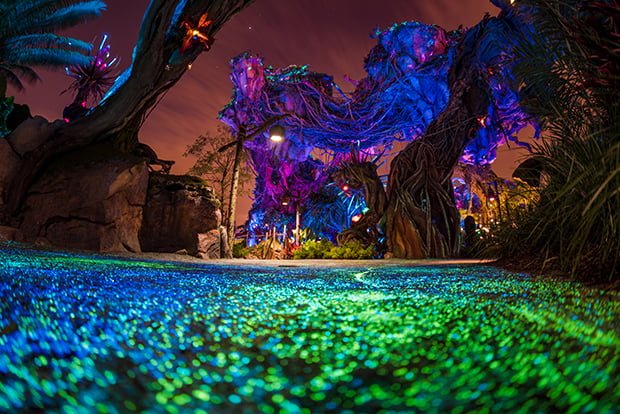
Many days, FastPass+ for Avatar Flight of Passage will be “sold out” 60 or more days in advance. This is possible because hotel guests have 60 days from the date of check-in. So, if you’re taking a 10-day on-site Walt Disney World vacation, you effectively have a 70-day window for that last day of the trip.
This makes booking FastPass+ for the later days of any long trip easier than the early days. Because of this, always book FastPass+ in order of difficulty. Meaning, if you’re going to Animal Kingdom on day 3 of your trip, start by booking your Avatar Flight of Passage FastPass+ before booking days 1 and 2. It is the most difficult FastPass+ to book, so that means booking your Animal Kingdom day first.
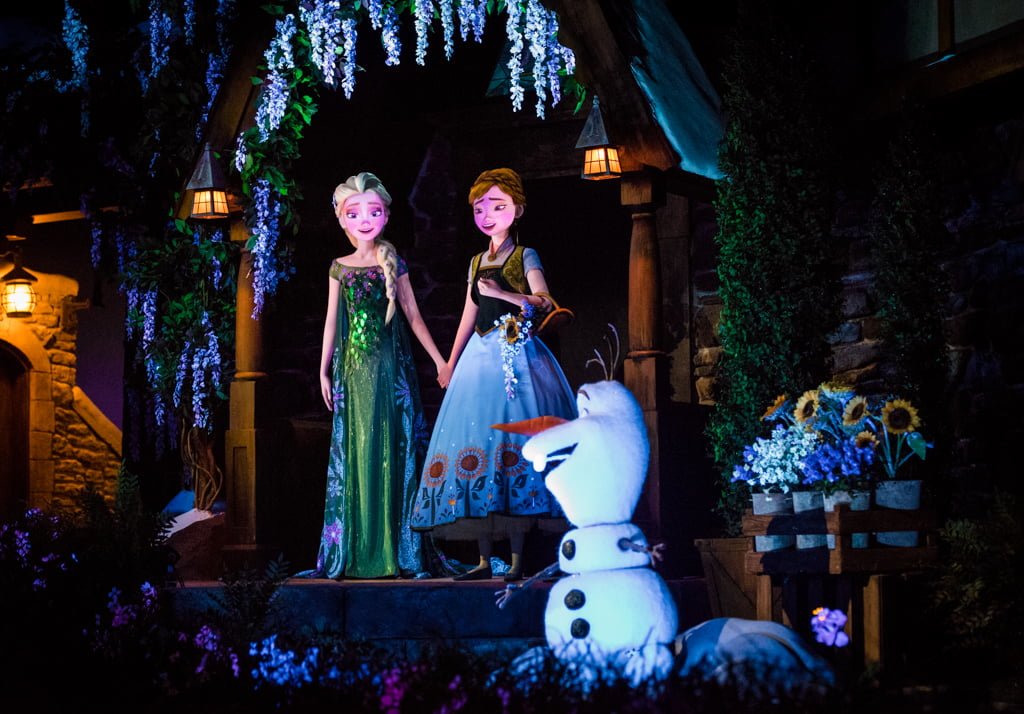
If you want Frozen Ever After, you’ll need to be up bright and early, because Frozen Ever After is still among the most difficult FastPass+ reservations to score in all of Walt Disney World. Standby waits still regularly exceed 60 minutes, and can hit 90-120 minutes on busy days.
A big part of this is because Frozen Ever After is a low-capacity boat ride and demand for it remains high since it’s a family-friendly attraction featuring a movie that is still popular. This is all a recipe for wait times that tend to eclipse an hour, you will want to be up bright and early when your window opens in order to book a Frozen Ever After FastPass+.
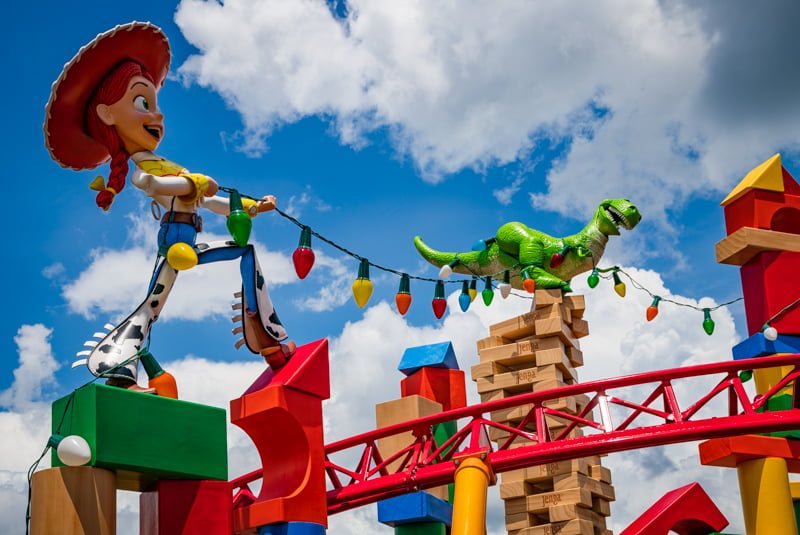
The same is true with Mickey & Minnie’s Runaway Railway or Slinky Dog Dash at Disney’s Hollywood Studios. Even now that Star Wars: Galaxy’s Edge is open, these are the best options at DHS. Long term, it’s difficult to say which will emerge as the victor, but for now, we’re recommending Mickey & Minnie’s Runaway Railway or Slinky Dog Dash as tied for the #2 FastPass+ in all of Walt Disney World.
If you can’t get either of these, Millennium Falcon Smugglers Run is an okay alternative. It has very long lines early in the day, but these fad as the day goes on, and the ride often has a short wait in the evening hours. In fact, there’s more fall off in wait times at Disney’s Hollywood Studios at night than any other park, so it’s not the end of the world if you can’t get your most-coveted FastPass+ at DHS.
FastPass+ Last Minute Refresh Strategy
One final tip for these super-popular FastPass+ attractions: if there’s something that’s an absolute must-do for you, refresh the app regularly, particularly on the day of your visit.
This is done by simply selecting a time for FastPasses in a particular park, quickly scanning what’s available, and if there’s nothing to your liking, selecting another time. The key part of this is toggling between different times–it doesn’t matter what times you choose, as My Disney Experience will show anything that becomes available for previously sold-out attractions.
It can take 10-15 minutes of refreshing (we recommend doing this while you’re standing in line for something else), but you can often score same-day FastPasses for headliner attractions simply with a bit of diligence and persistence in the app.
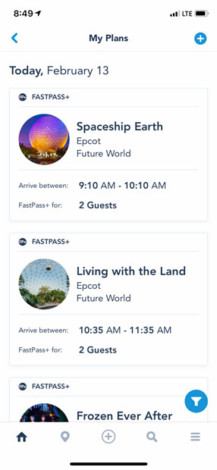
People cancel FastPass+ reservations all the time, and if you are diligent, getting a Frozen Ever After FastPass+ is possible (particularly for parties of 1-2). We’ve gotten lucky with same-day FastPass+ for Frozen Ever After, Slinky Dog Dash, Avatar Flight of Passage, and numerous other attractions.
This is also a strong approach for your fourth, fifth, sixth (and so on) FastPasses of the day after you’ve used your initial allotment of FastPass+ selections. Even on busy days, you can often keep scoring tough-to-acquire FastPass+ reservations for popular attractions with long lines.
The one caveat here that’s worth reiterating is that this approach works best for smaller parties with more flexible plans. If you’re a party of 6-8 or you can only do a particular attraction at a certain time, you’re probably going to be out of luck.
FastPasses to Avoid

At the other end of the spectrum from highly coveted FastPass+ like Frozen Ever After, Avatar Flight of Passage, and Slinky Dog Dash are the “Participant FastPass+”, Walt Disney World added FastPass+ to many attractions that never had (and never needed) FastPass to make sure there was sufficient capacity in the system so that each guest can book 3 per day without all popular attractions “selling out” of FastPass+ in advance, causing guests to become irritated.
This means that some attractions offering FastPass+ are essentially red herrings, offering FastPass+ not because they will save you time, but so people have something to book in advance if other attractions are sold out. These are typically for shows, for which FastPass+ is almost never necessary.
The idea behind this is that guest satisfaction will be higher if people are able to book FastPass+ (even if those selections save them no time) than they would be if all FastPass+ during their trip are “sold out.” Guests with FastPass+ may get better seats at these shows, but there’s no guarantee of that.
To reiterate: FastPass+ for a show is almost always a waste of a FastPass selection. Don’t do it. These selections are only offered so people don’t feel discouraged when the good FastPass+ options aren’t available. Think of them as the “Participant Award” of Walt Disney World touring.
FastPass+ Timing
We recommend making FastPass+ selections starting about an hour after park opening. Ideally, make your first 3 FastPass+ selections between 10 am and 1 pm, if not slightly earlier. This is because midday is when the wait times are the longest, the weather is the hottest, and you’re going to want to spend the least time waiting in line.
The first advantage to this is that it gives you roughly an hour from rope drop until 10 a.m. to do attractions via the standby line before the crowds really hit, and lines start getting longer. If you’re redeeming FastPass+ first thing in the morning, you aren’t taking advantage of these short standby waits.
Conversely, if you book FastPass+ too late in the day, your options are limited once you redeem your FastPasses and can start making additional selections. Instead, you want to find the right balance between early and not too early, and I think that is around 10 a.m. until 1 p.m.

Since many guests have no clue what FastPass+ even is until they show up at the park that day (I’d say this describes most guests), you essentially are in a “race” with other guests to use your FastPass+ and start making additional selections before other guests select remaining “good” FastPass+ run out for the day. Think of it as the Hunger Games, except with Disney rides.
In the Magic Kingdom, it is worth noting that many of the attractions that will have high wait times later in the day are located nearby one another, have short ride durations, and can be quickly knocked-out with minimal wait first thing in the morning. So, if park opening is at 9 am, you might be best served by racing to Peter Pan’s Flight, then Many Adventures of Winnie the Pooh, Under the Sea ~ Journey of the Little Mermaid, and ‘it’s a small world’ first thing. After Fantasyland lines start getting bad, use your FastPass+ for the “Magic Kingdom Mountain Range” after 10 a.m.
This is especially important in the Magic Kingdom, where there are 15+ attractions for which FastPass+ is useful to help avoid waits. For this reason, an ideal strategy in the Magic Kingdom is spending the first hour or so of the day doing popular, short attractions via standby, then using FastPass+ for different attractions, then getting and redeeming more FastPass+ as soon as possible.
Continue that strategy for as long as you’re able, and then do unpopular attractions and/or redeeming additional FastPass+ in the middle of the day. Finally, at the end of the night, you’ll be using standby again at as the crowds and wait times die down. (We always jump into line for Seven Dwarfs Mine Train 1 minute before the park closes!)
FastPass+ Park Hopper Strategy
An alternate strategy to this if you’re going to be Park Hopping is to not book any FastPass+ for the first park you’re visiting (you can only book FastPass+ for one park per day), staying there until standby lines build, and then hopping to a different park where you have FastPass+ scheduled once things start getting busy.
This strategy works really well for doing a second park in the late-afternoon after some other park in the morning. Now that Disney’s Hollywood Studios has changed its FastPass+ tiers, we’d strongly recommend not using this strategy to hop to DHS. You’ll be at a huge disadvantage if you do, as you can only hold a FastPass for one of its headliners, and you won’t be able to do Star Wars: Rise of the Resistance at all.
I know this is a lot to digest about line-skipping and the costs at each Disney theme park, especially considering how intuitive and easy to use the system really is, so I’m going to cut this paid FastPass guide off here. Like so many things related to Walt Disney World, it’s intimidating at first, with a lot of superficial complexity. However, also like a lot of Walt Disney World trip planning, it’s surprisingly simple to understand. There are some complexities that do make it difficult to master, and I think I’ve covered most of those.
If you have specific questions or are interested in park-by-park guides for FastPass+, please feel free to ask, and I’ll do my best to answer in the comments below. Also, keep in mind that, although much of the dust has settled, the Lightning Lane paid FastPass system is still very much in flux. I’ll do my best to keep this guide updated, but some things may change…please let me know if you notice any outdated info!
If you need help booking your Walt Disney World vacation and would like the assistance from a professional, click here to get a quote from a recommended, no-fee Authorized Disney Vacation Planner. They get their commission from Disney, so there is no charge to you for them to book your trip, help you plan, and even book your FastPass+ ride reservations for you!
If you are planning a first trip to Walt Disney World or your first trip since all of this My Disney Experience stuff launched, make sure to check out our Disney Tips & Tricks page for a lot of helpful tips to outsmart the masses. Also check out our dining reviews to find the best restaurants and our trip planning posts to figure out what to pack, where to buy Walt Disney World tickets to save money, which discounts to look for, and all the other ins and outs of a trip to Walt Disney World, all of which are covered extensively in our Walt Disney World Trip Planning Guide.
Your Thoughts
Have you used paid FastPass at Walt Disney World, Disneyland, or beyond? What did you think? Was it worth the money? Which Lightning Lanes did you find the most difficult to score? How much did you spend in total to buy line-skipping access? Have you had luck securing ride reservations for popular attractions? Any tips of your own to add? Any questions you have about paid FastPass that this guide didn’t answer? Please share your thoughts in the comments!


I recently tried to book our Fastpass+ for our upcoming trip from Nov 13-17 which is supposed to be a relatively low crowd level week. I was surprised when many of the Fastpasses we wanted were unavailable- all day. Does Disney release fewer Fastpasses during slower times? We had planned on trying to obtain more after we used our initial 3, but unless they release more later, I don’t see us having this opportunity. Now, that being said, my plan on touringplans.com shows us still not having to wait very long, but it made me curious to know if this was true.
I ordered tickets from Get Away Today (based on your suggestions – Thanks!) it would seem that I have to wait for the tickets to arrive in the mail before I am able to book FastPass+…??? or am I missing something?
For the 60 day advance, do you only have to enter hotel reservation information? Or WDW ticket information too? We purchased non expiration tickets back in 2005 and are using the rest of the days in a few months. The tickets are older and don’t really have a number on them. We were able to confirm through WDW that we have 5 days remaining and that we need to upgrade our two children to adults once we arrive. I just want to make sure we don’t have any issues when we register for the fast passes sixty days prior to our stay.
Thanks for the helpful guide. Can two or more people be making fast passes for the same group of people for different days of the trip, at the same time, when the 60 day window opens? We have a party of 12. Can I assign different people one day of the trip and have them make fast passes for That day for the whole party, with everyone trying to make fast passes at that 7 am window 60 days prior to our trip?
This is a great question! I am also curious if this would work. Each person booking would need to have a separate account and that account would need to have a resort stay attached to it in order to book at the 60 day mark. So that being said, you could have one account per resort package (Per room) setup and those accounts would have access to booking Fastpasses. You would need to make sure all accounts are synced via Friends & Family mode so that they have access to making plans with each other. It could get confusing, but if you plan it all out ahead of time I don’t see why it wouldn’t work.
When you are obtaining your fast passes for a family do you have to get them for individual family members? in other words, there are three of us in our family. Can I get three passes at the same time so we are on the same ride at the same time?
Hi:
Thanks for the very useful advice. We will be taking our 7 year old grandchildren to Disneyland next March. They are usually not anxious to go on scary rides. If they meet height & age requirements, what’s the best and easiest way to figure out the attractions fit for their age? Also is FastPass+ for both Disneyland and Adventure Parks? Thanks in advance.
Going to Magic Kingdom only on Sept 30th, I don’t have my tickets yet, having a hard time finding a good website that sells one day tickets. This is a last minute get together with my family that I advent seen in 3 years and I really want to make it an especial one.
Can you please explain what tiers are and if I can book the FP for everyone in a group at the same time? Do I add everyone to my account?
Where can I get the tickets asap so I can try to book the FP in advance.
Thanks
I understand how the FastPass+ works, but my question is, will I be able to schedule my FastPass+ tier attractions out of order? For instance, my touring plans for Hollywood Studios starts later in the afternoon of our arrival day. To get the most out of our day, we don’t want to spend it walking back & forth across the park. I would like to make The Tower of Terror from 3:30-4:30, than Star Tours from 4:30-5:30, finally making Toy Story Mania 5:30-6:30. Since Toy Story Mania is tier 1, is this possible to schedule the time after both of my tier 2 attractions?
I read the whole article and still didn’t cover what tiers are. Can you explain fastpass+ tiers, please.
So… We can now secure FP+ 60 days in advance of our first day for the entire duration of our trip? Our next trip is a full 3 weeks in the parks. We are staying at ASM (on the advice of one of your posts that suggested for a lengthy trip, it makes more sense to stay at a less expensive resort… The savings means we get to come back a few months later for 10 days at AKL!)… Anyway, 21 days in the parks. So I can now book 21 days of FP+ when I hit the 60 day mark of the first day of our trip? That would be awesome. We bought AP’s and the passholder guide said the same thing… Full duration of stay… But this is a policy change from before when it maxed out at 10 or 14 days. Can you confirm? (We come all the way from a tiny gulf island off of Vancouver Island, Canada, in case you’re wondering why we do long trips instead of a bunch of shorter ones…. It’s a long way to travel for a short trip!) BTW… We read TONS of Disney blogs. Yours is our #1 favourite. 🙂
Update, for Tom or anybody else interested… I was able to book 15 days of FP at the 60 day mark (yesterday) of our first day. This morning the next date (16th day) opened up for us. So here is the low down in case any of you want to do this in the future…
If you have an AP, and if you are staying on property, you can book your FPs 60 days out from the first day of your trip for the entire length of your stay. There is a proviso that you can book FPs no more than 75 days ahead. So when you are 60 days out from day 1, you can book 15 days of FPs (including day 1). The next day, you can book day 16, and the day after that, day 17, and so on. For our upcoming 21 day trip, that means we have Frozen 4 times, FOP 5 times, and 7DMT 6 times… So awesome! 🙂
This is my first visit to DIsneyworld. For Epcot, the earliest Fastpass I could secure for Frozen is 7:30pm. Would this still be a good strategy to use this at that time or should I use my tier 1 fastpass on Soarin’ at a much earlier time slot?
If I’m not staying at a Disney propert y, can I book additional fast passes after using my first three?
Yes you can.
The last minute fastpass idea certainly can work. While planning an Epcot trip only a couple of days in advance, a couple of fastpass times for frozen ever after popped up to my surprise. Didn’t get to see it because when we went it was broken virtually all day but never mind
You stated that you can only have fastpasses at one park per day.
BUT if you use your 3 fastpasses THEN park hop can you get fastpasses at the other park.
I know when they first had the bands you had to go to the kiosk at the park.
The new system is fine. BUT I did prefer the old paper ones. Probably because I don’t ride the roller coasters so I was off getting fastpasses for everyone while they rode say space mtn and that gave me something to do and made the rest of the group happy!
Thank you so much for all of the amazing and useful information. I am 4 hours and 20 minutes away from scheduling our fast passes for our upcoming trip. This will be our 5th trip to WDW but only the 2nd since FP+ took over. I’m one of those that still prefer the original paper method. I personally enjoyed the daily strategy of collecting fast passes. But times change, and I do really like the fact that FP has adapted to new technologies. We have been struggling with the tier system, and which FP to shoot for each day, but your “rope drop” strategy has solved our problem! Love the idea of scheduling mid afternoons, and hitting The unscheduled rides at opening. Wish us luck!!! And please keep blogging! Thank again!
Just to be sure, the time to start booking FP+ is 7 am Eastern Standard Time? This’ll be the difference between either waking up at 3 am or 6 am here on the West Coast. But if it means I must be awake at 3 am, so be it!
How does Rider Switch work with FastPass+?
WOW fantastic advice and tips, thank you. However so far l have been unable to find info for the physically disabled visitor (on any site, other than arrive early to hire a wheelchair etc). Once we have done this, is there any provision at the parks to go to the front of queues? With both adults in our group disabled standing in queues is physically VERY difficult. We don’t want our day ended before we start. Many thanks
I know when I went back in 2005 we got to skip all queues with my dad in a wheel chair. Contact Disney directly and see if this policy still stands.
You might have the answer already, but they will give you a ticket to return to the attraction at a later time. That way you can wait in the comfort of your own space, but still wait in line like everybody else. From what I’ve seen, they’ll typically load you in via the exit of the attraction. When I was on haunted mansion they stopped the attraction so they could load a group of people through the exit comfortably so they didn’t have to worry about navigating the moving sidewalk.
I’m planning a trip and have been debating between staying on site or off site for awhile now. I know that off site guests can only book FP+ 30 days in advance, but I really want to make use of FP+ on popular attractions. Does anyone find that by my 30 day mark all the good attractions will be “sold out”? This will probably be our only visit for awhile and really want to make the most of our time in the parks. I’m wondering if being able to get a FP for the popular attractions i want is worth paying more to stay on site. Thanks in advance!
It depends on the rides you are interested in. If it’s any of the super popular ones, you’ll need that 60 day window. If you just want to save some time during your trip, you’ll still find options at 30 days out. Not nearly as many at 60, but it won’t all be ‘sold out’.
If your planning a trip in September the 30 day mark is fine
For my September trip we are staying at 3 different Disney resort hotels (had to do it this way with last min DVC points)… Since there are 3 different reservations, do I have to log in 3 different times at the 60 day mark for each reservation or will I be able to make my reservations for my whole trip at the 60 day mark? thanks!