
How Much Does Paid FastPass Cost at Disney World & Disneyland?

Previously free, FastPass is now paid at Walt Disney World, Disneyland, and all of the international parks. This offers a rundown of the line-skipping costs at Magic Kingdom, Epcot, Animal Kingdom, Hollywood Studios, plus California, Tokyo, Paris, and the other international parks. We’ll offer quick tips for how you can minimize your wait times and save hours in line.
If you’re planning a Walt Disney World vacation for 2026, you need to know that free FastPass+ has been permanently retired and replaced by Lightning Lanes. There are currently three different tiers of Lightning Lane line-skipping products at Walt Disney World.
Lightning Lane Multi-Pass (LLMP) replaced Genie+ as the primary paid FastPass option at Walt Disney World. With the switch, there’s once again the addition of an on-site advantage, ability to make 3 selections in advance, making this almost identical to the old FastPass+ (except paid).
Additionally, there’s Lightning Lane Single Pass (LLSP), which is the a la carte option that used to be called Individual Lightning Lanes. That’s all bookable in advance. The reason LLMP is “almost” identical to FastPass+ is because 1-2 attractions are excluded from LLMP in each park, and those can be purchased separately via LLSP.
Finally, there’s Lightning Lane Premier Pass (LLPP), which is the top tier of line-skipping meant for the top 1-2% of guests and priced accordingly. It’s like Universal’s Express Pass. LLPP offers line-skipping access to every LLMP and LLSP attraction in each park at the guest’s leisure–no advance booking required.
There’s a lot more to know about Lightning Lane Premier Pass, Multi-Pass and Single Pass, all of which is beyond the scope of this post. If you don’t already know about these line-skipping services, we’d encourage you to read our Guide to Lightning Lanes at Walt Disney World instead of this post.
With all of that in mind, here are the maximum prices for Lightning Lanes at Walt Disney World…

Lightning Lane Multi-Pass Peak Prices
- Magic Kingdom: $45 per person
- Disney’s Hollywood Studios: $39 per person
- EPCOT: $37 per person
- Disney’s Animal Kingdom: $35 per person
Lightning Lane Single Pass Peak Prices
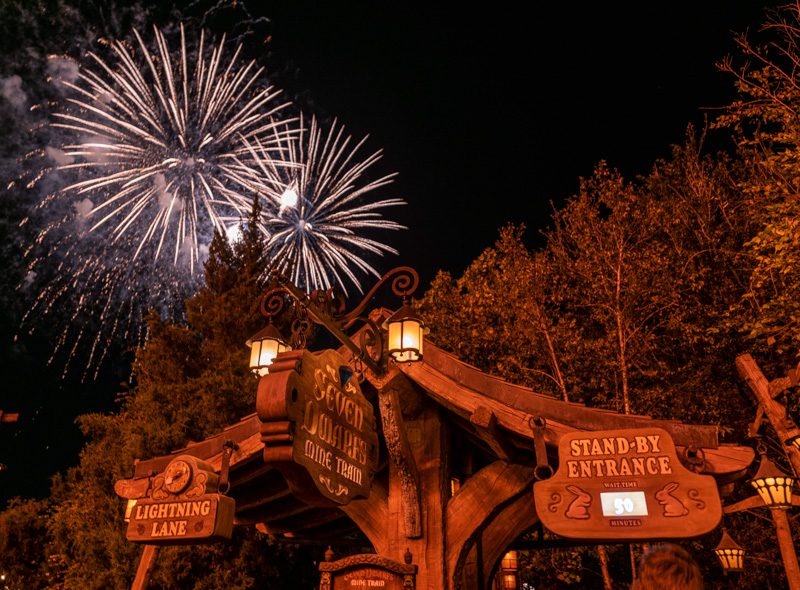
- Seven Dwarfs Mine Train: $15
- TRON Lightcycle Run: $23
- Guardians of the Galaxy Cosmic Rewind: $22
- Star Wars Rise of the Resistance: $25
- Avatar Flight of Passage: $19
Lightning Lane Premier Pass Peak Prices
- Magic Kingdom: $449 per person
- Disney’s Hollywood Studios: $349 per person
- EPCOT: $249 per person
- Disney’s Animal Kingdom: $199 per person
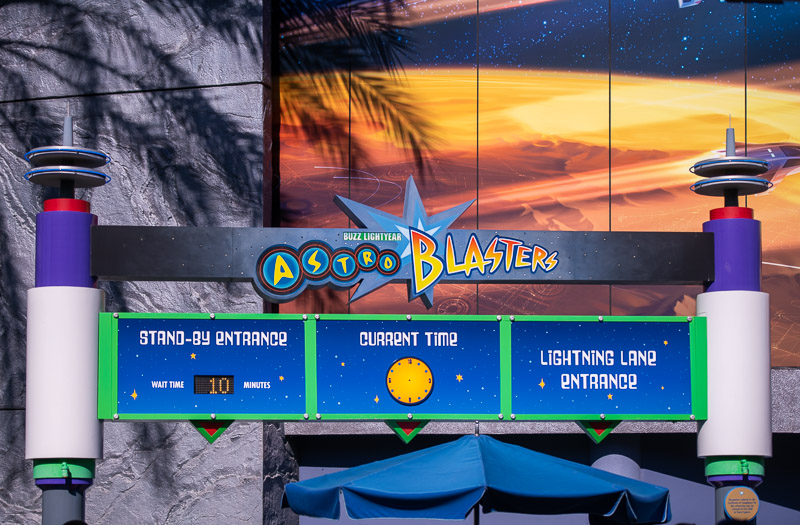
It’s the same story at Disneyland, which did away with paper FastPass and the paid digital MaxPass system in favor of Lightning Lanes. See our Guide to Lightning Lanes at Disneyland and California Adventure for everything you need to know about paid line-skipping at Disneyland Resort.
From now through early October 2026, Lightning Lane Multi-Pass ticket add-on will now cost $34 per day for pre-arrival purchases, which is up from the previous cost of $32 per day. As a reminder, Lightning Lane Multi-Pass includes PhotoPass at Disneyland, which is one reason why it costs more.
As with Walt Disney World, same-day Lightning Lane Multi-Pass purchases will be variably priced based on date and demand and now will start at $37 per day. We’ve already seen several $40 days at Disneyland. It’s only a matter of time before Disneyland breaks the $50 barrier. Perhaps as soon as the upcoming holiday weekend, but probably more likely on one of those upcoming Tier 6 days between Christmas and New Year’s Eve.
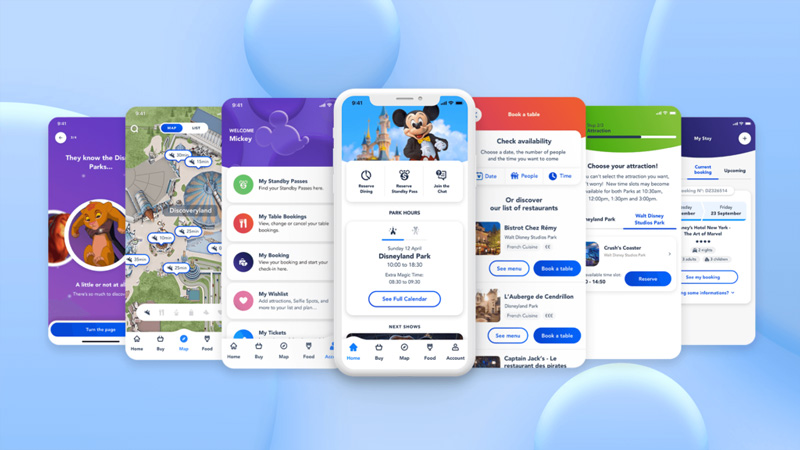
Disneyland Paris has replaced free FastPass with paid Premier Access line-skipping.
Disney Premier Access can be purchased via the Disneyland Paris App and costs between €7 and €20 for one-time access to skip the regular queue line for popular attractions, including Autopia, Big Thunder Mountain, Peter Pan’s Flight, Ratatouille: L’Aventure Totalement Toquée de Rémy, Buzz Lightyear Laser Blast, Star Wars Hyperspace Mountain, Star Tours: the Adventures Continue, and the Twilight Zone Tower of Terror.
From anywhere inside the parks, guests can use the Disneyland Paris App to purchase an assigned time slot for the aforementioned attractions. Pricing for Disney Premier Access will be per ride, and is dynamic. It depends upon the attraction and crowds on the day of visit. Think of it like Express Lanes on toll roads, Uber’s surge pricing, or to a lesser degree, Walt Disney World’s date-based ticket and hotel prices.
There’s also Disney Premier Access Ultimate, which is like Lightning Lane Premier Pass at the US parks. This offers one-time access to all eligible rides, costs between €90 and €190 per person depending on the season.
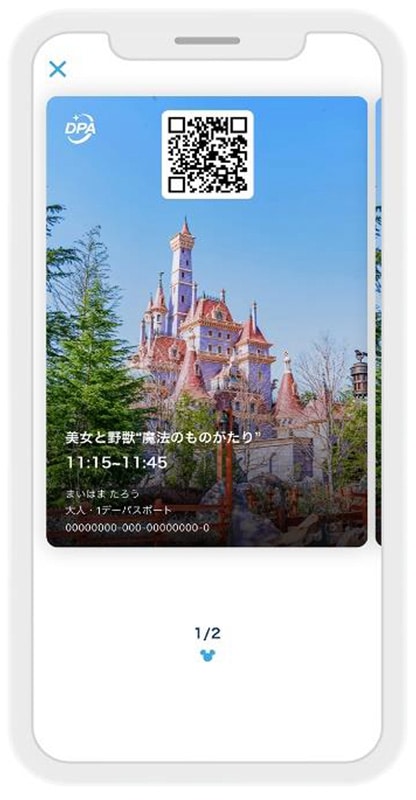
Disney Premier Access is a new digital paid FastPass service that allows guests to reserve certain theme park attractions by using the app at Tokyo Disneyland and Tokyo DisneySea. With Disney Premier Access at Tokyo Disneyland and Tokyo DisneySea, guests will have the ability to select their preferred time and make reservations to experience attractions.
Several attractions offer Premier Access, including but not limited to the Enchanted Tale of Beauty and the Beast, The Happy Ride with Baymax, and Splash Mountain at Tokyo Disneyland, plus Soaring: Fantastic Flight, Journey to the Center of the Earth, Anna & Elsa’s Frozen Journey, Rapunzel’s Lantern Festival, and Toy Story Mania at Tokyo DisneySea. Each cost 2,000 yen, or approximately $15.50 per person per attraction.
There’s also Priority Pass, which is available free of charge at select attractions, and allows guests of Tokyo Disneyland and Tokyo DisneySea the ability to enjoy a reduced wait time. Priority Pass is available for eligible experiences using the Tokyo Disney Resort App as soon as guests enter the park; it’s basically FastPass by a different name. It is not available at any rides with Premier Pass.
See our Guide to Paid Premier Access & Free Priority Pass at Tokyo Disney Resort for more info and tips.

At Shanghai Disneyland, the upgraded Disney Premier Access offers priority access to popular attractions from the designated starting time to the closing time or reserved viewing area of the entertainment venue anytime during the designated return window of your selected entertainment show.
The upgraded Disney Premier Access is available in a wider range of price options and is available on the Shanghai Disney Resort Official App. The price of Disney Premier Access varies by date, attractions and entertainment shows and is subject to availability.
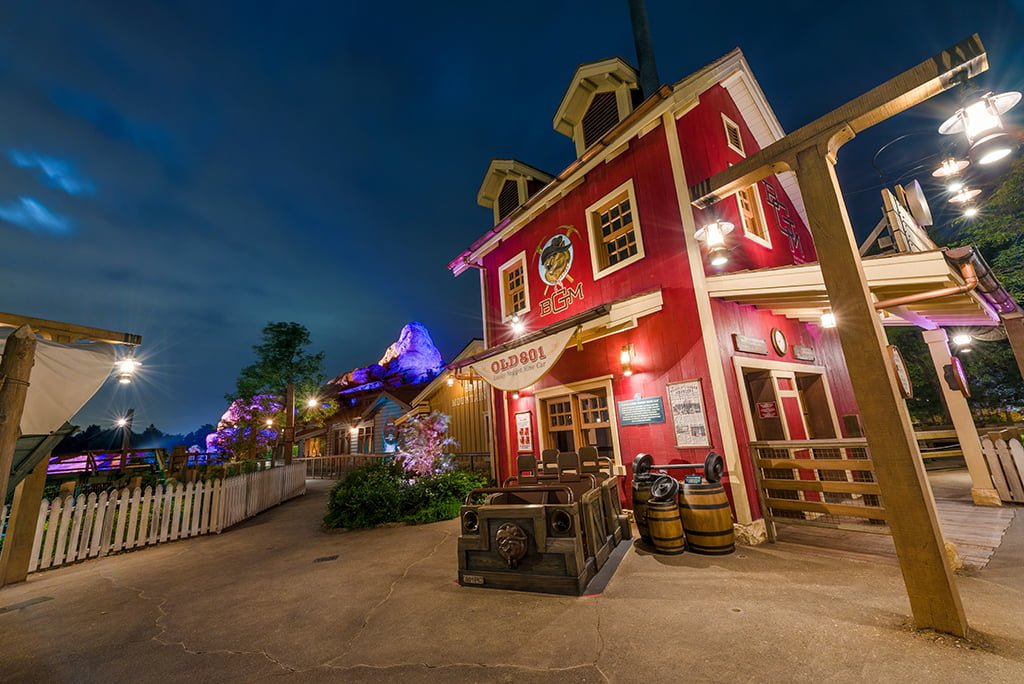
At Hong Kong Disneyland, paid FastPass is available in various bundles and can be purchased with tickets or as a day-of add-on option. Choose either 8 designated attractions or 3 from a list of 5, and enjoy priority access on arrival. Get ahead of the queues with the Disney Premier Access starting from HK$159.
Premier Access at Hong Kong Disneyland gives you priority access to some of the park’s most popular attractions, including Iron Man Experience, Mickey’s PhilharMagic and Big Grizzly Mountain Runaway Mine Cars, saving you time and allowing you to enjoy more rides during your visit.
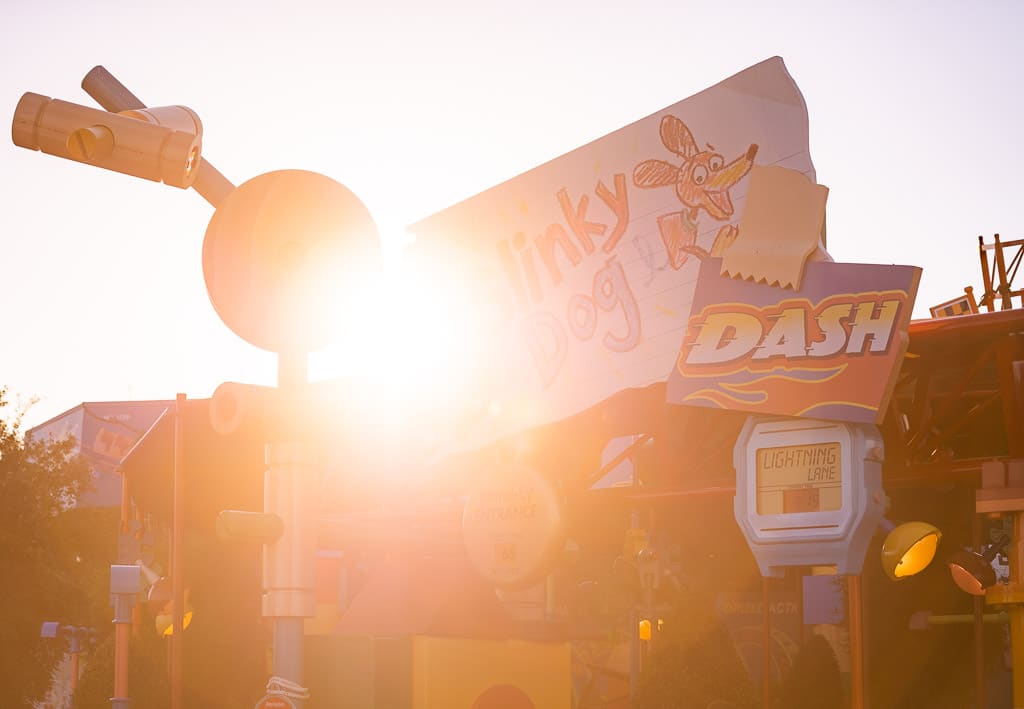
The good news is that the more things change, the more things stay the same. The most popular and hard-to-score Lightning Lane reservations at Walt Disney World are still Slinky Dog Dash and Millennium Falcon Smugglers Run in Hollywood Studios, Frozen Ever After and Remy’s Ratatouille Adventure in Epcot, and Peter Pan’s Flight in Magic Kingdom.
The bad news is that a ton has changed. Jungle Cruise is now incredibly popular as a Lightning Lane reservation, and many attractions are now sold on an a la carte basis as Lightning Lane Single Pass. These include Star Wars: Rise of the Resistance, Guardians of the Galaxy: Cosmic Rewind, Seven Dwarfs Mine Train, and TRON Lightcycle Run. Most of the FastPass advice that follows isn’t relevant to the Lightning Lane system.
Above all else, we strongly recommend buying tickets as early as possible in our Tips for Saving Money on Disney Tickets post. Many of the parks offer paid FastPass as a ticket add-on, and it’s usually a good idea to purchase that. It’s a guard against future price increases, which are common.
Our detailed guide for using FastPass at Walt Disney World has been tweaked numerous times to better help you plan as changes have been made to the line-skipping systems. In addition to recommending the attractions you should prioritize attractions, we cover a variety of different approaches (including the “refresh strategy” and Park Hopping), and other ways to save time by avoiding waiting in standby lines. (Again, Lightning Lanes have replaced FastPass queues. A lot of this works similarly, but what follows is outdated and only preserved for the sake of posterity.)
Before we get to those specific tips, a bit of background is in order. You might be wondering, just what exactly is FastPass? Well, it’s essentially ride reservations. You make a FastPass reservation, and go to the attraction at which you booked the reservation during your allotted timeframe (say, 1:20 – 2:20 pm), enter through the FastPass line, and have a minimal wait in line. It’s like a VIP line, but there is no charge to use FastPass.
FastPass+ is the second generation of FastPass at Walt Disney World, replacing paper FastPass ride reservations. The idea then was to get people out of lines and allow them to do other things while waiting for their ride reservation window. The original FastPass system had its strengths and weaknesses, and could be leveraged to allow those who did their homework a strategic advantage.
There was trepidation about FastPass+ existed when it officially launched a few years ago by those who mastered the old system, but FastPass+ has its own advantages. While FastPass+ can’t be exploited to the same degree as regular paper FastPass, guests who are “in the know” can still save a ton of time. All it takes is a little patience and spending the time to understand how FastPass+ works.
While we can’t grant you patience, we will help you understand the system in this post…
Step by Step FastPass+ Booking Process
There are two ways FastPass+ can be obtained: via the My Disney Experience app or website in advance of visits, or via in-park kiosks for guests who don’t have smart phones or who don’t purchase tickets in advance. The FastPass+ is then stored on the MagicBand or your park tickets. (Note that Magic Bands are not required to use FastPass+.)
FastPass+ can be booked for any hour window during the park’s normal operating hours. FastPass+ cannot be booked during Extra Magic Hours or hard ticket events such as Mickey’s Very Merry Christmas Party or Mickey’s Not So Scary Halloween Party. Additionally, FastPass+ times cannot overlap.
Guests “redeem” FastPass+ by swiping the MagicBand or park ticket against an RFID “Mickey Head” reader outside FastPass+ attractions. Guests are able to book 3 FastPass+ tickets in advance of their vacation. You can be 5 minutes early or 15 minutes late to use your FastPass+ reservation and the RFID readers will allow you to enter. So really, your “hour” window is 1 hour 20 minutes long.
After these initial FastPass+ selections are redeemed, guests can book additional same-day selections, as available. This is now possible with the app in addition to the in-park kiosks.
The advance booking process for FastPass+ is relatively straightforward once you understand it, but it’s one of those things that’s much easier to understand when you can look at something to help you visualize the process, so I’m going to walk you through it and explain some additional things to know.
For this walk-through, I’m using the My Disney Experience website, but it’s virtually the same on the app. Before starting, you’ll want to download the My Disney Experience app, or sign onto your DisneyWorld.com account. While our explanation covers what you need to know, it’s easiest if you just play around with the app and see for yourself. Learn by doing.
When you purchase Walt Disney World tickets in advance and stay at a Walt Disney World resort hotel, you can make your FastPass+ selections up to 60 days prior to check-in for the entire length of your stay. These booking windows open up at 7 a.m. on the 30 or 60 day mark, so don’t wait around until 8 a.m. to do this like you would Advance Dining Reservations! Okay, now time for the steps…
The first step is being up bright and early before your booking window opens at 7 a.m. on your 30 or 60 day mark. Make sure you’re logged into My Disney Experience on your computer or phone, pull up the My Disney Experience menu, click FastPass+, and be ready to go at exactly 7 a.m. Once the clock hits 7, click the “Get Started” button on the FastPass+ page, and select the date and park you plan on attending.
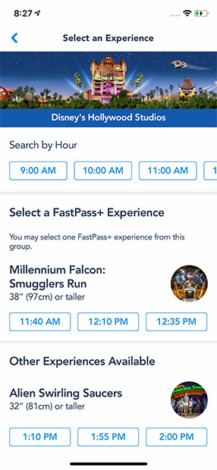
Next, you make your individual selections.
This works differently for the Magic Kingdom than it does Animal Kingdom, Epcot, and Disney’s Hollywood Studios, as Magic Kingdom does not use tiering and the other three parks do. We’ll cover this in the strategy section below.
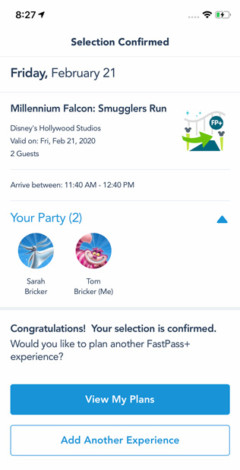
After choosing my time, I’m given a confirmation screen…
…After hitting confirm, I receive confirmation, and am asked whether I want another FastPass+. Rinse and repeat. The system via My Disney Experience is pretty easy. (So long as the app doesn’t crash!)
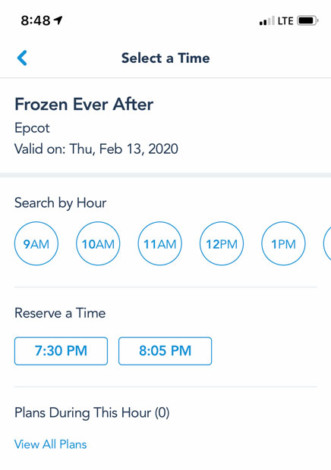
When you return to the FastPass+ screen, you’ll see your reservations, have the ability to modify, etc. It’s all very intuitive. If you can use Facebook, you can use this system. Chances are that any question you have about the functionality of the site will answer themselves after playing around with it for 5 minutes.
With all of that said, don’t be afraid to ask questions below, but since the basics of booking FastPass+ are ridiculously easy to understand, I’m going to move onto strategy, which is where the fun begins…
Best FastPass+ By Park
We’ll keep it short and sweet here, in case all you care about is the best choices, and don’t want to read a long explanation as to why (that’s in the strategy below). You can also find more strategy in our Disney Attraction & Ride Guides for Walt Disney World each contain thorough recommendations concerning the best uses of FastPass+ for each park.
Here are the choices that will save you the most time in each park:
Magic Kingdom
- Seven Dwarfs Mine Train
- Peter Pan’s Flight
- Splash Mountain
- Space Mountain
- Big Thunder Mountain Railroad
Epcot
- Frozen Ever After (Tier 1)
- Soarin’ Around the World (Tier 1)
- Test Track (Tier 1) – single rider recommended instead
- Spaceship Earth (Tier 2)
- Mission: Space (Tier 2)
Disney’s Animal Kingdom
- Avatar Flight of Passage (Tier 1)
- Kilimanjaro Safaris
- Expedition Everest
- Dinosaur
Disney’s Hollywood Studios
- Mickey & Minnie’s Runaway Railway (Tier 1)
- Slinky Dog Dash (Tier 1)
- Rock ‘N’ Roller Coaster (Tier 2)
- Twilight Zone Tower of Terror (Tier 2)
- Toy Story Mania (Tier 2)
These are objectively the best choices, but they may not be the best selections for you, depending upon which attractions interest you (also note that some of the above have height restrictions, so they may not be the best options for families). The best thing you can do prior to your FastPass+ booking windows opening is looking at Walt Disney World wait times for a little while before your trip, and pinpointing the most appealing high-wait attractions to you.
FastPass+ Strategy
If should come as no surprise that not all FastPass+ attractions are created equally. Some are really difficult to score, and others are seemingly always available (think of them as the “participant award” FastPass+). Let’s start with the difficult ones.
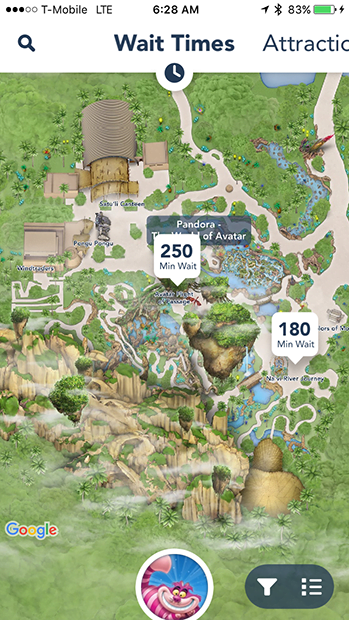
Currently, the most coveted FastPass+ is for Avatar Flight of Passage in Disney’s Animal Kingdom. Along with Na’vi River Journey, these are the two new attractions in the Pandora – World of Avatar land.
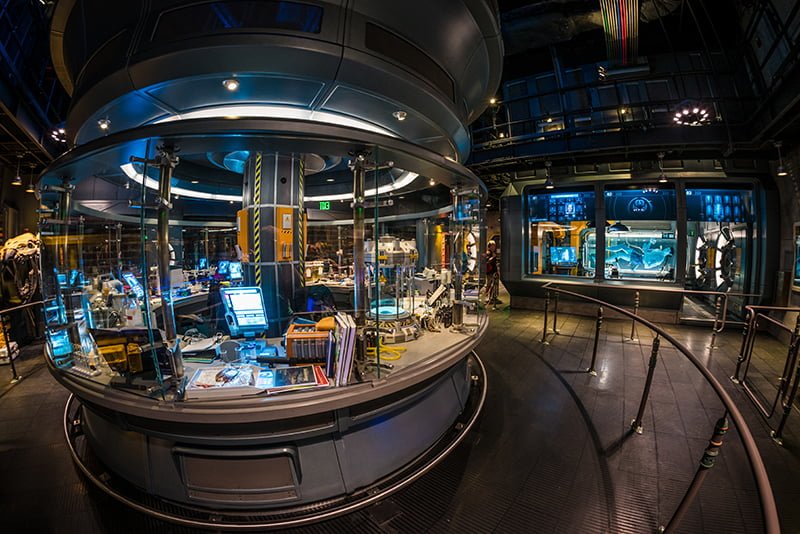
For these two attractions, Animal Kingdom has gone to a quasi-tiered approach. In this context, you cannot hold FastPasses for both Pandora attractions simultaneously. While both attractions are sure to have long waits, the more popular FastPass+ is Avatar Flight of Passage.
Since this is the E-Ticket thrill ride (whereas Na’vi River Journey is a slow-moving boat ride), it’s likely going to have longer wait times. As such, we recommend trying to score a FastPass+ for Avatar Flight of Passage and doing Na’vi River Journey via the standby line. You can read more about strategy for this new land in our Ultimate Guide to Pandora – World of Avatar.
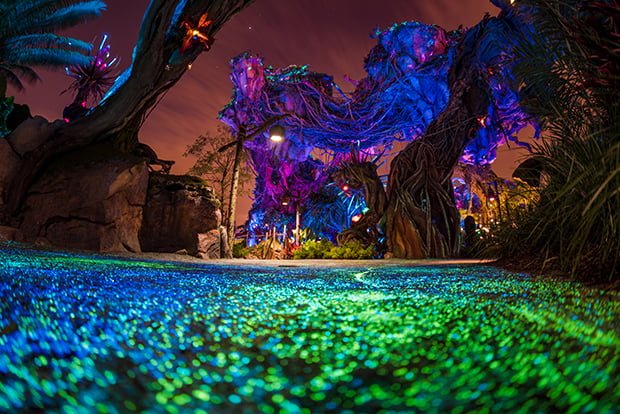
Many days, FastPass+ for Avatar Flight of Passage will be “sold out” 60 or more days in advance. This is possible because hotel guests have 60 days from the date of check-in. So, if you’re taking a 10-day on-site Walt Disney World vacation, you effectively have a 70-day window for that last day of the trip.
This makes booking FastPass+ for the later days of any long trip easier than the early days. Because of this, always book FastPass+ in order of difficulty. Meaning, if you’re going to Animal Kingdom on day 3 of your trip, start by booking your Avatar Flight of Passage FastPass+ before booking days 1 and 2. It is the most difficult FastPass+ to book, so that means booking your Animal Kingdom day first.
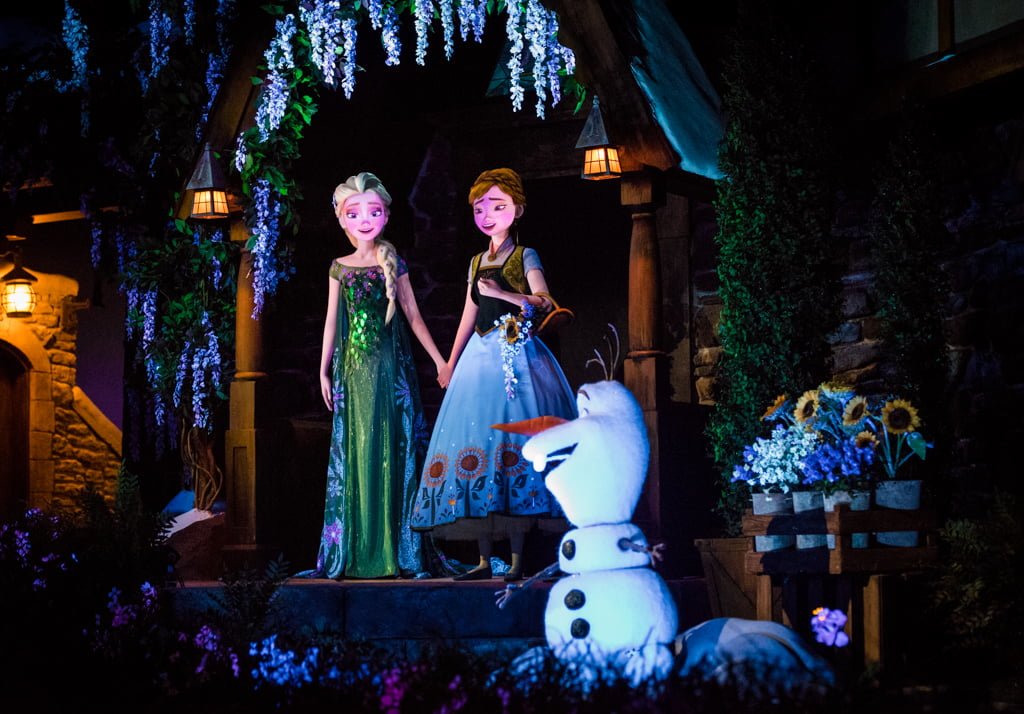
If you want Frozen Ever After, you’ll need to be up bright and early, because Frozen Ever After is still among the most difficult FastPass+ reservations to score in all of Walt Disney World. Standby waits still regularly exceed 60 minutes, and can hit 90-120 minutes on busy days.
A big part of this is because Frozen Ever After is a low-capacity boat ride and demand for it remains high since it’s a family-friendly attraction featuring a movie that is still popular. This is all a recipe for wait times that tend to eclipse an hour, you will want to be up bright and early when your window opens in order to book a Frozen Ever After FastPass+.
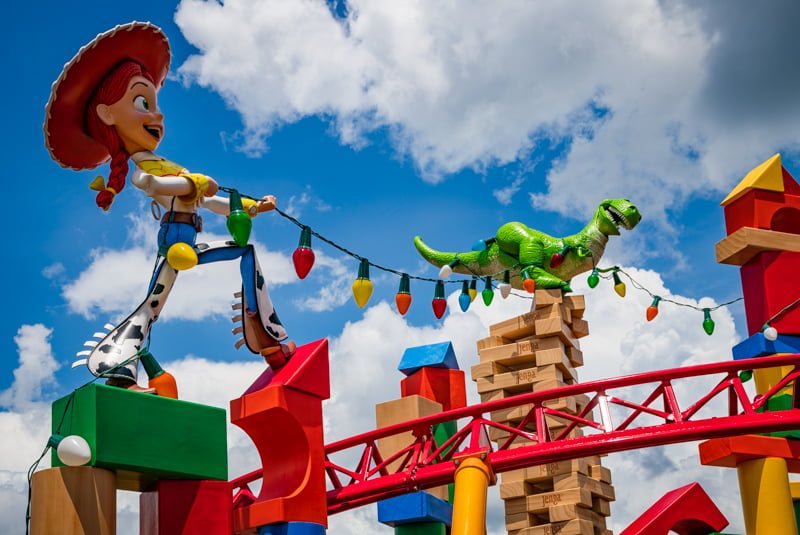
The same is true with Mickey & Minnie’s Runaway Railway or Slinky Dog Dash at Disney’s Hollywood Studios. Even now that Star Wars: Galaxy’s Edge is open, these are the best options at DHS. Long term, it’s difficult to say which will emerge as the victor, but for now, we’re recommending Mickey & Minnie’s Runaway Railway or Slinky Dog Dash as tied for the #2 FastPass+ in all of Walt Disney World.
If you can’t get either of these, Millennium Falcon Smugglers Run is an okay alternative. It has very long lines early in the day, but these fad as the day goes on, and the ride often has a short wait in the evening hours. In fact, there’s more fall off in wait times at Disney’s Hollywood Studios at night than any other park, so it’s not the end of the world if you can’t get your most-coveted FastPass+ at DHS.
FastPass+ Last Minute Refresh Strategy
One final tip for these super-popular FastPass+ attractions: if there’s something that’s an absolute must-do for you, refresh the app regularly, particularly on the day of your visit.
This is done by simply selecting a time for FastPasses in a particular park, quickly scanning what’s available, and if there’s nothing to your liking, selecting another time. The key part of this is toggling between different times–it doesn’t matter what times you choose, as My Disney Experience will show anything that becomes available for previously sold-out attractions.
It can take 10-15 minutes of refreshing (we recommend doing this while you’re standing in line for something else), but you can often score same-day FastPasses for headliner attractions simply with a bit of diligence and persistence in the app.
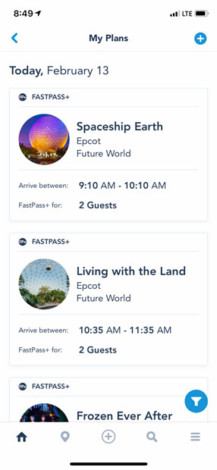
People cancel FastPass+ reservations all the time, and if you are diligent, getting a Frozen Ever After FastPass+ is possible (particularly for parties of 1-2). We’ve gotten lucky with same-day FastPass+ for Frozen Ever After, Slinky Dog Dash, Avatar Flight of Passage, and numerous other attractions.
This is also a strong approach for your fourth, fifth, sixth (and so on) FastPasses of the day after you’ve used your initial allotment of FastPass+ selections. Even on busy days, you can often keep scoring tough-to-acquire FastPass+ reservations for popular attractions with long lines.
The one caveat here that’s worth reiterating is that this approach works best for smaller parties with more flexible plans. If you’re a party of 6-8 or you can only do a particular attraction at a certain time, you’re probably going to be out of luck.
FastPasses to Avoid

At the other end of the spectrum from highly coveted FastPass+ like Frozen Ever After, Avatar Flight of Passage, and Slinky Dog Dash are the “Participant FastPass+”, Walt Disney World added FastPass+ to many attractions that never had (and never needed) FastPass to make sure there was sufficient capacity in the system so that each guest can book 3 per day without all popular attractions “selling out” of FastPass+ in advance, causing guests to become irritated.
This means that some attractions offering FastPass+ are essentially red herrings, offering FastPass+ not because they will save you time, but so people have something to book in advance if other attractions are sold out. These are typically for shows, for which FastPass+ is almost never necessary.
The idea behind this is that guest satisfaction will be higher if people are able to book FastPass+ (even if those selections save them no time) than they would be if all FastPass+ during their trip are “sold out.” Guests with FastPass+ may get better seats at these shows, but there’s no guarantee of that.
To reiterate: FastPass+ for a show is almost always a waste of a FastPass selection. Don’t do it. These selections are only offered so people don’t feel discouraged when the good FastPass+ options aren’t available. Think of them as the “Participant Award” of Walt Disney World touring.
FastPass+ Timing
We recommend making FastPass+ selections starting about an hour after park opening. Ideally, make your first 3 FastPass+ selections between 10 am and 1 pm, if not slightly earlier. This is because midday is when the wait times are the longest, the weather is the hottest, and you’re going to want to spend the least time waiting in line.
The first advantage to this is that it gives you roughly an hour from rope drop until 10 a.m. to do attractions via the standby line before the crowds really hit, and lines start getting longer. If you’re redeeming FastPass+ first thing in the morning, you aren’t taking advantage of these short standby waits.
Conversely, if you book FastPass+ too late in the day, your options are limited once you redeem your FastPasses and can start making additional selections. Instead, you want to find the right balance between early and not too early, and I think that is around 10 a.m. until 1 p.m.

Since many guests have no clue what FastPass+ even is until they show up at the park that day (I’d say this describes most guests), you essentially are in a “race” with other guests to use your FastPass+ and start making additional selections before other guests select remaining “good” FastPass+ run out for the day. Think of it as the Hunger Games, except with Disney rides.
In the Magic Kingdom, it is worth noting that many of the attractions that will have high wait times later in the day are located nearby one another, have short ride durations, and can be quickly knocked-out with minimal wait first thing in the morning. So, if park opening is at 9 am, you might be best served by racing to Peter Pan’s Flight, then Many Adventures of Winnie the Pooh, Under the Sea ~ Journey of the Little Mermaid, and ‘it’s a small world’ first thing. After Fantasyland lines start getting bad, use your FastPass+ for the “Magic Kingdom Mountain Range” after 10 a.m.
This is especially important in the Magic Kingdom, where there are 15+ attractions for which FastPass+ is useful to help avoid waits. For this reason, an ideal strategy in the Magic Kingdom is spending the first hour or so of the day doing popular, short attractions via standby, then using FastPass+ for different attractions, then getting and redeeming more FastPass+ as soon as possible.
Continue that strategy for as long as you’re able, and then do unpopular attractions and/or redeeming additional FastPass+ in the middle of the day. Finally, at the end of the night, you’ll be using standby again at as the crowds and wait times die down. (We always jump into line for Seven Dwarfs Mine Train 1 minute before the park closes!)
FastPass+ Park Hopper Strategy
An alternate strategy to this if you’re going to be Park Hopping is to not book any FastPass+ for the first park you’re visiting (you can only book FastPass+ for one park per day), staying there until standby lines build, and then hopping to a different park where you have FastPass+ scheduled once things start getting busy.
This strategy works really well for doing a second park in the late-afternoon after some other park in the morning. Now that Disney’s Hollywood Studios has changed its FastPass+ tiers, we’d strongly recommend not using this strategy to hop to DHS. You’ll be at a huge disadvantage if you do, as you can only hold a FastPass for one of its headliners, and you won’t be able to do Star Wars: Rise of the Resistance at all.
I know this is a lot to digest about line-skipping and the costs at each Disney theme park, especially considering how intuitive and easy to use the system really is, so I’m going to cut this paid FastPass guide off here. Like so many things related to Walt Disney World, it’s intimidating at first, with a lot of superficial complexity. However, also like a lot of Walt Disney World trip planning, it’s surprisingly simple to understand. There are some complexities that do make it difficult to master, and I think I’ve covered most of those.
If you have specific questions or are interested in park-by-park guides for FastPass+, please feel free to ask, and I’ll do my best to answer in the comments below. Also, keep in mind that, although much of the dust has settled, the Lightning Lane paid FastPass system is still very much in flux. I’ll do my best to keep this guide updated, but some things may change…please let me know if you notice any outdated info!
If you need help booking your Walt Disney World vacation and would like the assistance from a professional, click here to get a quote from a recommended, no-fee Authorized Disney Vacation Planner. They get their commission from Disney, so there is no charge to you for them to book your trip, help you plan, and even book your FastPass+ ride reservations for you!
If you are planning a first trip to Walt Disney World or your first trip since all of this My Disney Experience stuff launched, make sure to check out our Disney Tips & Tricks page for a lot of helpful tips to outsmart the masses. Also check out our dining reviews to find the best restaurants and our trip planning posts to figure out what to pack, where to buy Walt Disney World tickets to save money, which discounts to look for, and all the other ins and outs of a trip to Walt Disney World, all of which are covered extensively in our Walt Disney World Trip Planning Guide.
Your Thoughts
Have you used paid FastPass at Walt Disney World, Disneyland, or beyond? What did you think? Was it worth the money? Which Lightning Lanes did you find the most difficult to score? How much did you spend in total to buy line-skipping access? Have you had luck securing ride reservations for popular attractions? Any tips of your own to add? Any questions you have about paid FastPass that this guide didn’t answer? Please share your thoughts in the comments!


Be out Guest ended Feb 25, 2015
As of right now, that date is in the future. 😉
We got our 4 day tickets to Disney World thru a military base. Can we still use those tickets we receive to book Fast Pass+ 30 days in advance or will that not work with military tickets?
I’m not entirely certain with regard to the military tickets, but you should be able to link them to your My Disney Experience account like any other ticket.
Great post- thanks for sharing!
My only tip that wasn’t mentioned is to not worry too much if the times you are offered in your automated options don’t match what you want (for example, if you are trying to match up to a Touring Plan.) You can change many of those times but you have to select one of the four options FIRST (this seemed counter-intuitive and took me a while to figure out.) Once you have selected an option, you can then change the time (just like changing the experience as you mentioned) for each attraction individually. I was usually surprised by how many “better” options were available than what the system had offered. What I mean is that the options would sometimes not start until after lunch, let’s say, so at first I assumed that meant nothing was left for late morning. By going into each attraction it turned out that the entire morning would be available.
The one other mistake I sometimes made when changing times was thinking that there was nothing for Mine Train, let’s say, between 10 and 11 like I wanted before realizing that Space Mt was overlapping that time. Move Space Mt to 2pm first and then the 10-11 slot would often open up for Mine Train.
(I hope this makes sense and is perhaps helpful to someone!)
What are your thoughts on Princess encounters? Do these need fast passes? Tinkerbell, Cinderella and Rapunzel, and Story time with Belle? Our kids are 5 and 2 and we only have 2 days at Magic Kingdom, so we want to do as much as possible! Thanks!!
Two days is a pretty good amount of time for the Magic Kingdom. I could see using a FastPass+ on Enchanted Tales with Belle, but not the other meet & greets.
Tom, so informative and sooo funny. We are staying at a Disney resort so it is my understanding we get into Epcot earlier at 8:00. Are the attractions open then? We are trying to figure out when we would need to book an attraction thru FP+ to be sure we get it vs just waiting in line early in the day so one does not burn up a FP+. Also, did you explain Tiers somewhere? Are some attractions on different levels, Tier 1 and Tier 2? And last have you posted how long some of these popular attractions last or are they all kinda the same? (Just trying to figure if we have time between attractions to run over to Germany for a quick Spaten, then to Paris for a Patisserie or two, or maybe it was the other way around?)
No need to reply, we found answers to all our questions, thanks for being there though.
I’m not sure if my question went through the first time, so here it is again.
The Disney website lists four FastPass+ kiosks per park, but I read something that listed more…
How many kiosks are there and where are they located?
The Disney website lists 4 kiosks per park for FastPass+, but I read something that list more. How many and where are the kiosks?
Okay firstly, LOVE the blog…seriously, I’m obsessed. But I am finding something to be quite confusing. I have booked a Disney Vacation Package (this is my first ever trip, ahhhh!) and I go on to the My Disney Experience Page to link my tickets but I can’t since I don’t have a magic band or anything with the ticket number on it yet. I know Disney does not ship magic bands to Canada so does that mean I cannot get a ticket number to link them to my account until I get there? That being said, I want to make FP+ reservations 60 days before my trip but I can’t do so unless I have a ticket number to link to My Disney Experience. So since I a not getting my magic bands shipped to me that means I will not have a ticket number, and since I do not have a ticket number that means I can not make FP+ reservations right? This all seems very circular and confusing and help is much appreciated!
Tom, you mentioned you can only book FP+ for one park per day. We plan on park hopping so when I book my 3 FP+’s 60 days out(we’re staying on property) can we use them at one park in the am and then when we go to the other park after lunch can we use the kiosks for additional FP+’s? If so, from what I understand you mentioning, we can only get 1 at a time from a kiosk?
Great advice Tom as always and the Tokyo Trip Review was extremely helpful in giving me and my family a realistic idea of what to expect and how to get the most out of our trip thank you for all the time and effort and fantastic photos that go into your work!!! I guess BRIAN did not take the tip and get to TDR before the parks open cos if he did he would have been able to work the fast pass system and make the most of his trip. We went in the week before Halloween and granted it did rain on our first day at Disneyland but we easily covered the park in our two days (one being a Friday) we also got most of Disney sea done in two days (one being a busy Monday) and got fast passes to toy story mania on our second day at Disney sea so if you take the advice you can make the most of if. I think you also need an open mind for TDR the local pass holders there are real die hard Disney fans I would happily return and use the tips from the planning guide again. I always look forward to receiving a new email from Disney tourist blog they are always well written 🙂
Thanks so much for the post Tom. Very insightful as always. We’ve got a trip booked for the last week in August using rented DVC points at the Boardwalk Villas. This will be our first trip with FP+. You mentioned that hotel guests can book at 60 days and AP holders are limited to 30 days in advance. We’re considering getting AP’s since we’re going for 9 days this trip and then it would pay off if we go back next year too. Plus we’ve never been at Christmas time so maybe we could sneak in a long weekend trip in early December and maybe get an AP discount to boot.
My question is what wins for the booking window? Since we’re staying on property, would we get the 60 days or would we be limited to 30 days if we entered the AP’s. I haven’t bought the APs yet so I’m also considering just getting regular tickets and then upgrading to the AP once we’re there but I’m not sure what havoc that would cause with the existing FP+ bookings (since the ticket ID would change I’m guessing) and then if I waited till the end of the trip, I couldn’t use any discounts, park hopping or tables in wonderland with the AP. Hopefully you’ve got an answer for this one as I’m quite perplexed.
Thanks again for all of your efforts on the blog. It’s a family favorite to read and has played a part in all of our trip planning over the years, especially last year when we made our first trip to DisneyLand. Just viewing your amazing photos helps get us through the cold winter in NY.
It doesn’t matter what type of ticket you have — if you are a resort guest, you will be able to book FP+ 60 days out. So if you think you want the AP, go ahead and get it. No need to purchase something else and upgrade later.
The one thing I didn’t see you mention in your article was switching times within your 3 initial fasspasses. Once you’ve made the determination as to what to ride, it’s hard to change (like your 7 Dwarves time) when you have something you’re afraid to lose. But you can play with times before you’re completely finished by reversing attractions, etc, so that it makes more sense when touring the park. For instance, we were at WDW in November & found by reversing our first 2 fastpasses, we got earlier times. We kept the 3:30-4:30 Anna & Elsa time, so this gave us time for a longer lunch & some “just wandering” time before we had to be there for A&E.
The switching is hard as you can’t overlap. But if you do not like any of the 4 options, pick the one that works the closest to what you want. It’s like the tetris game, sometimes there’s only a couple ways things will fit. But since you can use your dining time (it will let you know you’re overlapping), to move things around, that gives you the extra times you need to move those attractions & get them in the order you really want.
Our biggest complaint was that the first 3-4 days of our 9 day visit, we felt we were “at the mercy” of the FP+ time. We couldn’t smell the flowers so to speak. Then we caught on to changing times to tour more the way we like (leisurely). We had one day that had no FP+ & only lunch reservations & it was great to take the time to see things we had missed earlier in the trip.
We’ve been to WDW many times & since we’re Premium APs at Disneyland (upgraded to Premiere for the trip), we didn’t have that “gotta ride it” mentality. (Well except for Carousel of Progress, Country Bears & Tomorrowland Transit – for obvious reasons.) But we did schedule both Anna & Elsa & Seven Dwarfs twice, plus received one free FP+ from guest relations & used it on Seven Dwarfs. 🙂
We’re more laid back than most of your readership when it comes to touring the parks, so I understand the emphasis on when & how to use the FP+ to get the most out of your trip. It’s something I would have liked to read beforehand, whether we used the information or not, instead of learning by trial & error. 🙂
Keep checking back! I was just in WDW the first week of January and saw a fast pass for Elsa and Anna for the next day. I was shocked it was available!
Keep in mind that people make fast passes for the last day of a trip (or later in a trip) and end up knocking out the activity earlier so they cancel.
Its also always worth it to be extra nice to the workers at the Fastpass Kiosks. *hint hint*
While you definitely raise a good point, you got super lucky with that Anna & Elsa FP+. That’s not going to happen in the vast majority of situations–or, if it does, the FP+ will be grabbed so quickly that most people will never see it.
This might be obvious but the booking time is midnight EST. I’m in MST so I can start booking at 10pm.
Correct. Thanks for clarifying!
Hi Tom,
I just wanted to know if the selections are kept in the same order as you select them in each of the 4 options.
If we put 7DMT first, Splash second and Buzz third will they remain in this order on all 4 times options you are offered? I’m asking because if 7DMT is so popular you could be given very late times for all three rides whereas an alternative order might work out better.
There’s really no order to your selections. The attractions are listed alphabetically on the previous screen, so your “first” pick is whatever is earlier in the alphabet.
The order is somewhat randomized in the various options. If you’re selecting early and everything is still available, each of the options should be on-point, but if you’re making selections not very far in advance, some of the options will have attractions you didn’t even pick.
Hey Tom! Long time reader, first time commenter. Love your blog and have used your guidance wisely during previous visits. This year we are going for a week in late October and planning a 2 week Fort Wilderness trip for early October next year. Because this will be 21 days within a 1 year span we are opting for Annual Passes for the first time. Will we be able to make Fastpass reservations ahead of time this year being that our Annual Passes technically haven’t been activated yet? Or is there a better idea to maximize or Fastpass experience? Thanks ahead for any help!
When you purchase your Annual Pass vouchers, you *should* then be able to make FastPass+ reservations.
Just remember: you won’t be able to make FP+ reservations for every day of your trip if you opt not to stay at Fort Wilderness, as APs are limited to 7 within a 30 day period if they aren’t staying in a Disney resort-hotel (Fort Wilderness counts as a hotel).
It’s funny. When fastpass plus first debuted at WDW I was very much against it. I was used to running around and getting 8 or more fastpasses a day. The thought of only getting 3 really bummed me out. However after using it I really came to enjoy the choosing in advance without having to worry about fastpasses running out or having inconvenient return times. I also loved being able to adjust on my phone as needed. Once they added the feature to add more selections after using the initial 3 I became completely sold on the new system.
Sure it does still have drawbacks, the mainly being the tiers at Epcot and Hollywood Studios, which pretty much forces you to use at least one or two choices on rides / shows that would never really require it. But overall I still love the new system.
Now I am taking my first trip to DLR and I find myself missing the ability to select options ahead of time. I use the touring plans website and it projects a 20 minute wait just to use the fastpass machine for Radiator Springs Racers at 9 am when the park opens to guests not staying on site (which I am not). That and it seems like the fast pass machines are pretty spread out at Disneyland so I expect to do quite a bit of extra running around to grab whichever fastpasses I can.
As I said, I am familiar doing it this way, and used to prefer it, but still it would just be so nice to select them ahead of time and not worry about it!
If you don’t mind doing single rider for Radiator Springs Racers, that’s the much better course of action. In general, Disneyland is a much more compact park, so getting various FastPasses on foot really isn’t that time-consuming.
That is, unless you park hop back and forth between Disneyland and DCA trying to simultaneously hold FastPasses in BOTH parks (which you can do). Now THAT is really gaming the system, but it’s also a lot of walking…
Great to know they have single rider for Radiator Springs. My girl and I almost always use single rider for Test Track when visiting Epcot so we are used to it. I really can’t wait to ride Radiator Springs after reading your thoughts on it in various posts!
Fast-pass+ is an attempt to keep more people in Disney hotels. It does so by “giving” greater access to those who stay on property. It is very Mich like the head of the line passes at Universal.
See, this is what I thought it would be, and I still think it will eventually evolve to that, but I don’t see it right now. Disney hasn’t actively marketed this 60 v. 30 day thing, and I think most people don’t even know about the difference.
In practice, it only matters for a handful of attractions during all but the busiest days of the year. I really expected this to be MORE about getting guests to stay on-site. I wouldn’t have been surprised to see on-site guests get extra FP+, or even higher-tier guests receive more (i.e. Deluxe Hotel guests get 6 FP+, Moderates 5, Values 4), but that hasn’t happened. Yet…
We are going to WDW in a couple weeks and our Magic Bands arrived yesterday! I made our FP reservations at the 60 day mark and your post confirmed that I did it right. Only thing, for our party of four, only 2 wanted to do Everest but it assigned that time to all of us. Couldn’t figure out how to change that, so I guess 2 of us won’t show up for that ride.
Thanks for all your wonderful posts!
If you go in and edit the FP+ now, you should be able to remove it for those who don’t want it, assuming you want to give them different FP+ instead. I know this works with the app, but I’m not sure about the website.
Any thoughts about MyMagic+ coming to DLR?
I think it will come, and I think it will face a TON of criticism from locals. Disneyland fans are very defensive of their parks, and scrutinize every little thing.
I think it coming to DLR is a win for tourists. Annual Passholders (or “Passholes” as they are often known) are not only protective of the parks, but sometimes exert a misplaced sense of ownership. In some cases this harms the experience of non-locals, and I think a more stringent FP+ system that might disadvantage them a bit is a good thing.
As for the whole system, most of my criticisms lied with the very rocky rollout at Walt Disney World. To say it was handled poorly would be an understatement. With that experience (at a much larger and more complex resort) under their belts, I think implementing the system at Disneyland (and Disneyland Paris) will have far fewer hiccups.